17
© 2012 SHFL entertainment, Inc. Deck Mate® Service Manual 20121009
Confidential
8.0 Mechanical Setup and Adjustments
Platform Maintenance
If the platform and the grippers are not level with one another the result could
be that the grippers will not hold the cards up and the falling cards could cause
crashing, flipped cards or cards “wedged” against the inside of the platform
compartment.
Platform level should be checked on a monthly basis during routine
Preventative Maintenance.
Platform Level Check
1. Turn the power to the shuffler ‘Off’.
2. Hold the door open using the DECK MATE
®
shuffler Door Prop, part number
F1097.
3. Open the grippers as far out as possible.
4. Raise the platform by pulling down on the Platform Motor Belt.
5. Place the Platform Fixture, part number F1094, on the platform.
6. Carefully lower the platform and gauge below the grippers. Avoid ‘wedging’
the gauge in the platform area.
7. Push the grippers all the way in.
8. Raise the platform and the fixture up to contact the bottom of the grippers.
The gripper pads should not move side-to-side if the platform is level.
Leveling the Platform
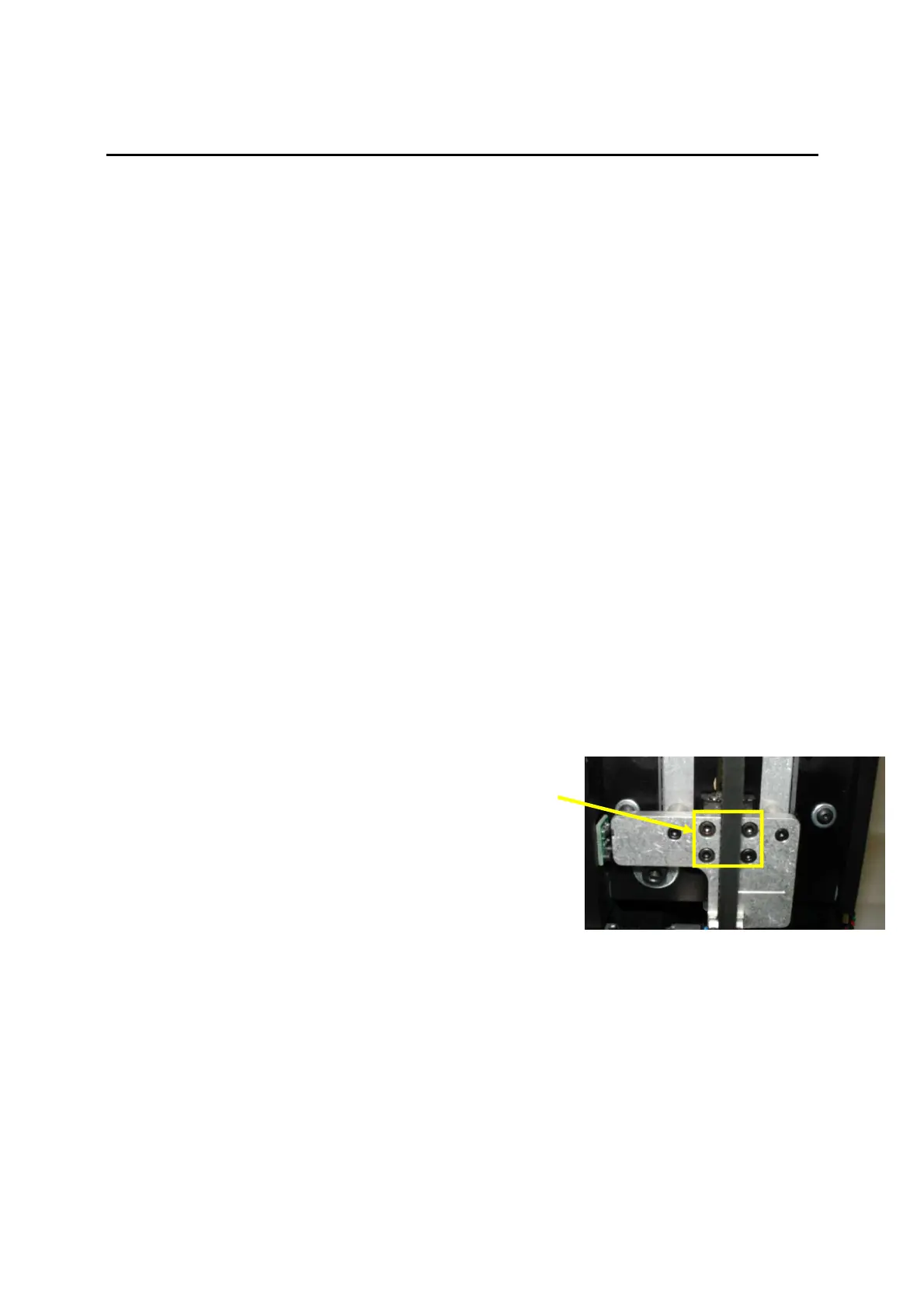
1. Slightly loosen the four socket head screws on
the Platform Carriage using a 2.5 mm hex
wrench.
2. Raise the platform and the fixture up to contact
the bottom of the grippers.
3. Tighten the four screws while holding the fixture
tightly against the grippers. The grippers should
not move side-to-side when the platform is
leveled.
4. Open the grippers all the way out.
5. Raise the platform and remove the fixture.
Test for Broken #4 PCPS Harness
1. Power up the shuffler while pressing the GREEN button to enter the Service
Mode.
2. Press the GREEN button to page through to the Sensors display.



 To Next Page