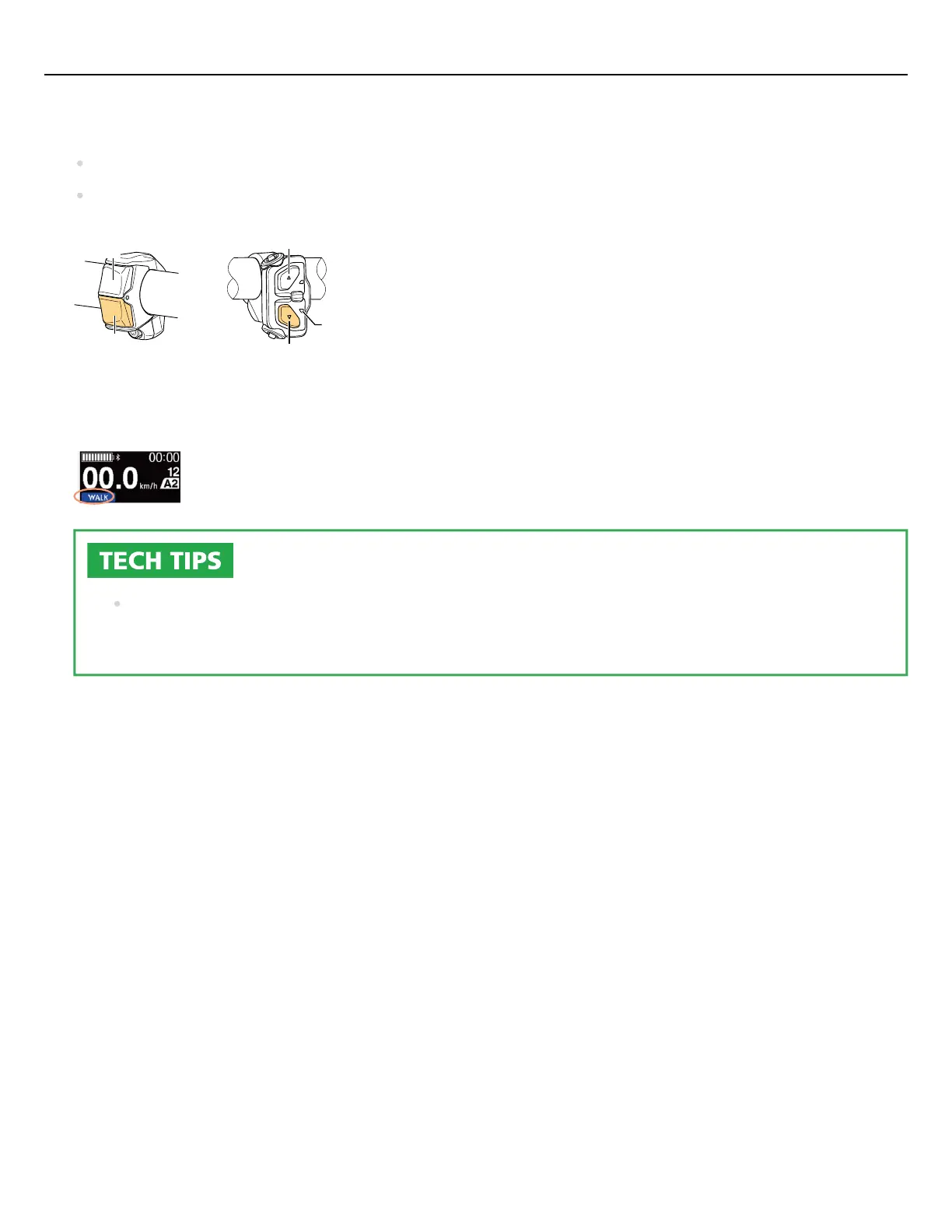
Stop and switch to walk assist mode.
Press and hold Y on the assist switch (left side of the handlebar) until it reaches the following state:
X
Y
Y
X
2-switch type 3-switch type
LED2
(Blue)
Cycle computer: [WALK] is displayed
3-switch type: LED2 lights up blue
If nothing is done for one minute after switching to walk assist mode, it will switch back to the
assist mode that was selected before switching.
1.
Quick guide
22




 To Next Page