12
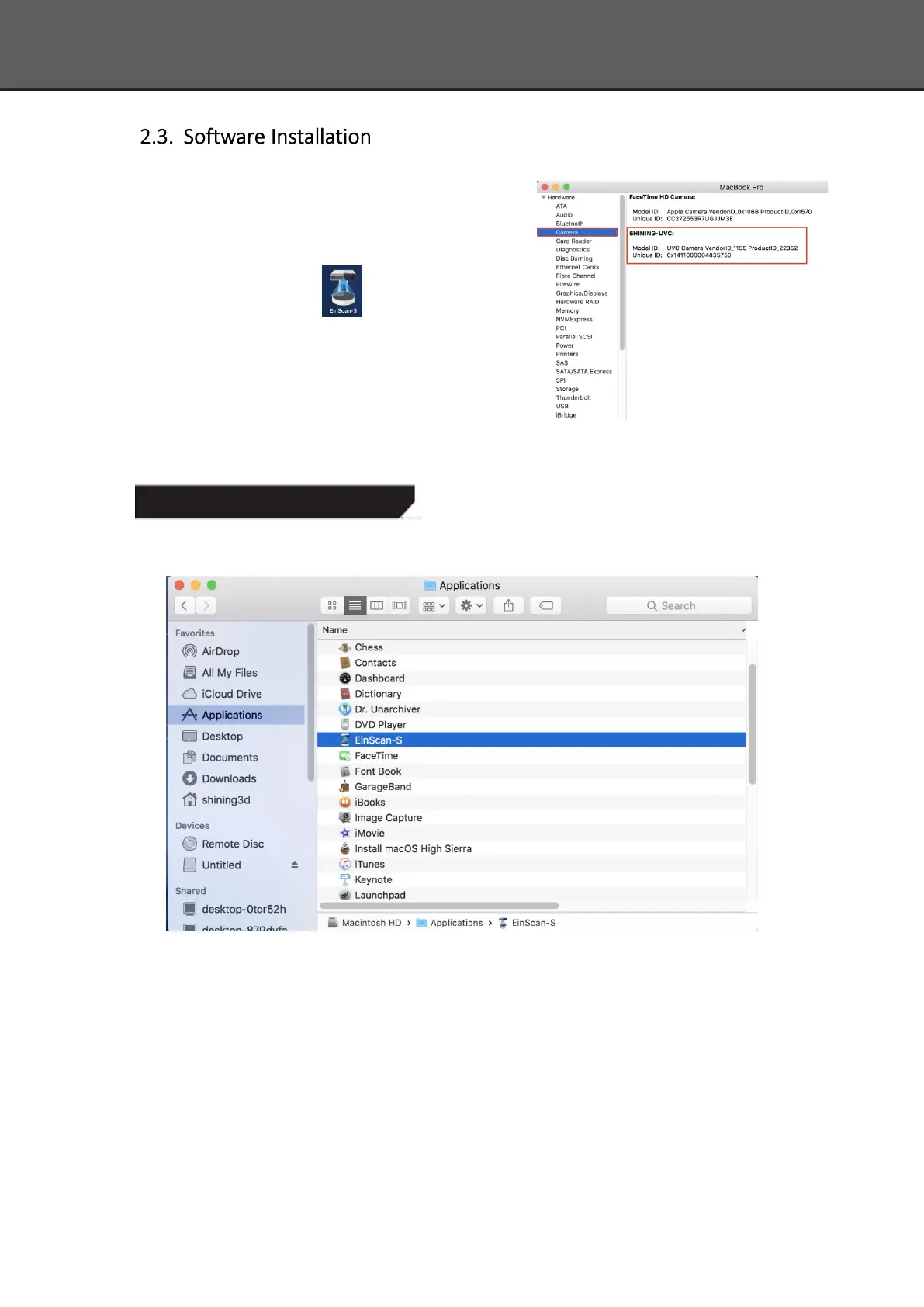
Double click installation package, drag the
"EinScan-S" to the Application.Double click installation
package, drag the "EinScan-S" to the Application. When
installation is finished, there will be a shortcut of the
software on the Application .
In the next step, connect the device and check
whether the camera driver installation is successful, click
the Mac logo on the top left corner of the desktop, select
'about the machine', open the 'overview' system report,
and see if the camera's name is normally displayed under the 'camera' in the 'hardware'
Software Uninstall
Open the Application, delete EinScan-S, as shown below.














 To Next Page