To view the second screen with information, press the UP/DOWN buttons on the control panel (11). The
second screen provides information about the presence of DMX signal and the incoming DMX values at
the respective input port.
See 6.9.1.3. Status Information on pages 21–22 and 6.9.2.3. Status Information on pages 23–24 for more
information.
Access via the Main Menu
You can monitor the status of Input A and Input B from the main menu.
Refer to 6.9.1.3. Status Information on pages 21–22 for monitoring the status of Input A.
Refer to 6.9.2.3. Status Information on pages 23–24 for monitoring the status of Input B.
Output Ports Configuration
The device has 8 output ports. Each port can be assigned to Input A or Input B, or to both ports with the
merge function. You can configure the output ports via the output port button or via the main menu.
Quick Access
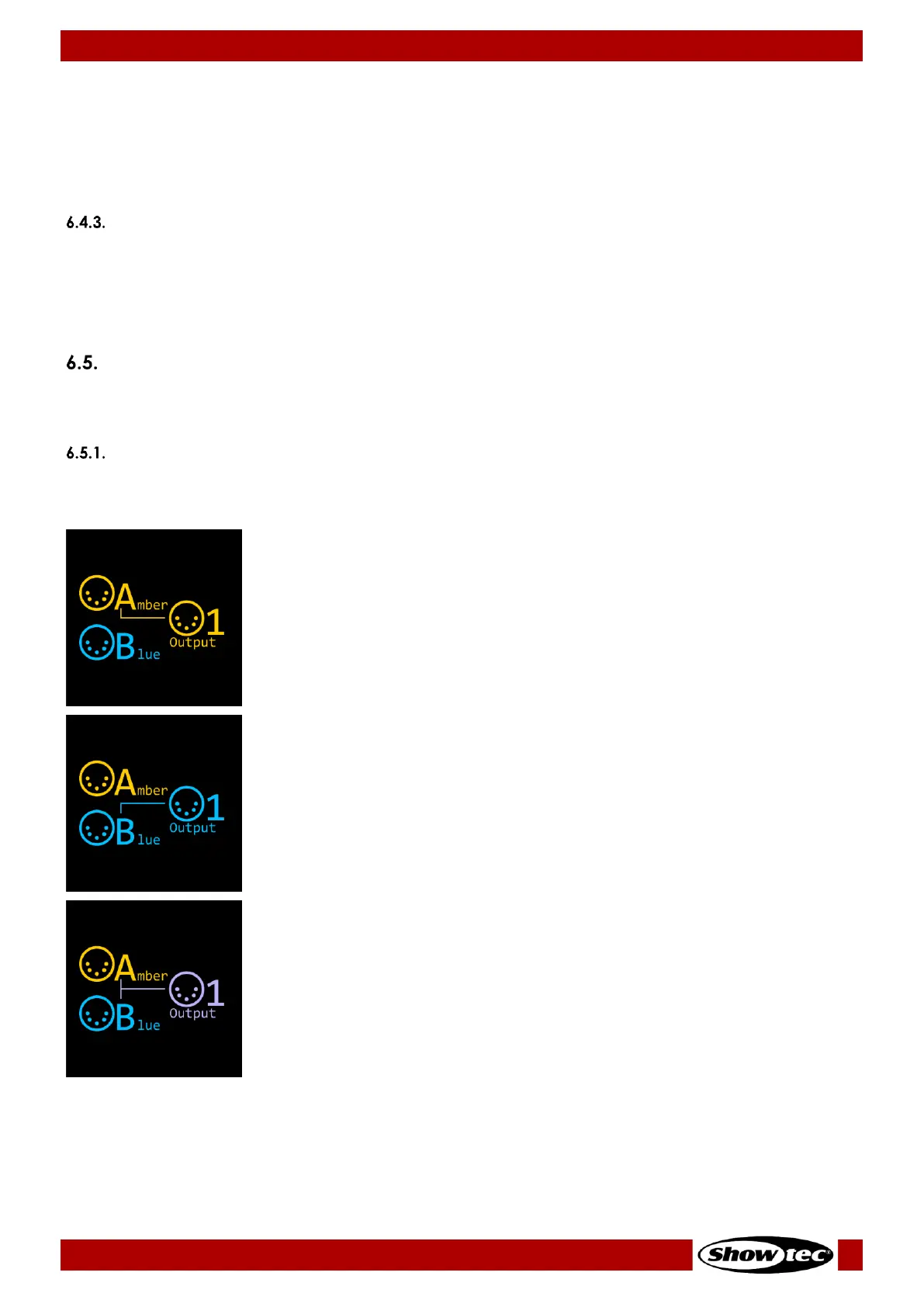
The output port buttons (09) provide quick access to the configuration of the 8 output ports. Press the
output port button repeatedly to select one of the following 3 configuration options:
● Connect Output 1 to Input A.
The LED indicator (10), located to the right of the port, will light in amber.
● Connect Output 1 to Input B.
The LED indicator (10), located to the right of the port, will light in blue.
● Connect Output 1 to Input A and Input B via the merge function.
You can additionally configure the merging options via the main menu.
Refer to 6.6. Merge Function on page 16 for explanation of the
configuration options and to 6.9.3. Merge on pages 24–25 for the
configuration settings.
The LED indicator (10), located to the right of the port, will light in magenta.


 To Next Page