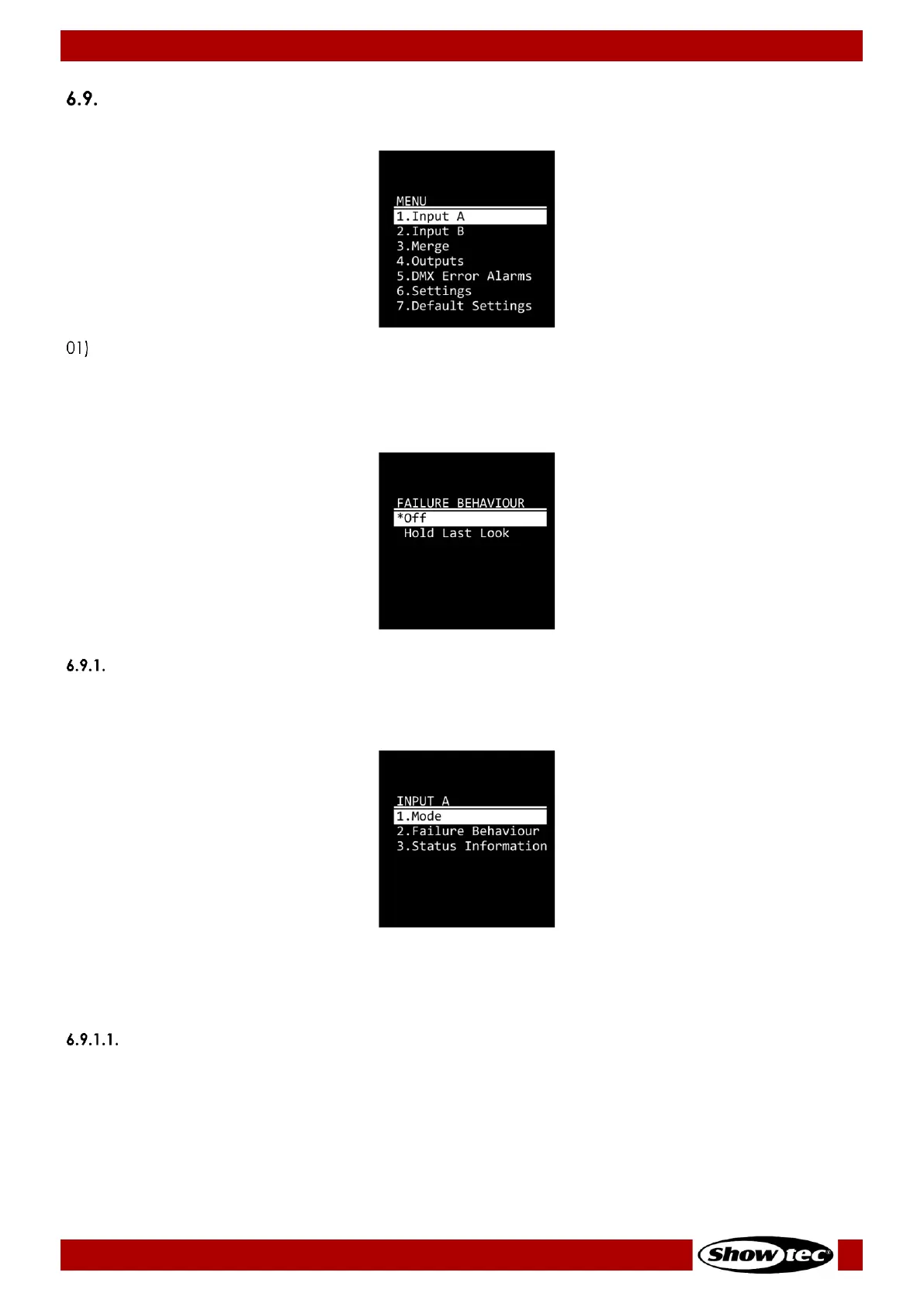
Main Menu Options
The main menu has the following options:
Press the UP/DOWN buttons to navigate through the main menu.
02) Press the ENTER button to open the submenus.
Note:
Currently active selections are marked with an asterisk (*), for example:
Input A
In this menu you can configure the settings and monitor the status of Input A (Amber).
01) Press the UP/DOWN buttons to select one of the following 3 options:
● Mode: See 6.9.1.1. Mode for more information
● Failure Behaviour: See 6.9.1.2. Failure Behavior for more information
● Status Information: See 6.9.1.3. Status Information for more information
02) Press the ENTER button to confirm the selection.
Mode
In this submenu you can configure the port mode and the frame rate.
01) Press the UP/DOWN buttons to select one of the following 10 options:


 To Next Page