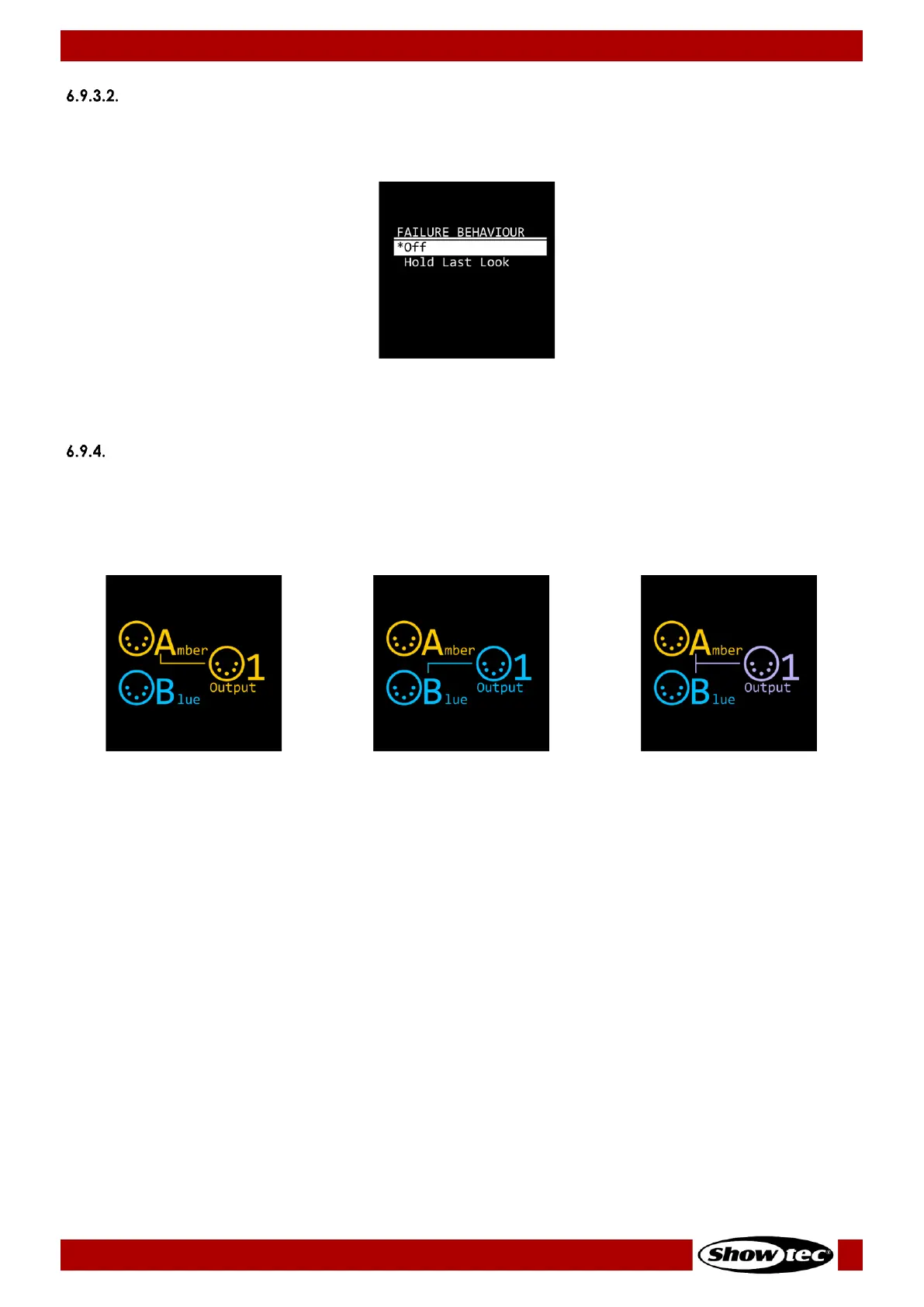
Failure Behavior
In this submenu you can set the behavior of the device in case of a DMX failure.
01) Press the UP/DOWN buttons to select one of the following 2 options:
● Off: The device will black out the output
● Hold Last Look: The device will use the last working DMX value on the output
02) Press the ENTER button to confirm the selection.
Outputs
In this menu you can configure the 8 outputs.
01) Press the UP/DOWN buttons to select the output which you want to configure.
02) Press the ENTER button to confirm the selection.
03) Press the UP/DOWN buttons repeatedly to choose one of the following 3 configuration options:
Connect Output 1 to Input A. The
LED indicator (10), located to the
right of the port, will light in
amber.
Connect Output 1 to Input B. The
LED indicator (10), located to the
right of the port, will light in blue.
Connect Output 1 to Input A and
Input B via the merge function.
The LED indicator (10), located to
the right of the port, will light in
magenta.
04) Press the ENTER button to confirm the selection.
Note:
● You can quickly configure the output ports with the output port buttons (09). See 6.5. Output Ports
Configuration on pages 15–16 for more information.
● If the merge function is activated, the RDM is not functional.


 To Next Page