Shure Incorporated
15/22
1.
2.
3.
4.
1.
2.
3.
4.
◦
From the home menu screen, select Radio.
Press the control wheel to highlight Band.
Turn the control wheel to set the receiver band to match the transmitter band.
Press the ENTER button to save.
Linking a Transmitter using IR Sync
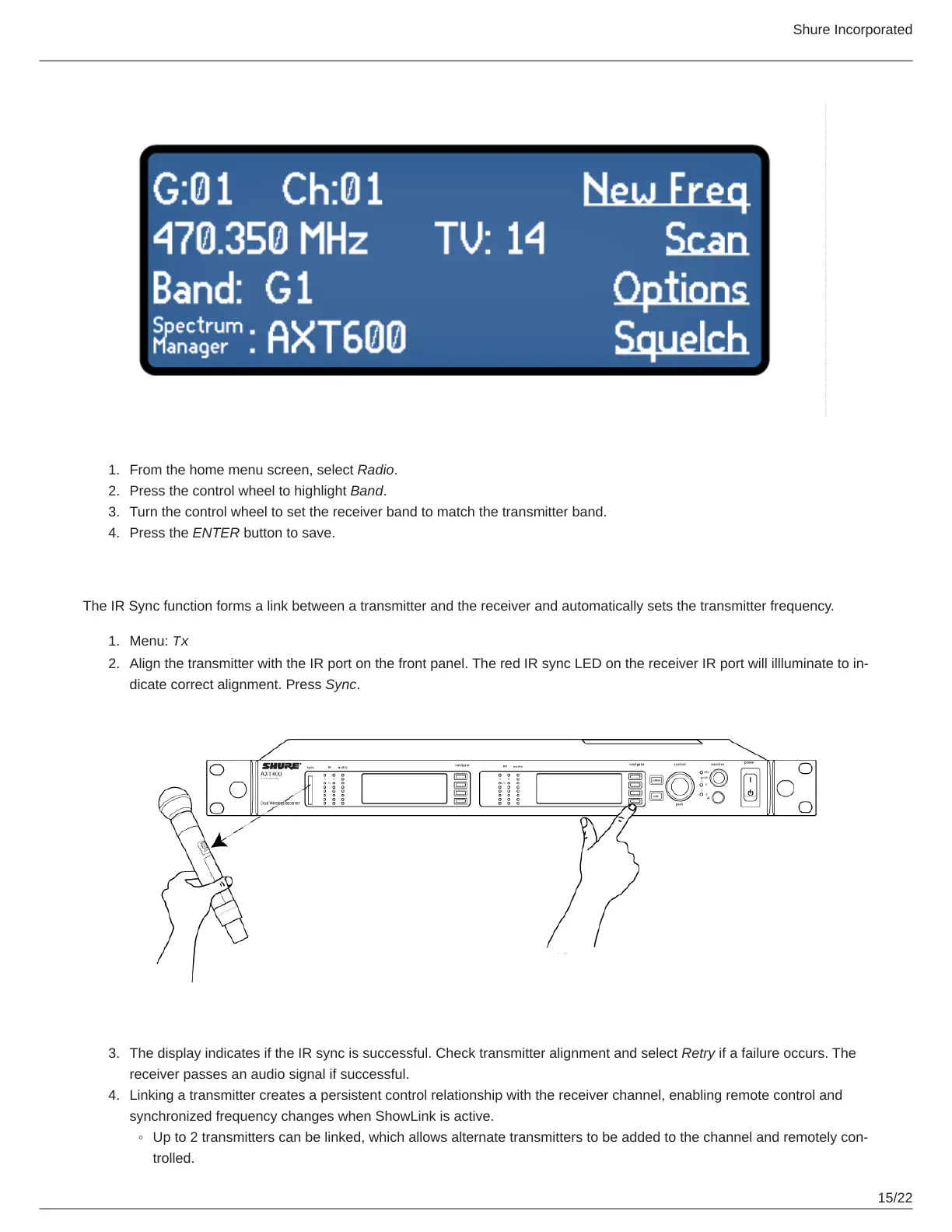
The IR Sync function forms a link between a transmitter and the receiver and automatically sets the transmitter frequency.
Menu: Tx
Align the transmitter with the IR port on the front panel. The red IR sync LED on the receiver IR port will illluminate to in
dicate correct alignment. Press Sync.
The display indicates if the IR sync is successful. Check transmitter alignment and select Retry if a failure occurs. The
receiver passes an audio signal if successful.
Linking a transmitter creates a persistent control relationship with the receiver channel, enabling remote control and
synchronized frequency changes when ShowLink is active.
Up to 2 transmitters can be linked, which allows alternate transmitters to be added to the channel and remotely con
trolled.



 To Next Page