EasyManua.ls Logo

Shure BLX88 - User Manual

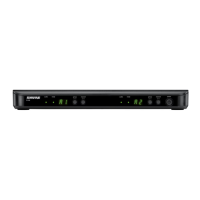
Shure BLX88
28 pages
Print Icon
To Next Page IconTo Next Page
Loading...
BLX
Wireless System
Online user guide for Shure BLX wireless system.
Version: 4 (2019-H)

Other manuals for Shure BLX88

Questions and Answers

  • J
    jane98Aug 30, 2025
    How to fix a Shure BLX88 Microphone system when the transmitter LED is flashing red?
    • L
      Lisa McintoshAug 31, 2025
      If the transmitter indicator LED is flashing red on your Shure Microphone system, try these steps: Replace the transmitter batteries. Change the receiver and transmitter to a different group and/or channel. Identify and shut down or remove any nearby sources of RF interference. Replace the transmitter batteries again if necessary.
  • A
    Ann MirandaAug 29, 2025
    Why does my Shure BLX88 Microphone system have audio dropouts?
    • K
      Karen MayerAug 29, 2025
      Audio dropouts or artifacts in your Shure Microphone system can occur if the receiver ready LED is flickering or off. Make sure the receiver and transmitter are positioned within the specified system parameters. The system should be set up within the recommended range and the receiver should be kept away from metallic surfaces. For optimal sound, the transmitter must be used in line of sight from the receiver.
  • X
    xdudleyAug 28, 2025
    What to do if my Shure BLX88 has no sound?
    • K
      Keith FlemingAug 28, 2025
      If your Shure Microphone system produces no sound or only a faint sound, try the following: First, ensure the transmitter is turned on. Second, check that the batteries are correctly installed. Third, perform the transmitter setup. Finally, insert fresh batteries.
  • G
    gonzalezemilyAug 27, 2025
    What to do if Shure BLX88 transmitter indicator LED is flashing red?
    • F
      fmitchellAug 27, 2025
      If the transmitter indicator LED on your Shure Microphone system is flashing red, replace the transmitter batteries.
  • A
    Alicia PayneAug 27, 2025
    Why is the receiver ready LED off on my Shure BLX88 Microphone system?
    • J
      Jennifer ParkerAug 27, 2025
      If the receiver ready LED is off on your Shure Microphone system, ensure the transmitter is turned on and the batteries are correctly installed. You may need to perform the transmitter setup. If not, insert fresh batteries.
  • J
    jessica29Aug 25, 2025
    What to do if Shure Microphone system has no sound?
    • C
      Cynthia MatthewsAug 26, 2025
      If your Shure Microphone system produces no sound or a faint sound, verify all sound system connections and adjust the gain as needed. Also, ensure that the receiver is properly connected to the mixer or amplifier.
  • A
    Angela MontoyaAug 25, 2025
    How to fix distortion in Shure BLX88 Microphone system?
    • T
      Tiffany AdamsAug 25, 2025
      If the audio LED on the receiver of your Shure Microphone system indicates an overload (red), reduce the transmitter gain. See Adjusting Gain.

Summary

IMPORTANT SAFETY INSTRUCTIONS

General Safety Instructions

Covers essential safety precautions for operating the BLX wireless system.

Quick Start Guide

Connecting Receiver and Performing Group Scan

Steps for connecting receiver to power and performing a group scan.

Transmitter Setup and Gain Adjustment

Guide for installing batteries, setting transmitter, and adjusting gain.

Features

Single System Set Up

Performing a Single System Setup

Step-by-step guide for setting up a single wireless system.

Setting Transmitter Group and Channel

Setting Transmitter Group

Instructions for manually setting the transmitter group.

Setting Transmitter Channel

Instructions for manually setting the transmitter channel.

Multiple System Setup

Setting Up Multiple Systems

Guidelines for setting up multiple wireless systems simultaneously.

Manually Setting Receiver Group and Channel

Setting Receiver Group

Procedure for manually changing the receiver's group setting.

Setting Receiver Channel

Procedure for manually setting the receiver's channel.

Locking and Unlocking Controls

Locking Transmitter Controls

How to lock and unlock the transmitter controls.

Tips to Improve Wireless System Performance

Performance Improvement Tips

Suggestions for optimizing wireless system performance and reducing interference.

Getting Good Sound

Adjusting Gain

Setting Transmitter Gain Levels

How to adjust transmitter gain using the receiver's audio LED indicator.

BLX1

BLX2

Batteries

Battery Life and Replacement

Information on expected battery life and how to replace batteries.

Wearing the Bodypack Transmitter

Power Off

Troubleshooting

Troubleshooting No Sound or Faint Sound

Solutions for issues related to no sound or faint sound.

Troubleshooting Audio Artifacts or Dropouts

Steps to resolve audio artifacts and signal dropouts.

Specifications

Frequency Range and Transmitter Output Level

Shure BLX88 Specifications

General IconGeneral
TypeDual Channel Receiver
Number of Channels2
Power SourceExternal power supply
Number of FrequenciesUp to 12 compatible systems per frequency band (region dependent)
RF Output Power10 mW (typical)
Power SupplyIncluded
CompatibilityBLX Series
Audio OutputXLR and 1/4" output connectors
Power Requirements12-18V DC, 250 mA
Weight429 g
Operating RangeUp to 300 ft (100 m)
Receiver TypeDiversity
Receiver OutputsXLR and 1/4"
Audio Frequency Response50 Hz to 15 kHz
Dynamic Range100 dB
Total Harmonic Distortion< 0.5%
Battery LifeUp to 14 hours (with 2 AA batteries)
Dimensions40 mm H x 388 mm W x 116 mm D (1.6 in x 15.3 in x 4.6 in)

Related product manuals