Shure Incorporated
15/34
•
•
•
•
1.
2.
3.
1.
2.
3.
LED Status During Charging
The following LED states indicate battery status when the transmitter is connected to a charger:
Green = charging complete
Green Flashing = battery charge > 90%
Red = battery charging
Amber Flashing = battery error, replace battery
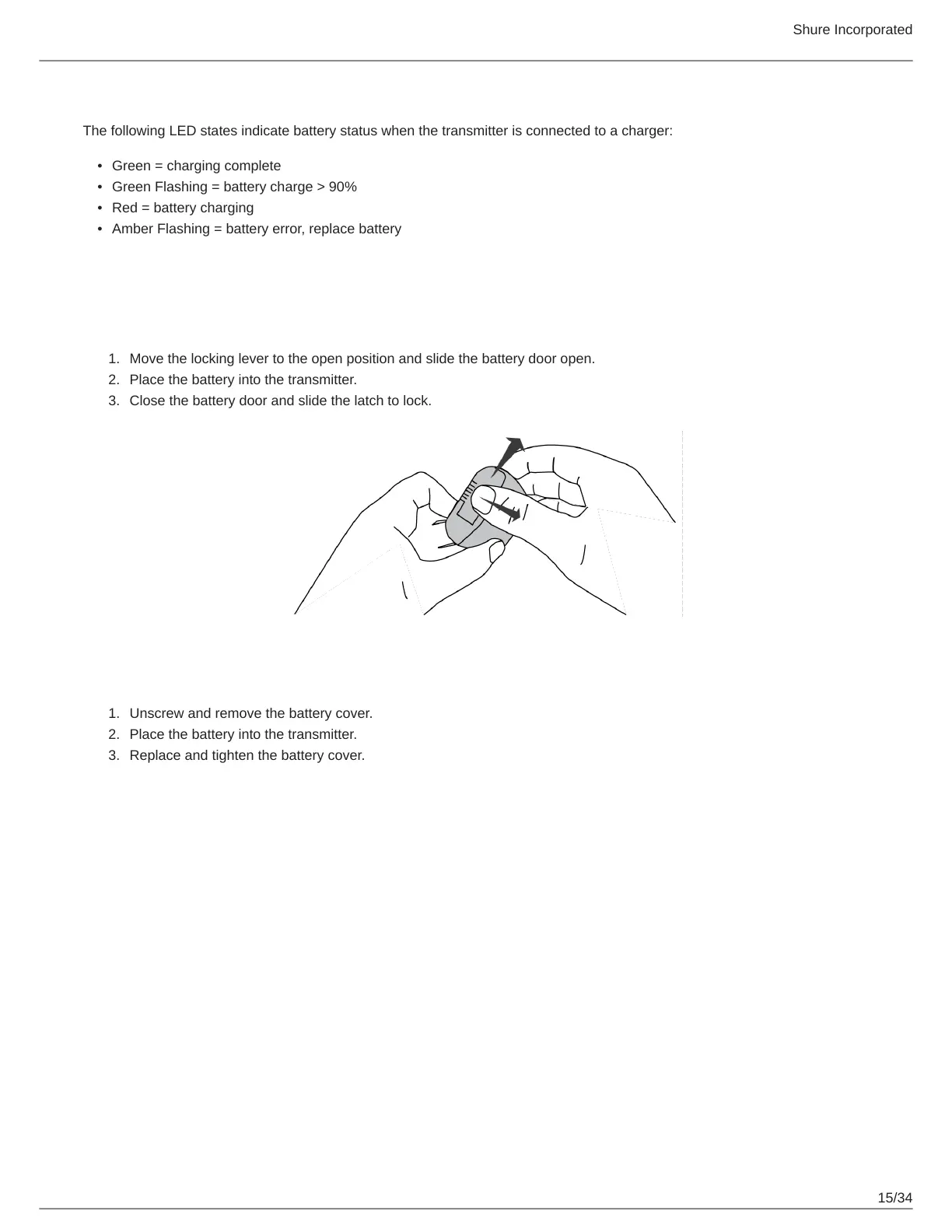
Installing Transmitter Batteries
Bodypack Transmitter
Move the locking lever to the open position and slide the battery door open.
Place the battery into the transmitter.
Close the battery door and slide the latch to lock.
Handheld Transmitter
Unscrew and remove the battery cover.
Place the battery into the transmitter.
Replace and tighten the battery cover.



 To Next Page