Shure Incorporated
8/34
◦
◦
◦
◦
◦
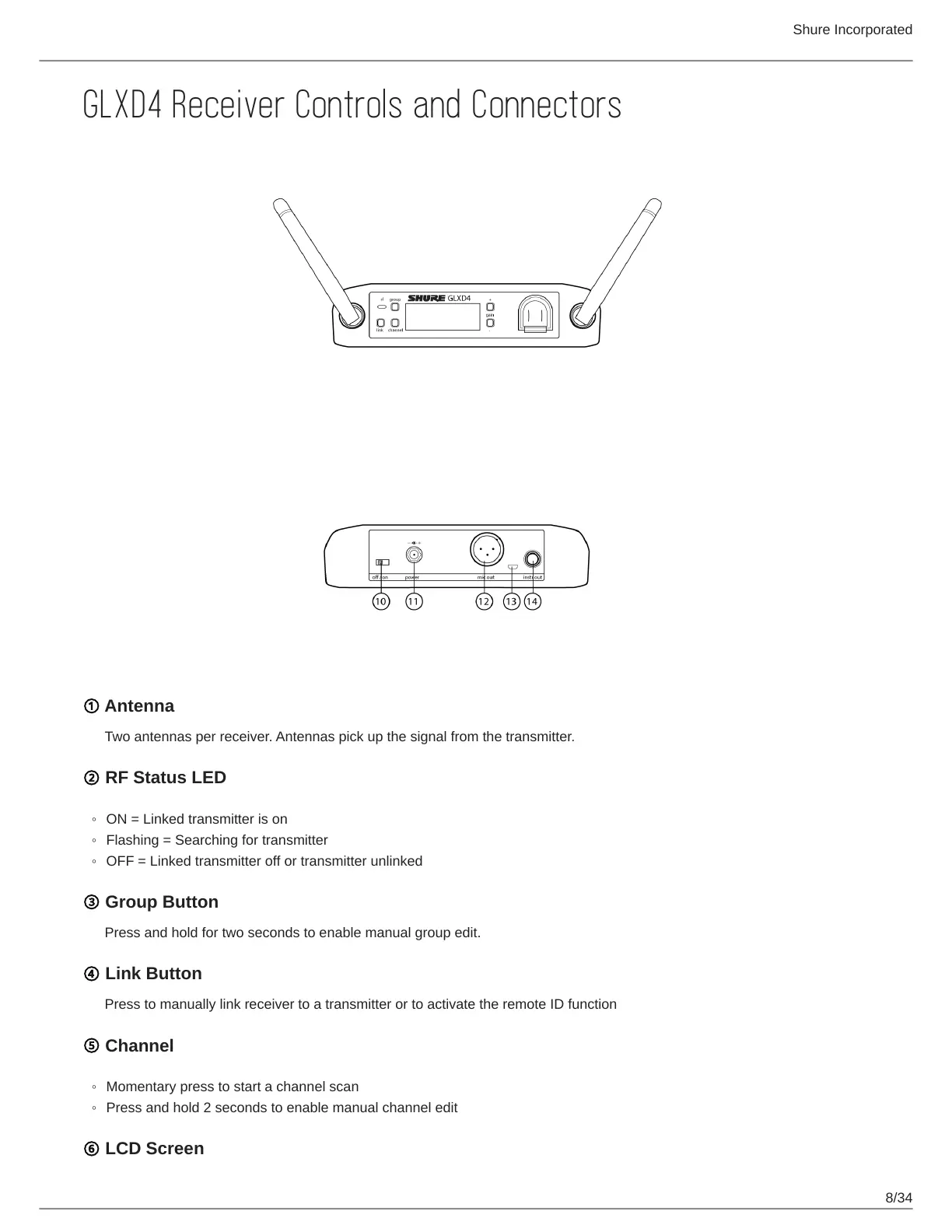
GLXD4 Receiver Controls and Connectors
① Antenna
Two antennas per receiver. Antennas pick up the signal from the transmitter.
② RF Status LED
ON = Linked transmitter is on
Flashing = Searching for transmitter
OFF = Linked transmitter off or transmitter unlinked
③ Group Button
Press and hold for two seconds to enable manual group edit.
④ Link Button
Press to manually link receiver to a transmitter or to activate the remote ID function
⑤ Channel
Momentary press to start a channel scan
Press and hold 2 seconds to enable manual channel edit
⑥ LCD Screen



 To Next Page