Shure Incorporated
23/34
1.
2.
3.
1.
2.
3.
Manually Selecting a Group and Channel
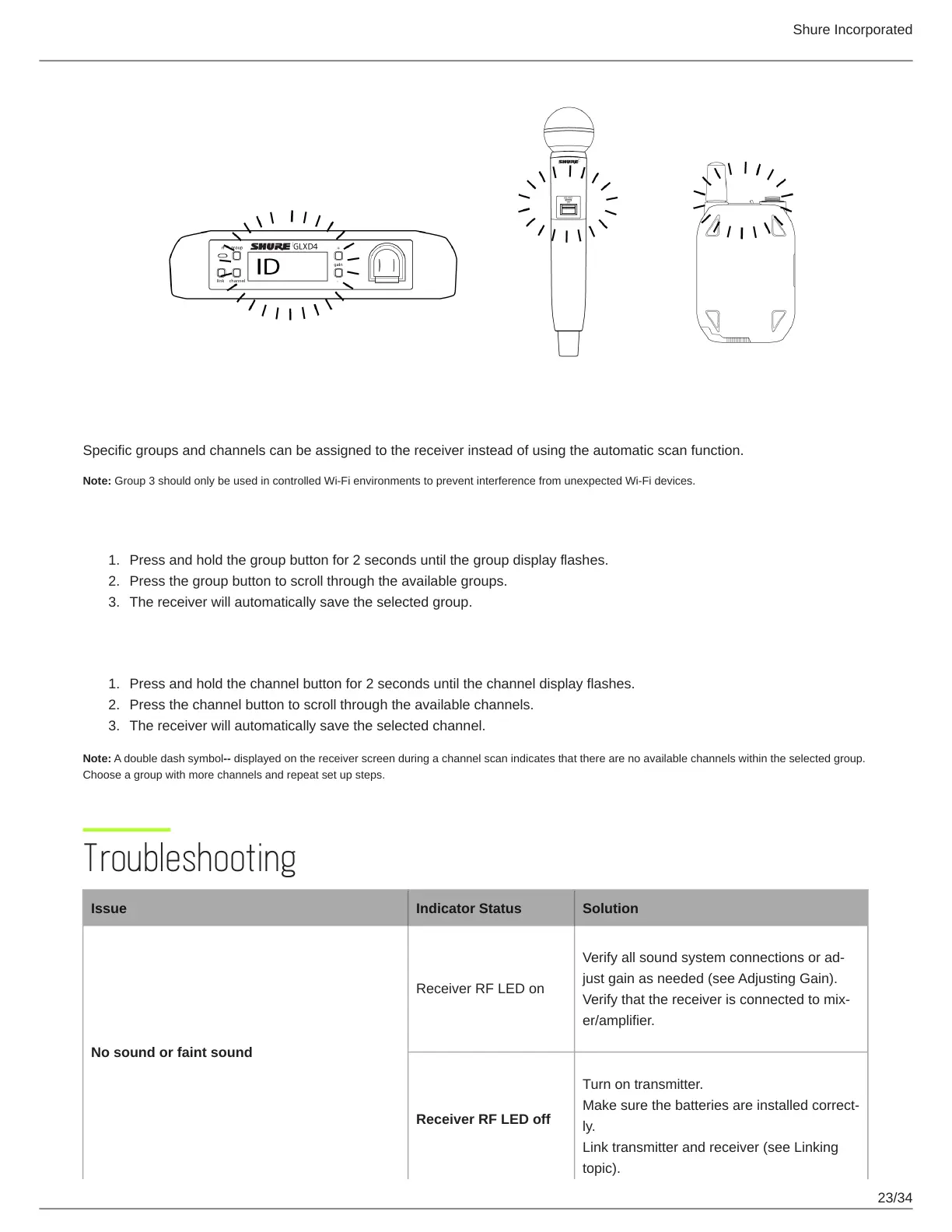
Specific groups and channels can be assigned to the receiver instead of using the automatic scan function.
Note: Group 3 should only be used in controlled Wi-Fi environments to prevent interference from unexpected Wi-Fi devices.
Selecting a Group
Press and hold the group button for 2 seconds until the group display flashes.
Press the group button to scroll through the available groups.
The receiver will automatically save the selected group.
Selecting a Channel
Press and hold the channel button for 2 seconds until the channel display flashes.
Press the channel button to scroll through the available channels.
The receiver will automatically save the selected channel.
Note: A double dash symbol-- displayed on the receiver screen during a channel scan indicates that there are no available channels within the selected group.
Choose a group with more channels and repeat set up steps.
Troubleshooting
Issue Indicator Status Solution
No sound or faint sound
Receiver RF LED on
Verify all sound system connections or ad
just gain as needed (see Adjusting Gain).
Verify that the receiver is connected to mix
er/amplifier.
Receiver RF LED off
Turn on transmitter.
Make sure the batteries are installed correct
ly.
Link transmitter and receiver (see Linking
topic).



 To Next Page