Shure Incorporated
11/33
1.
2.
1.
2.
•
•
•
•
The following battery charging options are available:
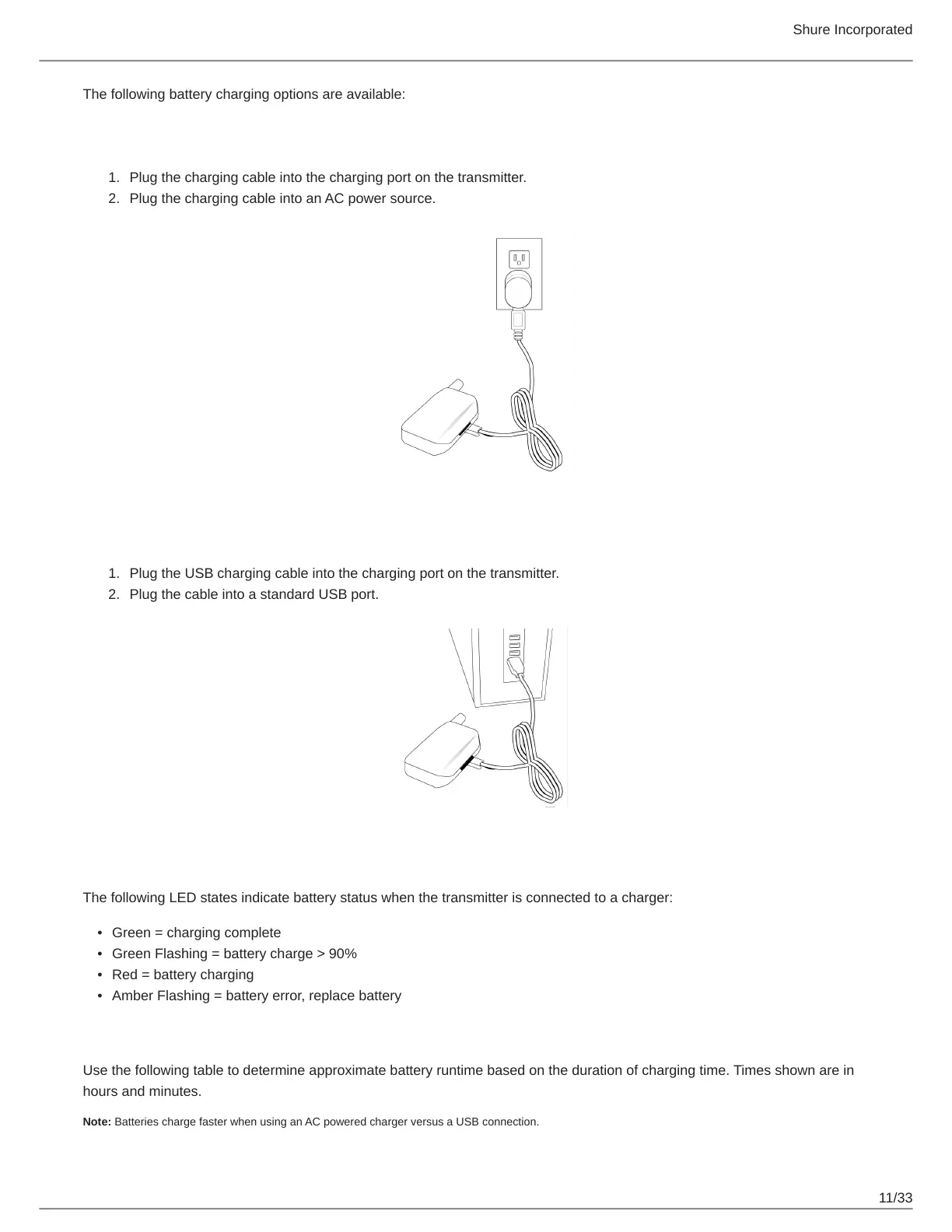
Charging from an AC Power Source
Plug the charging cable into the charging port on the transmitter.
Plug the charging cable into an AC power source.
Charging from a USB Port
Plug the USB charging cable into the charging port on the transmitter.
Plug the cable into a standard USB port.
LED Status During Charging
The following LED states indicate battery status when the transmitter is connected to a charger:
Green = charging complete
Green Flashing = battery charge > 90%
Red = battery charging
Amber Flashing = battery error, replace battery
Charging Times and Transmitter Runtimes
Use the following table to determine approximate battery runtime based on the duration of charging time. Times shown are in
hours and minutes.
Note: Batteries charge faster when using an AC powered charger versus a USB connection.


 To Next Page