Shure Incorporated
7/33
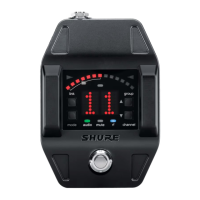
Guitar Pedal Receiver Overview
① Power Switch Turns power on or off.
② DC Power Connector
Connect DC power supply (9 to 15 V DC, 250 mA min.)
Note: Compatible with positive tip or negative tip power supplies.
③ Audio Output Jack
Connect to amplifier or mixer.
Note: If using multiple effects pedals, place the receiver pedal first in the signal chain.
④ USB Port For uploading firmware updates
⑤ Display Displays receiver and tuner settings.
⑥ Antenna Two antennas per receiver. Antennas pick up the signal from the transmitter.
⑦ Footswitch Press to select receiver or tuner mode.
Display Screen, Indicators, and Controls
The controls and display offer specific functionality depending on which mode is selected:
Receiver Mode


 To Next Page








