12
System Setup
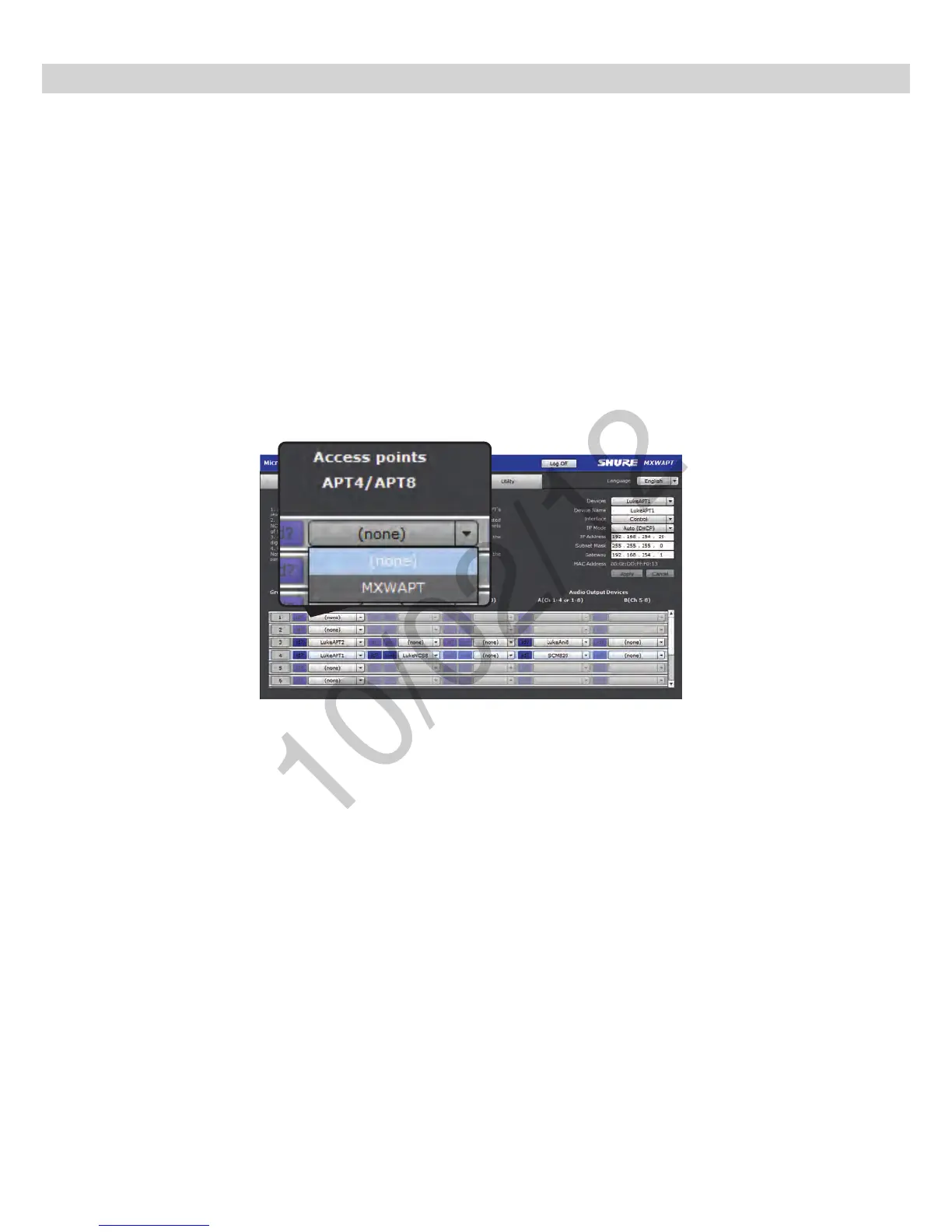
1. Select an APT for Group 1
The pop-up menu will display all APTs on the network. This determines
if the group has four or eight channels (APT4 or APT8).
2. Select the charger(s).
When using gooseneck microphones, it is necessary to use two chargers
for 8 microphones. (Gooseneck microphones take up front and back
slots.)
3. Select the Audio Output Device(s).
This can be an ANI4, ANI8 or SCM820 IntelliMix
®
Mixer.
id? Button flashes the LEDs of the selected device for
easy identification during setup.
Assign Components to a Group
Components must be assigned to a group to form the communication link of audio and control data. On the Configuration tab, select the following components
to form a group of up to 8 channels:



 To Next Page