24
English
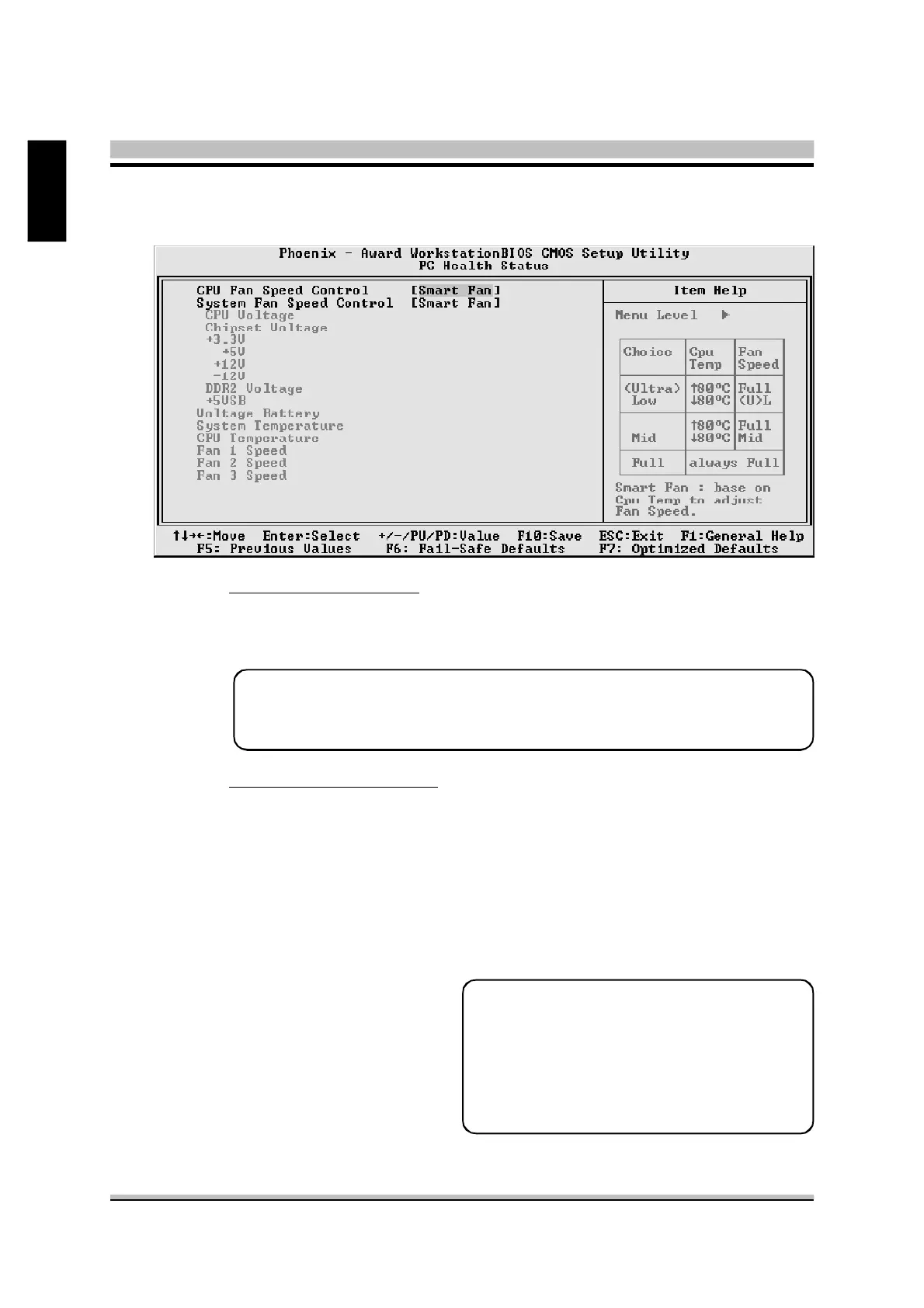
CPU Voltage
Chipset Voltage
+3.3V
+5V
+12V
- 12V
DDR2 Voltage
+5VSB
Voltage Battery
System Temperature
CPU Temperature
Fan 1 Speed
Fan 2 Speed
Fan 3 Speed
Warning : It is Strongly recommended
to disable CPU Fan Auto
Guardian feature, if you
wish to use other fan cooler,
allowing the fan to run at its
default speed.
Note: Before manually modifying the CPU fan setting, please make
sure fan connectors are plug into the correct fan connector
designations on the mainboard.
@ PC Health Status
CPU Fan Speed Control
Set the CPU Fan Speed.
Ø The choice: Smart Fan, Ultra-Low, Low, Mid or Full.
System Fan Speed Control
Set the System Fan Speed.
Ø The choice: Smart Fan, Ultra-Low, Low, Mid or Full.



 To Next Page