- 11 -
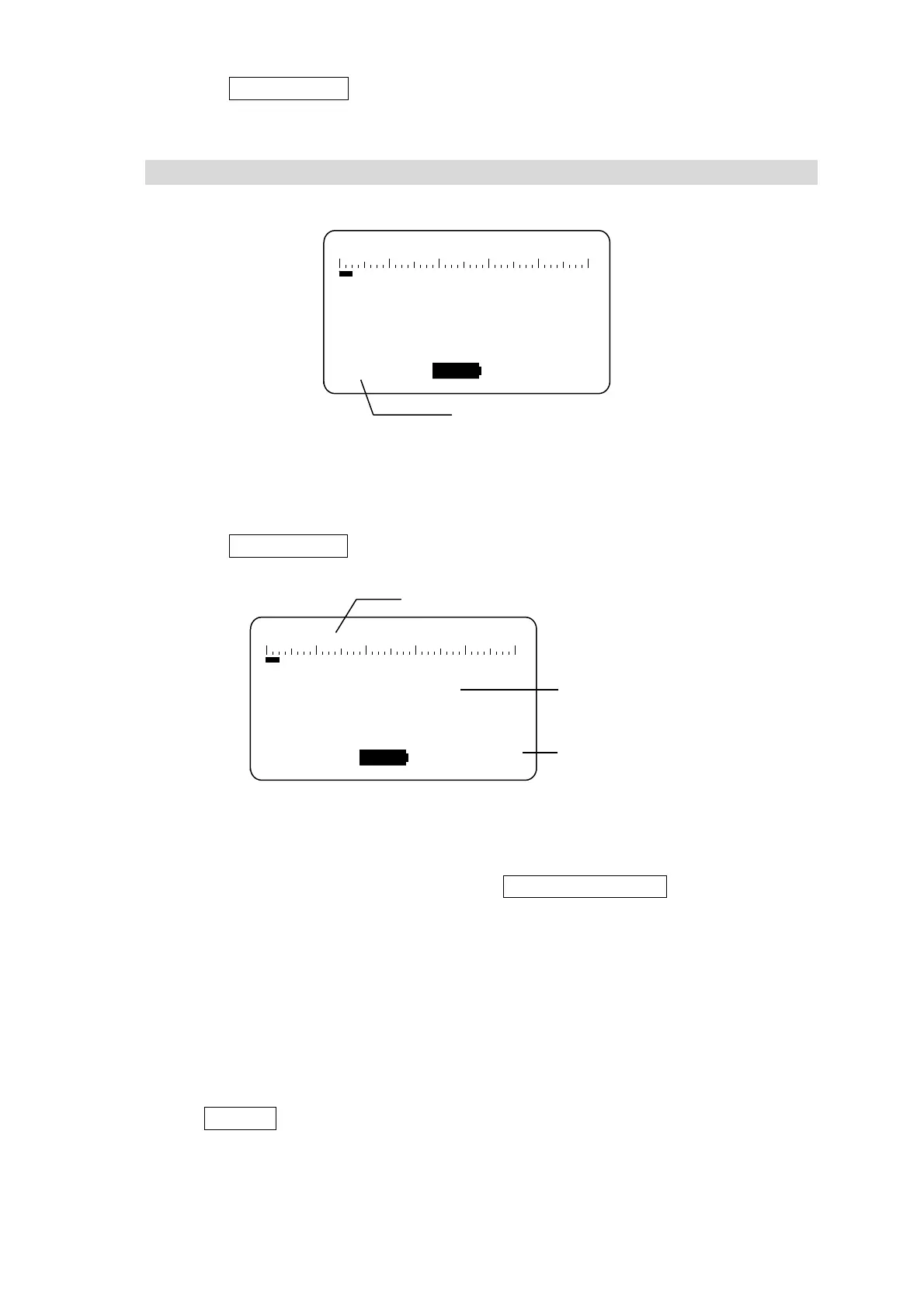
3) Press the TIMER SET▼ switch to change (select) the measurement mode display.
The display changes in the following sequence. Switch to change (select) the
measurement mode [01 min.].
BG → 01 min. (measurement time*) → MANUAL → LOG → MENU → BG →
*Measurement Time: [1 min], [5 min], [10 min], etc.
Select to display this item for countdown timer measurements. Set to one minute as
shown in the figure above. The measurement time used for countdown timer
measurements is prespecified on a separate screen. For details on specifying
settings, see 5. Functions of LD-5 operation manual.
4) Press the START/STOP switch, to start dust measurements.
When the measurement starts, the accumulated count value is displayed.
5) The dust measurement automatically stops in one minute, and the accumulated
count value is displayed.
6) After finishing measurements, close the PM2.5 cyclone by lifting the cap.
After finishing measurements, pressing the MASS CONCEN.▲ switch displays the
mass concentration value converted based on the measurement time, count value,
and prespecified K-value. For details on specifying settings, see 5.2 Mass
Concentration Conversion of LD-5 operation manual.
7) After finishing measurements, be sure to clean inside the detector by following the
instructions in (3) Background Measurement.
(6) Switch the LD-5 power OFF
Press the POWER switch to turn off the LD-5 power. When the power is turned off, the
display goes out.
z If leaving the product unused for an extended period, be sure to remove the
batteries from the battery case.
TRBL
SST
COUNT
min.0000
:
LOG
:
0 200 400 600 800
CPM
Measurement mode
TRBL
SST
COUNT
min.0000
:
LOG
:
Instantaneous value (cpm)
Accumulated count
Remaining measurement time (HH:MM:SS)



 To Next Page