- 15 -
(4) Sensitivity Correction
1) Turn the scattering plate knob to the [SENSI. ADJ]
position.
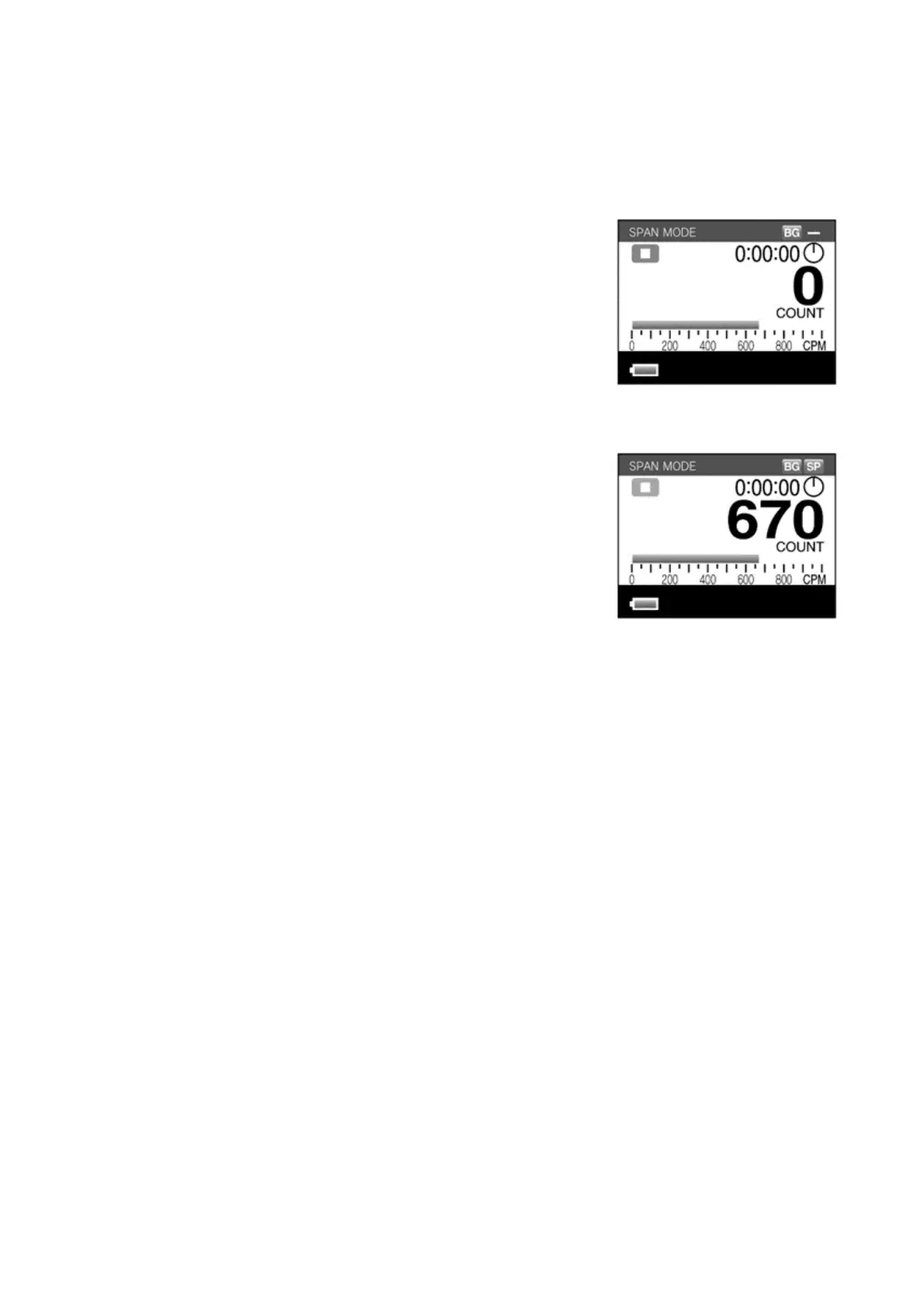
2) Check that the LCD screen changes to SPAN
measurement mode.
3) Leave it for approximately one minute (until the bar
graph's instantaneous value display stabilizes).
4) Press the [START/STOP] switch.
5) The SPAN measurement is performed for one minute.
One minute later, the measurement will finish
automatically. The sensitivity correction value will be
recorded and the [SP] mark will be displayed on-
screen. (In the figure at right, the [UP] or [DOWN]
switch was pressed and the instantaneous value
graph was displayed.)
6) Turn the scattering plate knob to the [MEASURE] position.
z The SPAN measurement can be aborted by pressing the [START/STOP] switch
during the one minute measurement interval. If this is performed, the next
measurement is corrected with the sensitivity correction value obtained with
the previous measurement.



 To Next Page