- 13 -
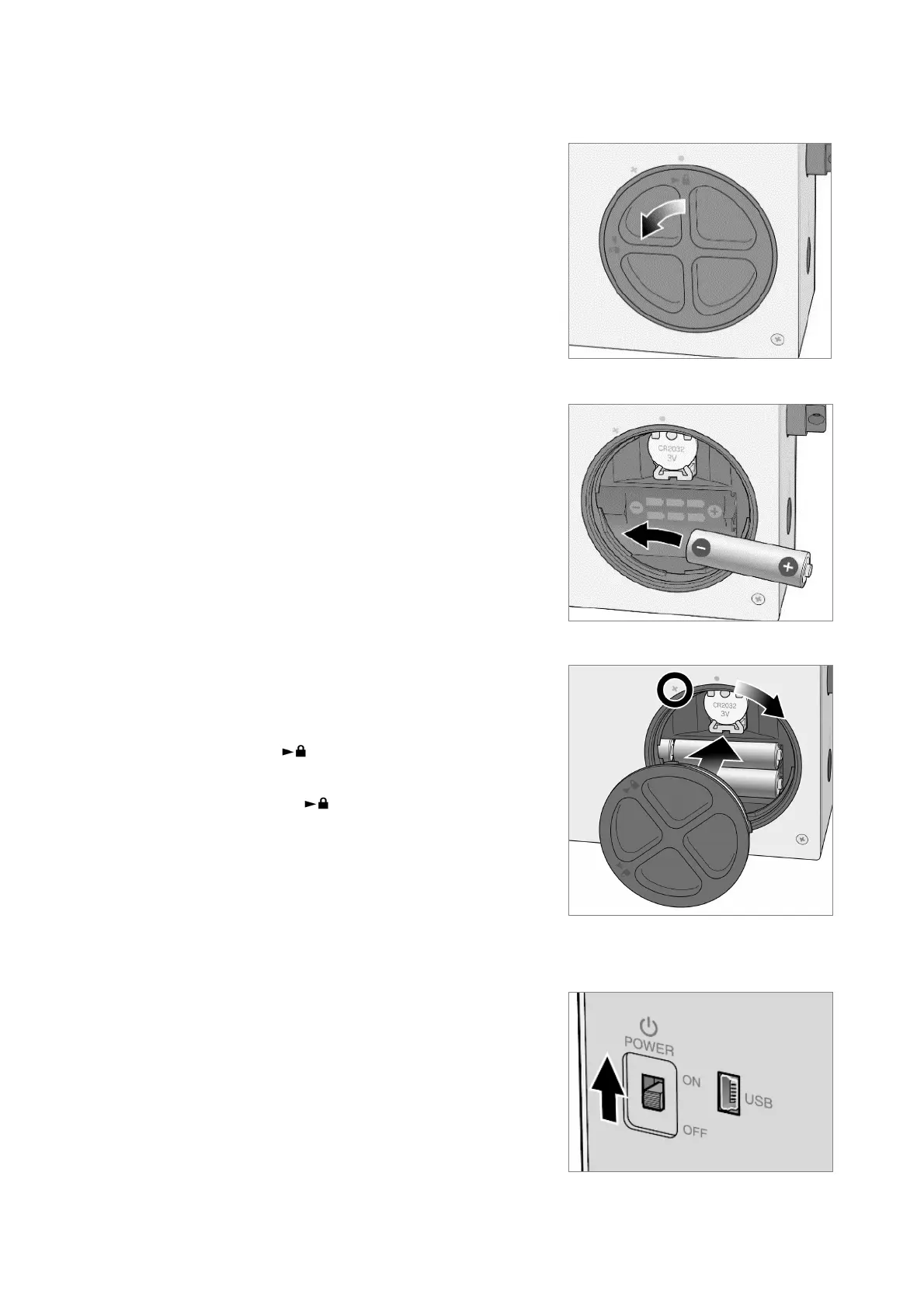
(2) Switch the LD-5R power ON
1) Remove the battery case cover.
Turn the battery case cover in the direction of
the arrow in the figure and then pull it forward.
2) Insert six AA batteries into the battery case.
(Alkaline batteries are recommended.)
3) Reverse the procedures to reattach the battery
case cover.
To complete the attachment, as shown in the
figure, align the mark on the cover with the
° mark on the main unit and turn the cover
clockwise until the mark aligns with the z
mark on the main unit.
4) Turn ON the power switch to display "LD-5R
During Startup Ver. x.xx" and then the startup
screen (either the BG or SPAN measurement
mode screen).



 To Next Page