- 16 -
(5) Dust measurement
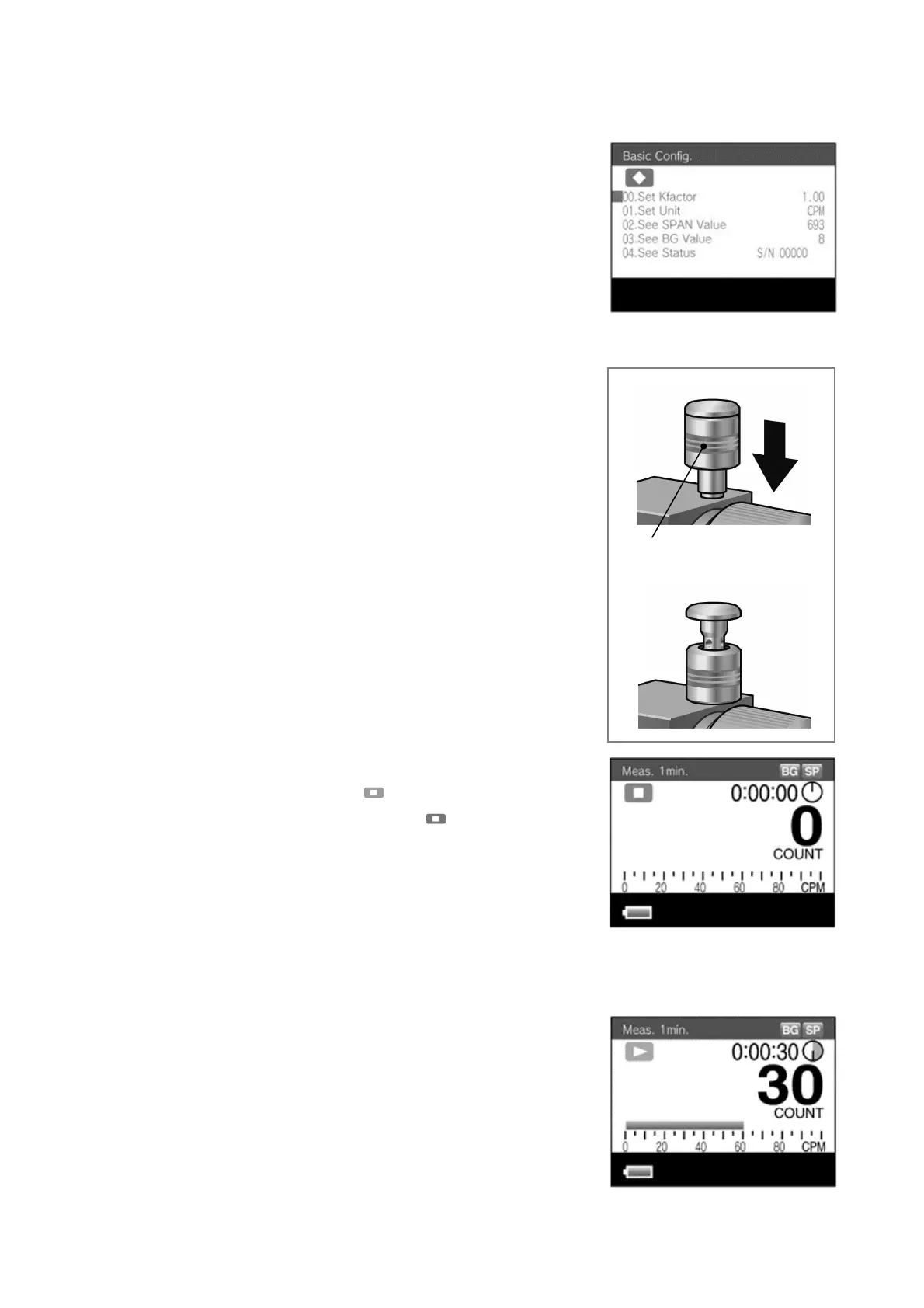
z It is possible to convert the relative
concentration to the mass concentration via the
configured K factor, and then display it. (The
default setting is relative concentration CPM.)
Select the desired unit in the [01.Set Unit] field
in the basic setting mode screen.
For details on specifying settings,
see 9 Functions of LD-5R operation manual.
1) Turn the scattering plate knob to the [MEASURE]
position.
2) Lower the cap to open the PM2.5 cyclone (see
figure on right).
z Make sure the PM2.5 cyclone cap is completely
open before starting measurements.
After starting measurements (after pump intake
starts), if the cap is suddenly or not completely
opened, the pump speed (rpm) can become
unstable.
3) Press the [ESCAPE] switch to change the BG
measurement mode/stop ( orange) screen to the
BG measurement mode/standby ( green). Then
change the measurement mode. Press the [UP] or
[DOWN] switch to change to the mode screen with
the desired measurement time. Then press the
[ENTER] switch.
(The one minute measurement time is shown as an
example.)
4) Press the [START/STOP] switch to start the dust
measurement. When the measurement starts, a
cumulative count value will be displayed. The
displayed content can be toggled by pressing the
[UP] or [DOWN] switch during the measurement.
For details on specifying settings, see 3-1 Screens
During Measurement of LD-5R operation manual.
PM2.5 cyclone cap



 To Next Page