- 7 -
2-1 LD-5
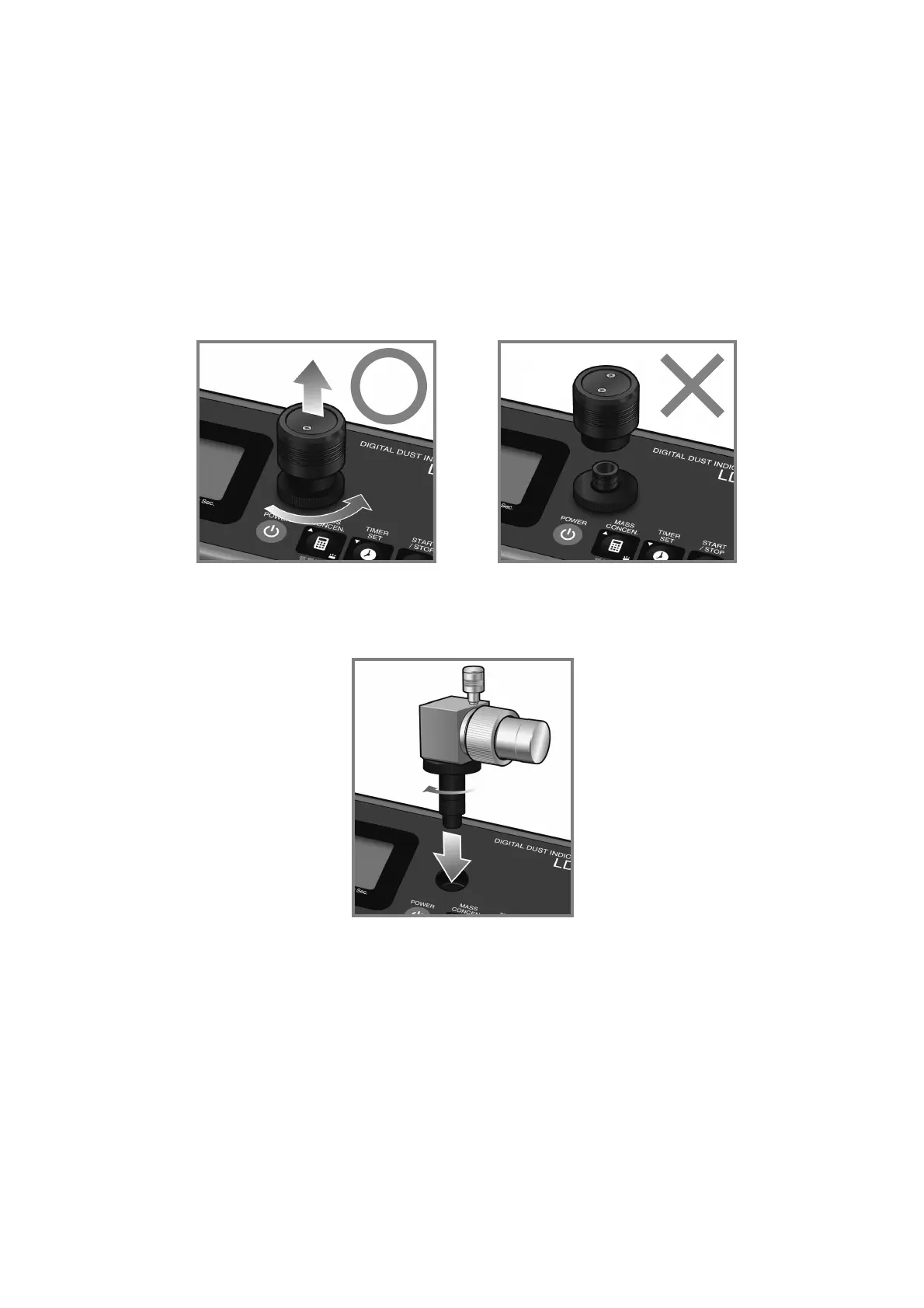
(1) Attachment of PM2.5 cyclone
z Make sure the LD-5 power is OFF before disconnecting the air sampling port.
1) Remove the air sampling port by turning as shown in the lower left figure. It is
possible to remove only the top part of the air sampling port, separating it into two
parts, as shown in the lower right figure. To attach the PM2.5 cyclone, turn and
remove the bottom part.
2) Attach the PM2.5 cyclone onto the LD-5 unit by turning as shown in a figure.



 To Next Page