EasyManua.ls Logo

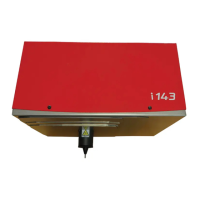
Sic Marking i143 - User Manual

Sic Marking i143
25 pages
Print Icon
To Next Page IconTo Next Page
Loading...
NOTI143US - R00.doc
www.sic-marking.com
i143
USER MANUAL

Questions and Answers

  • T
    Travis YoungAug 3, 2025
    How to improve marking quality on Sic Marking Industrial Equipment?
    • J
      Jason AdamsAug 3, 2025
      To improve the marking quality of your Sic Marking Industrial Equipment, ensure the part and machine are properly fastened before redoing the marking. You might also need to reduce the marking speed, change the distance, replace the stylus, clean the stylus pin guide and the stylus, or change the stylus pin guide.
  • B
    Benjamin BradyAug 14, 2025
    What to do if the stylus assembly moves but the stylus does not on Sic Marking Industrial Equipment?
    • S
      Stanley LynchAug 14, 2025
      If the stylus assembly of your Sic Marking Industrial Equipment moves on the X and Y axes, but the stylus itself does not, disassemble the machine. Next, clean and lubricate it using the oil provided in your maintenance kit, and then re-assemble it. If the issue persists, consider replacing the solenoid.
  • K
    Kenneth JohnsonAug 25, 2025
    What to do if marking head does not go back home before marking on Sic Marking i143 Industrial Equipment?
    • G
      Gary HillAug 25, 2025
      If the marking head of your Sic Marking Industrial Equipment doesn't return to its home position before marking, try reconnecting the wires or replacing any damaged cables. If that doesn't work, you may need to replace the sensors or the damaged belt.

Summary

Presentation

Installation and Start-up

Unpacking

Instructions for safely removing the machine and its components from their packaging.

Installation

Steps for installing the marking machine, including fastening to a support frame.

Fastening

Details on securely attaching column-type, integrated-type, and portable machines.

Connections

Guide on connecting the marking machine to the controller using specified connectors.

Controller Rear Face Diagram

Diagram and table identifying connectors and ports on the rear of the e10 controller.

Use of the Machine

Safety Precautions

Key safety warnings about temperature, protective gear, noise, and proper machine operation.

Controller Reference

Directs users to the controller manual for detailed information on the controller.

Software Reference

Directs users to the software manual for detailed information on the software.

Marking Machine Operation

Overview of general operational aspects and key features of the marking machine.

Part Positioning and Clamping

Techniques for immobilizing parts to ensure optimal marking quality and repeatability.

Machine Adjustment

How to adjust marking quality by managing force, distance, and character settings.

Launch and Stop Marking

Procedures for initiating and halting the marking process using control handbox or gun handle.

Maintenance

Maintenance Introduction

Overview of the machine's performance, reliability, and the importance of maintenance.

After-Sales Service and Support

How to obtain support, contact distributors, and details on available services.

Preventive Maintenance Procedures

Steps for cleaning and lubricating the stylus pin guide and assembly for optimal performance.

Troubleshooting Guide

Common Issues and Solutions

A guide to diagnosing and resolving common problems encountered with the marking system.

Appendix

Nomenclature and Parts List

A list and diagram identifying the various parts of the marking machine with their codes.

Electrical Chart and Wiring

Diagram illustrating the electrical connections and component wiring for the machine.

Sic Marking i143 Specifications

General IconGeneral
BrandSic Marking
Modeli143
CategoryIndustrial Equipment
LanguageEnglish

Related product manuals