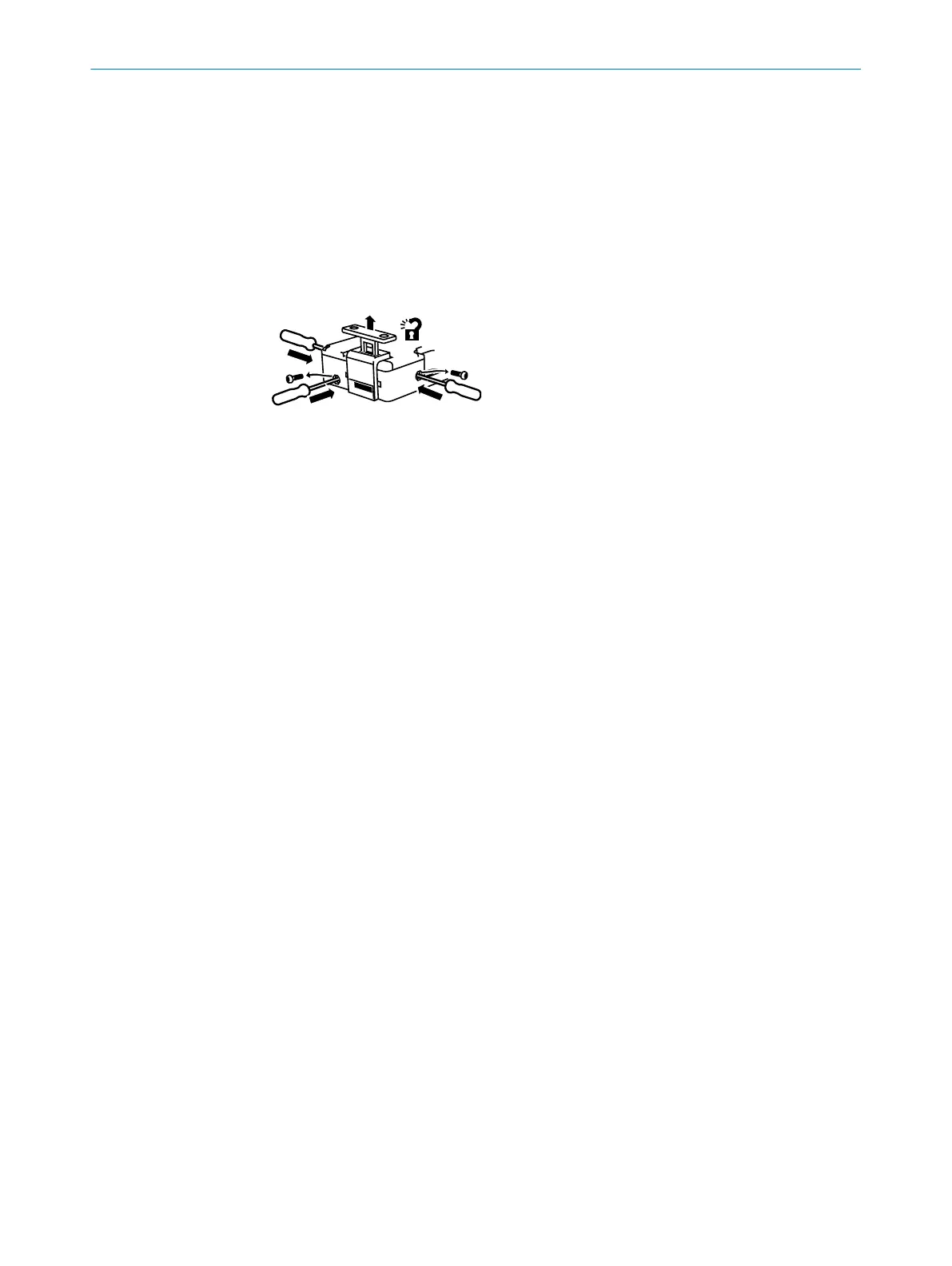
When actuating the mechanical unlocking mechanism, the contacts for locking device
monit
oring open. A stop command must be generated.
Actuating the mechanical unlocking mechanism
b
Ensure tensile stress is not applied on the actuator.
b
Loosen safety screw with the screwdriver.
b
Insert insulated screwdriver with maximum diameter of 2.5 mm into the opening
and activate the mechanical unlocking mechanism.
b
Open protective device with mechanical unlocking mechanism activated.
b
Reinsert safety screw.
Figure 1: Mechanical unlocking mechanism
3 PRODUCT DESCRIPTION
10
O P E R A T I N G I N S T R U C T I O N S | i200 Lock 8020558//2017-02-14 | SICK
Subject to change without notice






 To Next Page