EasyManua.ls Logo

SICK miniTwin4 - User Manual

SICK miniTwin4
112 pages
Print Icon
To Next Page IconTo Next Page
Loading...
O P E R A T I N G I N S T R U C T I O N S
miniTwin4
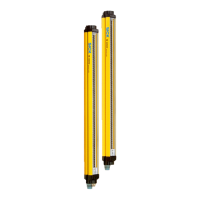
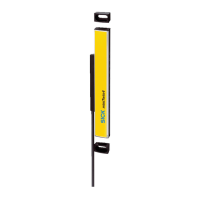
Safety light curtain

Table of Contents

Questions and Answers

  • R
    Robert ColonAug 14, 2025
    What to do if my SICK miniTwin4 show a system fault?
    • T
      Theresa KempAug 14, 2025
      If your SICK Security Sensors indicate a system fault, try the following: first, switch the voltage supply off and then back on. If that doesn't work, check all plug connectors, the FE connection, and the cable laying for any interference, such as EMC.
  • V
    vcoxAug 18, 2025
    What to do if my SICK miniTwin4 show a system error?
    • J
      John BoydAug 18, 2025
      If your SICK Security Sensors are showing a system error, you can try the following: Switch the voltage supply off and back on. If the display also lights up during repeated power-up during the start-up phase, replace the device. If the display lights up during operation, contact SICK support.
  • K
    kevin22Aug 21, 2025
    Why am I getting a fault due to ambient light with my SICK miniTwin4 Security Sensors, and how can I fix it?
    • M
      Matthew MurphyAug 21, 2025
      A fault due to ambient light with your SICK Security Sensors could be caused by reflective surfaces or other safety light curtains. To resolve this, check the distance to these surfaces and, if necessary, mount non-reflective partitions.
  • R
    Ronald PonceAug 25, 2025
    What to do if there is a fault during communication between 2 twin sticks of SICK Security Sensors?
    • M
      Melissa CurryAug 26, 2025
      If you experience a fault during communication between two twin sticks, first check the alignment of the twin sticks. If a twin stick has been replaced, switch the voltage supply for both twin sticks off and then back on again.
  • B
    Brett RiceAug 27, 2025
    How to troubleshoot a short-circuit, cross-circuit, or cable defect in SICK Security Sensors?
    • R
      Robert HernandezAug 27, 2025
      To troubleshoot a short-circuit, cross-circuit, or cable defect in SICK Security Sensors, check the function of the reset button to ensure it is not defective or continuously pressed. Also, inspect the wiring for short-circuits to 24 V or 0 V, the wiring between host and guest or between host, guest and guest, and the wiring between the two OSSDs.
  • C
    Charles HolmesAug 31, 2025
    What to do if the supply voltage is too low for my SICK Security Sensors?
    • A
      Austin WhiteAug 31, 2025
      If the supply voltage is too low for your SICK Security Sensors, check the supply voltage and the power supply unit. Replace any defective components if necessary.
  • A
    Aaron KennedySep 3, 2025
    What to do if configuration of EDM or reset not yet performed in SICK Security Sensors?
    • J
      Juan FisherSep 4, 2025
      If the configuration of EDM or reset has not yet been performed, switch on the connected relay or the contactor, actuate the connected reset button, and check the cabling of Pin 2.
  • Z
    Zachary RobinsonSep 6, 2025
    What to do if there is an error during configuration of EDM or reset or cabling of Pin 2 in SICK Security Sensors?
    • J
      Joy JacksonSep 6, 2025
      If you encounter an error during the configuration of EDM or reset, or with the cabling of Pin 2, repeat the configuration of EDM or reset and check the cabling of Pin 2.
  • T
    thomas77Sep 12, 2025
    How to fix EDM errors in SICK Security Sensors?
    • A
      Angela HendersonSep 12, 2025
      To fix EDM errors in SICK Security Sensors, check the contactors and their wiring, and fix the wiring error if necessary.

Summary

Safety information

General safety notes

Highlights hazards due to lack of effectiveness and emphasizes reading the document.

Requirements for the qualification of personnel

Defines competencies required for project planning, mounting, and installation.

Product description

Structure and function

Describes the twin stick design and the safety light curtain principle.

Prerequisites for the protective function of the safety light curtain miniTwin4

Lists requirements for the light curtain to fulfill its protective function.

Project planning

Minimum distance from the hazardous point

Details how to calculate minimum distances according to ISO 13855.

Minimum distance from reflective surfaces

Explains how reflective surfaces affect detection and minimum distances.

Protection against interference from systems in close proximity to each other

Discusses measures to prevent mutual interference between nearby systems.

Integrating the equipment into the electrical control

Covers requirements for safe integration into the machine's electrical system.

Protective operation without reset and;or without EDM

Details configuration for protective operation without reset or EDM functions.

Restart interlock

Explains the restart interlock function and its operating principle.

External device monitoring (EDM)

Describes the EDM function and its electrical implementation.

Connection diagrams

Provides wiring diagrams for connecting miniTwin4 with control units.

Testing plan

Defines requirements for checks during commissioning and regular inspections.

Test rod check

Describes the procedure for verifying the protective field with a test rod.

Visual check of the machine and the protective device

Lists points to check for visual inspection of the machine and device.

Mounting

Mounting the system plug

Instructions for connecting the system plug to the device connection.

Mounting

General guidelines and considerations for mounting the safety light curtain.

Electrical installation

System connection

Details the system connection pin assignment and wire colors.

Configuration

Reset and external device monitoring (EDM)

Details how to configure reset and EDM functions via a reset button.

Configuring reset

Step-by-step guide for activating the reset function.

Cascading

Information on connecting up to 3 safety light curtains in a cascaded system.

Commissioning

Alignment of the twin stick

Instructions for aligning the twin sticks with each other.

Aligning the twin sticks to one another

Detailed steps for achieving optimal alignment using blue LEDs.

Check during commissioning and modifications

Ensures detection of unauthorized access to the hazardous area.

Operation

Maintenance

Regular thorough check

Defines checks to detect unauthorized access due to modifications or influences.

Troubleshooting

Safety

Safety instructions for troubleshooting, including machine shutdown.

Technical data

Ordering information

Accessories

Annex

Checklist for initial commissioning and commissioning

A checklist for manufacturers/installers to ensure proper ESPE installation.

SICK miniTwin4 Specifications

General IconGeneral
BrandSICK
ModelminiTwin4
CategorySecurity Sensors
LanguageEnglish

Related product manuals