Table 8: SENSOR 1-4 connections pin assignment
PIN Signal Function Factory settings
1 + 24 V Supply voltage for
peripherals, configura‐
ble
Deactivated
2 Input 2 Digital input -
3 GND Ground -
4 C/Q or input 1 / out‐
put 1
C/Q IO-Link or configu‐
rable digital input/out‐
put
All IO connections con‐
figured as inputs
5 NC Not connected -
Housing - Screen -
Additional notes
•
4 x IO-Link master (1 x master available per connection)
•
The digital inputs and output are switchable, regardless of whether the supply
voltage is activated at Pin1. A ground connection on Pin3 is required in all cases.
•
Digital output:
°
Max. output 100 mA
°
Min. high output logic level: VCC - 3 V
°
Max. low output logic level: 3 V
°
Push-pull switch
°
Max. IO-Link output frequency: 230 kHz
°
Max. IO output frequency: 30 kHz
•
Digital inputs:
°
Min. high input logic level: 12 V
°
Max. low input logic level: 4 V
°
Max. IO-Link input frequency: 230 kHz
°
Max. IO input frequency: 30 kHz
•
Max. 1 A output for supply voltage connections S1 to S4 (compliant with LPS)
•
HTL encoders use push-pull switches and can therefore be connected via the
digital inputs.
Recommendation when using S1 to S4 for illumination:
•
Short flash times can be achieved by using an illumination unit with signal strobe
and by using pin 4 as a switching output signal with a constant supply voltage on
pin 1.
•
S1 to S4 do not support Power Strobe Mode via the "Connector.Power.Gate” API.
6.6.8 SENSOR 5-6
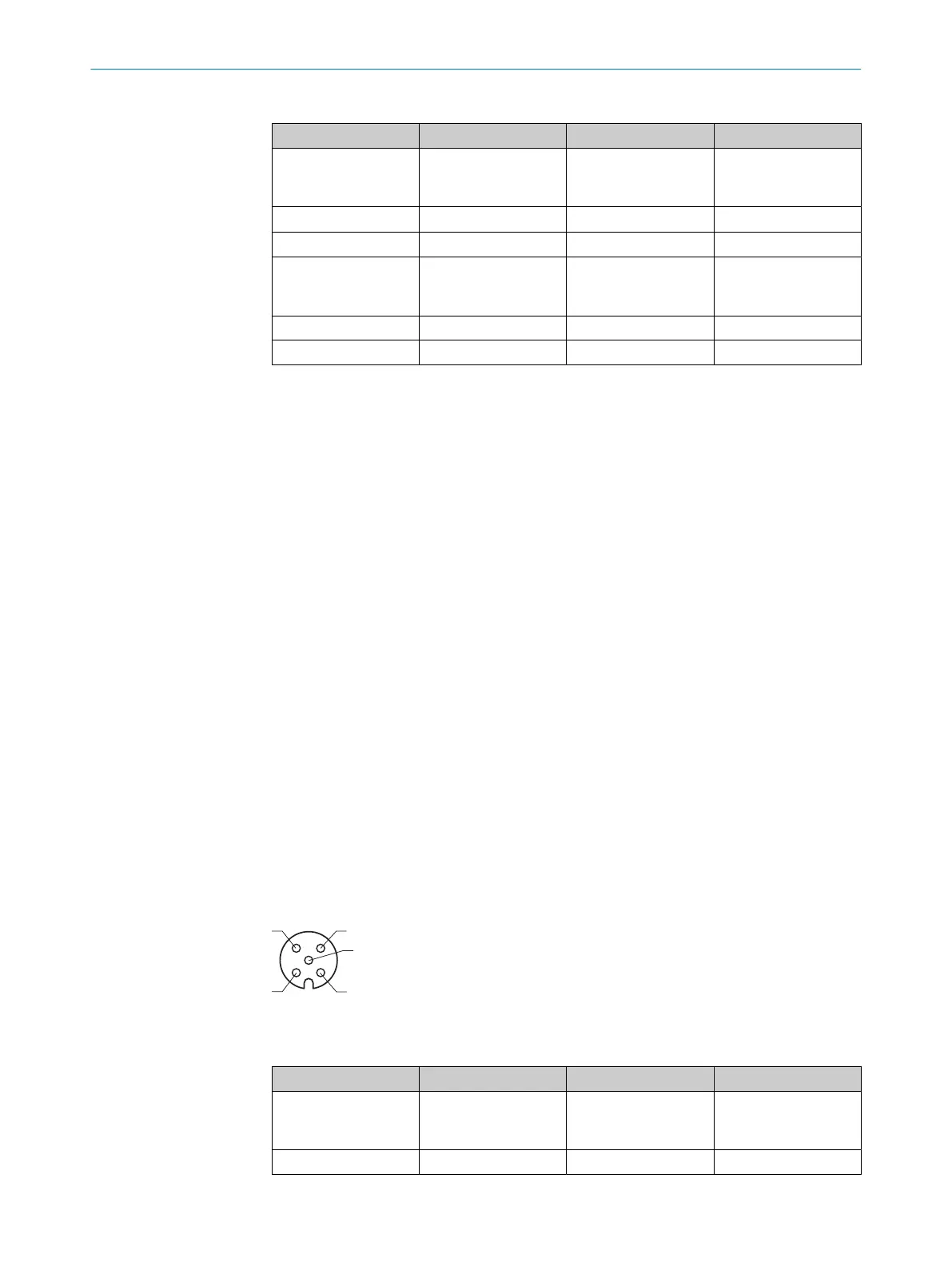
Figure 9: Sensor 5-6 pin assignment, M12 - 5-pin A-coded, female
Table 9: SENSOR 5-6 connections pin assignment
PIN Signal Function Factory settings
1 +24 V Supply voltage for
peripherals, configura‐
ble
Deactivated
2 Input 3 Digital input -
6 ELECTRICAL INSTALLATION
26
O P E R A T I N G I N S T R U C T I O N S | SIM2000 8023297//2021-06-22 | SICK
Subject to change without notice








 To Next Page