BAL S302 PFN RT 1.00 10/27
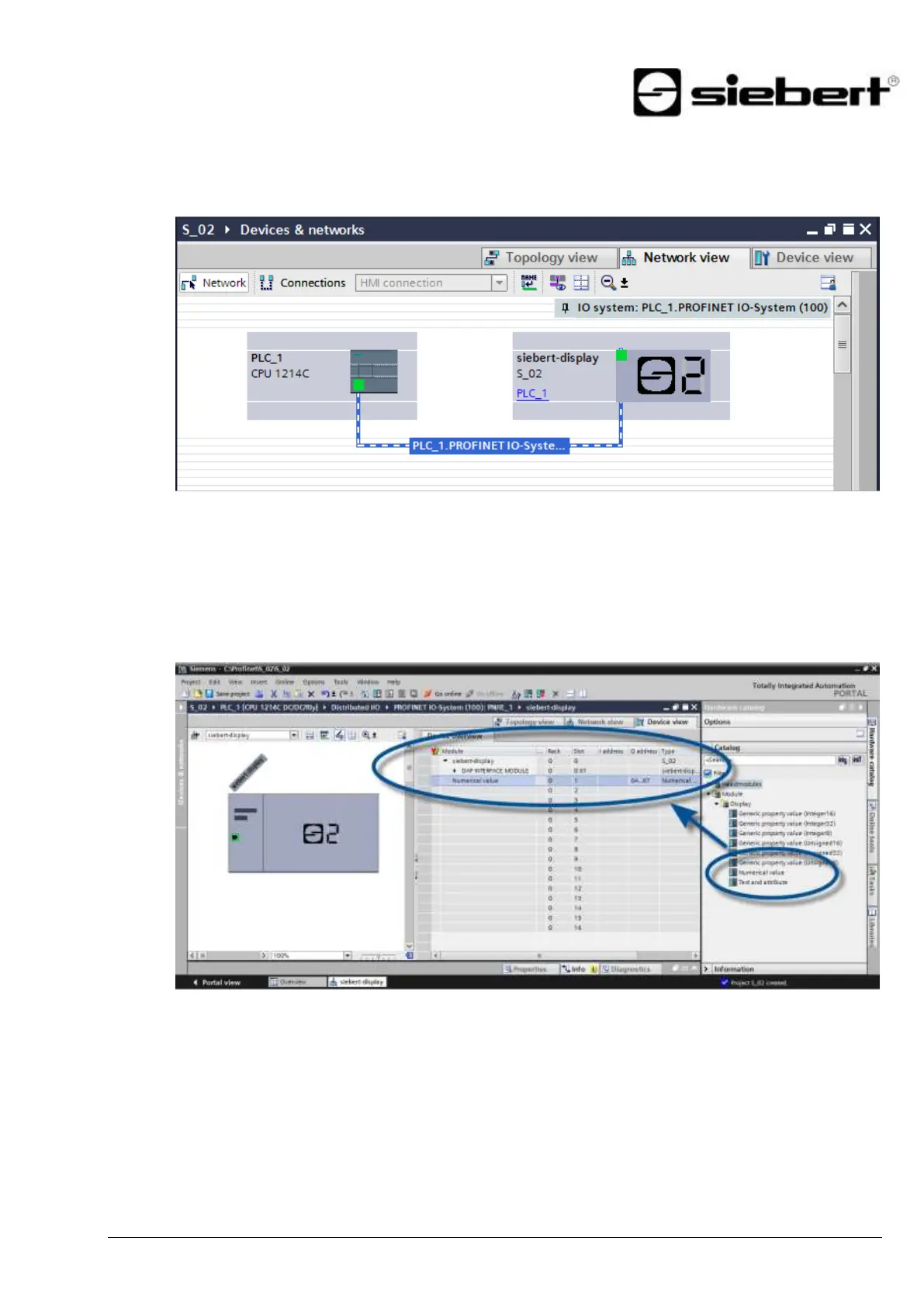
Step 4: Establish a connection to the display
Assign the display to the desired control in the network view. Then the PROFINET connection is
shown.
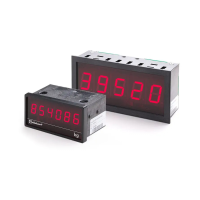
Step 5: Add sub-module to the display and define address range
Add the module 'Numerical Value' from the hardware catalog to the device overview.
This specifies that the display expects the values to be shown in INT32 format. The module occupies
4 bytes (in this example the addresses 64 to 67).
You can change the name given by the TIA Portal.


 To Next Page