BAL S302 PFN RT 1.00 11/27
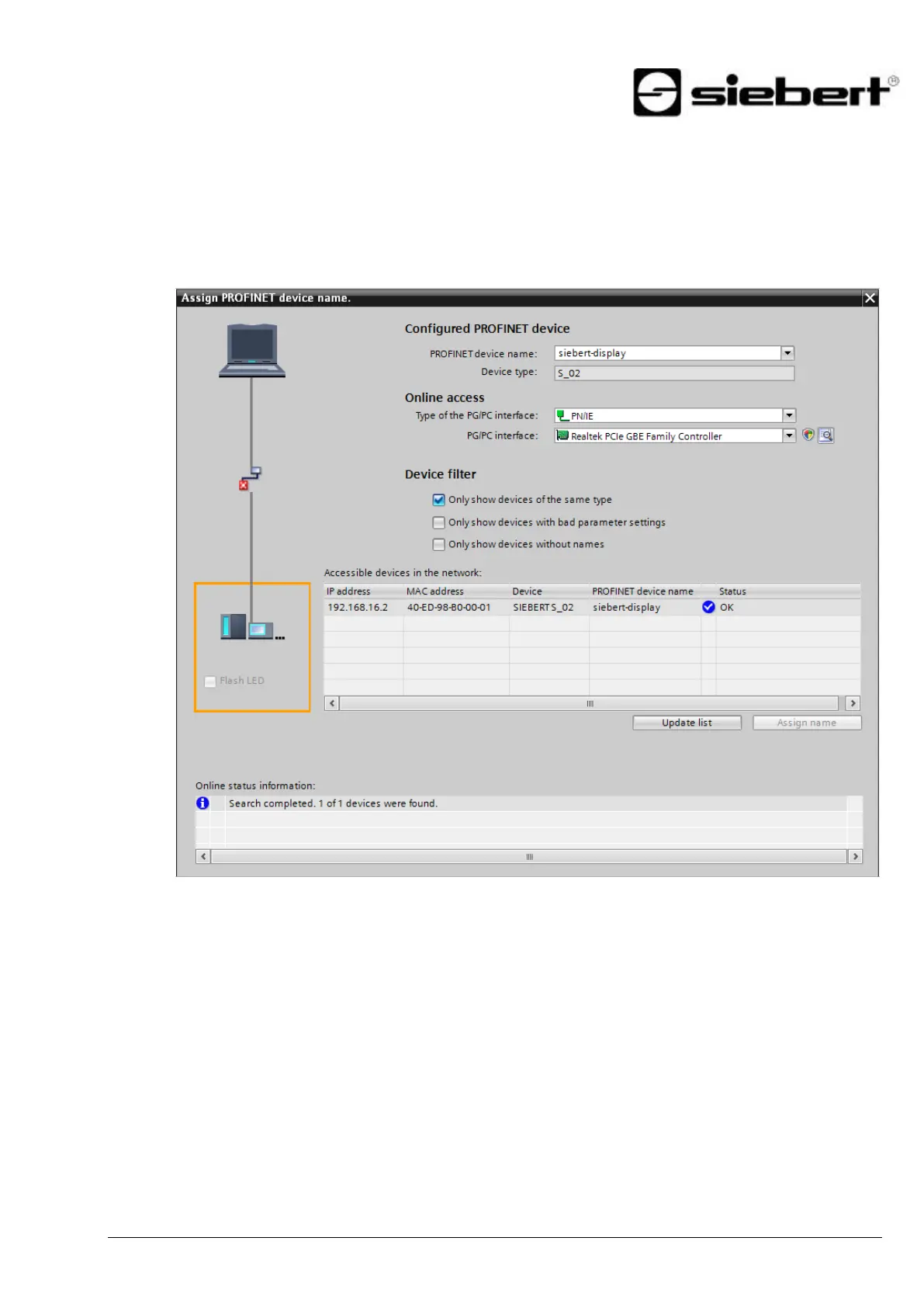
Step 6: Assign a PROFINET device name to the display
Now the IP address and the device name are assigned to the display.
After the data is transferred successfully to the display, the configuration is displayed as follows in the
engineering tool.
Step 7: Download configuration in the controller
After the control can connect via PROFINET with the display. As soon as the connection is
established the display shown the '0'. The display is now programmed to receive numerical values in
INT32 format.


 To Next Page