16 | 62
EcoView Energy Management System
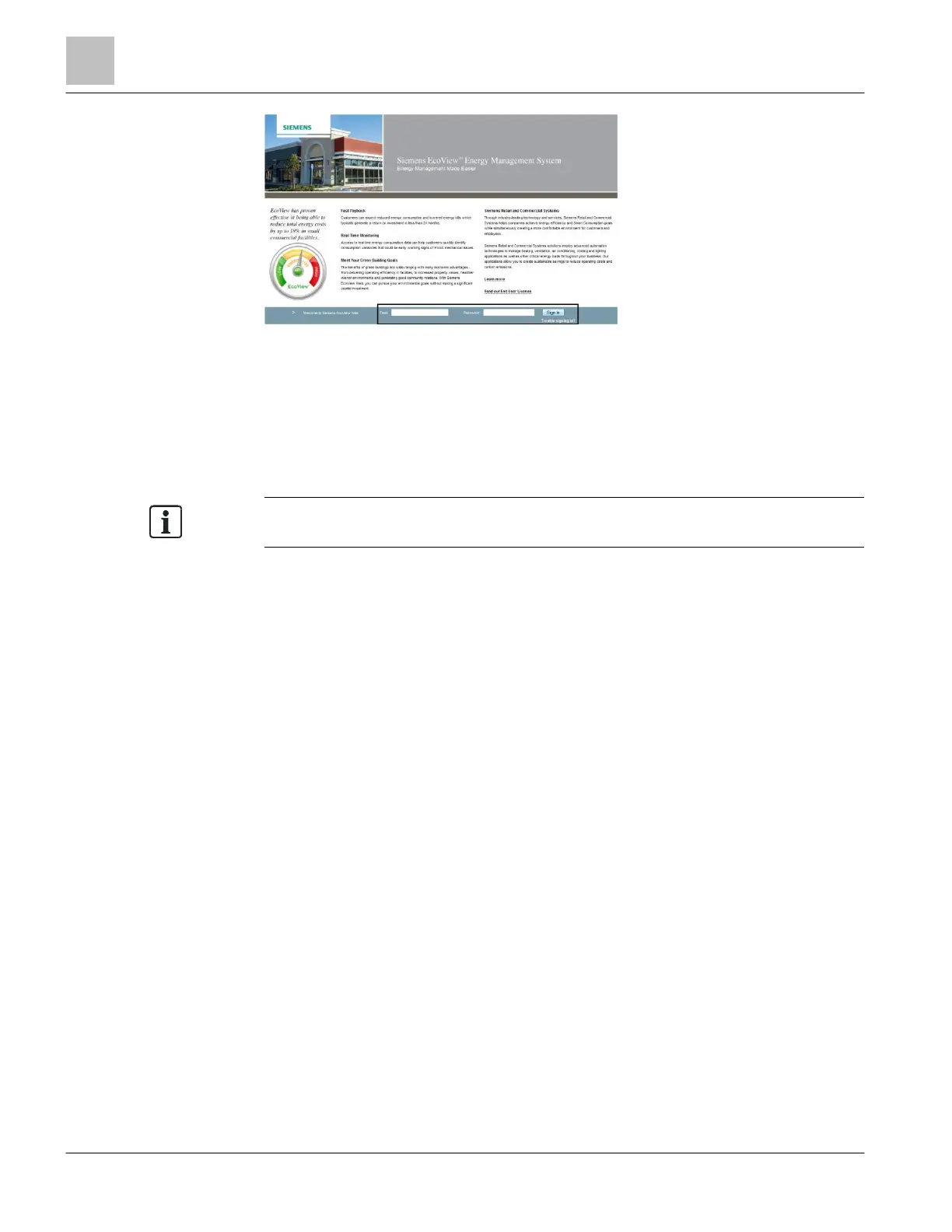
Figure 7: Login Screen.
1. To access EcoView Web, go to http://siemens.com/ecoview and use the EcoView
web application login link.
2. Type your email address and password in the appropriate fields and click Login.
a The Site Explorer [} 32] displays.
An EcoView Web session will expire after 60 minutes of no activity.
Change your password [} 16] the first time you log on to EcoView Web.
Settings
The Settings page allows the user to change his/her password, or update the email
address that is used as the EcoView Web user name.
Changing Your Password
Do the following to change your password:
1. From the main menu, click Settings.
a The Settings page displays.
2. In the New Password section, type a new password in the New Password field.
3. Type the same password in the Confirm Password field.
4. Click the Update button.
a The message Password reset displays.
a The next time a selection is made, you will be logged out and the EcoView
Web login page will display.
5. Type your updated account information in the appropriate fields and click Login.
a The Site Explorer [} 32] displays.



 To Next Page