38 | 62
EcoView Energy Management System
Energy Meter Device Settings
This topic outlines the information displayed in the Device Settings pane when Power
Meter (an EcoView Multi-phase Meter) is selected from the dashboard Energy Meters
drop-down list.
Device names may be changed through the Device Settings pane. However, you may
need to log off and log in again to see the new name displayed.
CAUTION
Changes made through the Device Settings pane are accepted by the system as
soon as you press ENTER or click the mouse.
Updates made in EcoView Web may take up to five minutes to be received by the
EcoView MicroPad controller.
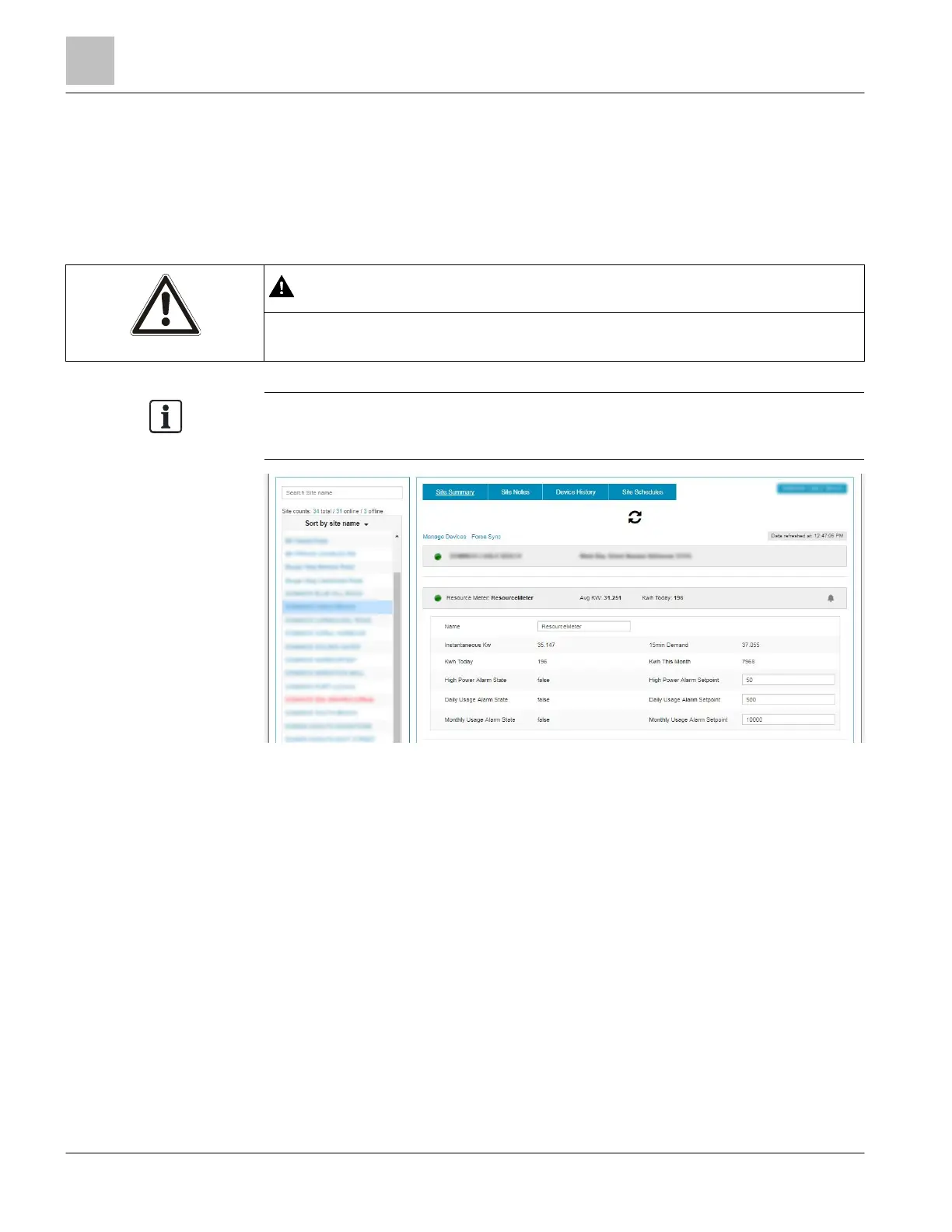
Figure 19: Energy Meters Device Settings.
● Name – Device description that displays in drop-down lists and graphs.
● Instantaneous kW – Current energy usage in kilowatts.
● kWh Today – Total accumulated kilowatt hours for the past 23 hours.
● High Power Alarm State – Current point value. True = ON, False = OFF
● Daily Usage Alarm State – Current point value. True = ON, False = OFF
● Monthly Usage Alarm State – Current point value. True = ON, False = OFF
● 15min Demand – Current energy usage in 15-minute increments.
● kWh this Month – Total accumulated kilowatt hours for the past 30 days.
● High Power Alarm Setpoint – Current point value. The energy demand alarm setpoint in kilowatts.
● Daily Usage Alarm Setpoint – Current point value. The daily electricity usage alarm trigger value in
kilowatt hours
● Monthly Usage Alarm Setpoint – Current point value. The monthly electricity usage alarm trigger value
in kilowatt hours.



 To Next Page