19 |
Siemens Industry, Inc.
EcoView Energy Management System
To sort the columns displayed, click on a column header. The data is sorted in
ascending order by default. To change the sort order to descending, click again on
the same column header.
Exporting Audit Data to a CSV File
Exporting data to a CSV file format allows you to perform additional evaluation of the
data values in spreadsheet or database programs.
Once the Audit data you want to export is displayed, click the Export button. Follow the
onscreen instructions to save or open the file.
Admin
The Admin page is only accessible to users with Administrator privileges.
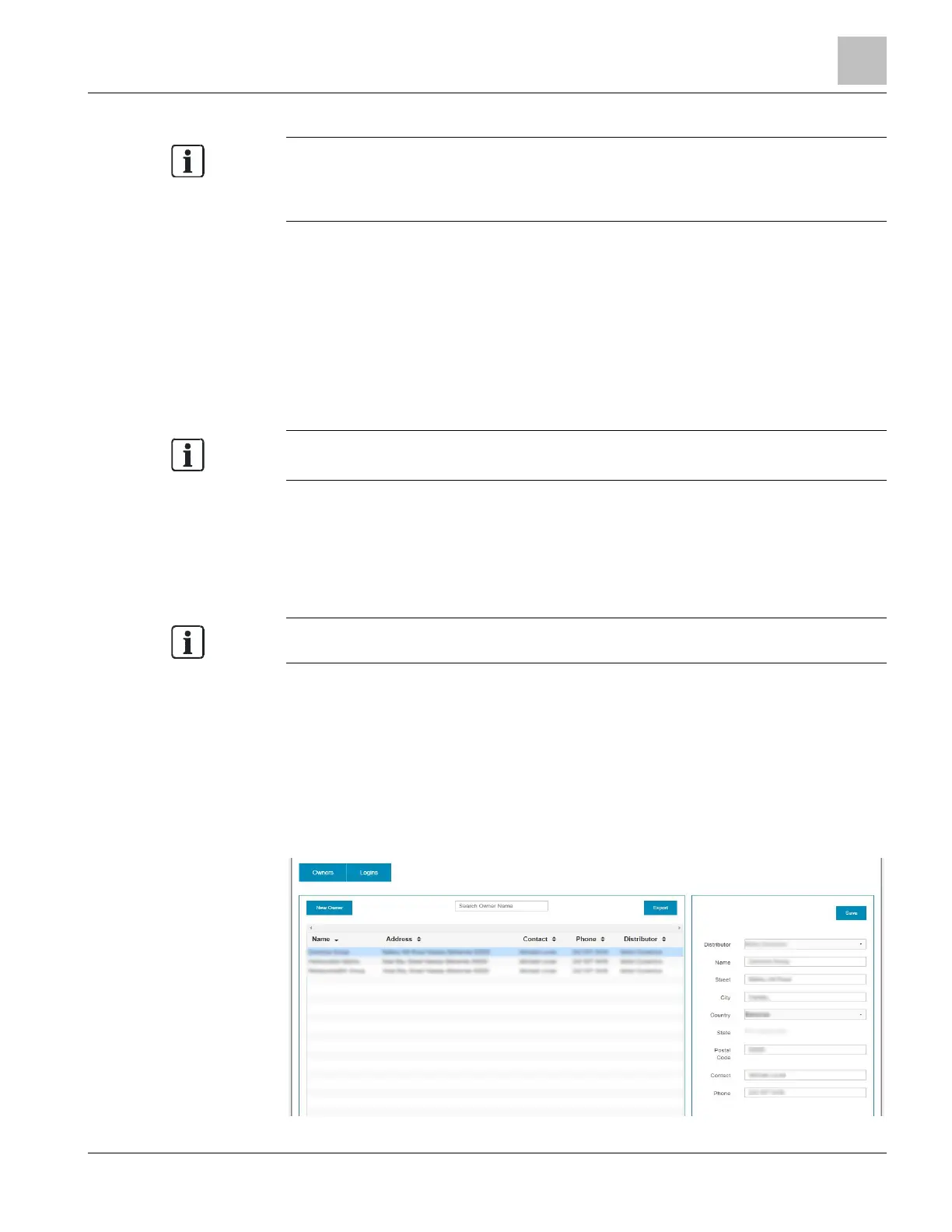
The Admin (Administration) page allows users with Administrator privileges to add new
Owners and Logins, edit existing accounts [} 24], and unlock accounts [} 25] that are
locked due to incorrect user log-in.
Creating Owners
This feature is only accessible to users with Distributor
To add a new owner:
1. Click the Admin button to display the Admin page.
2. Click the Owners button.
3. Click the New Owner Button.
4. Enter the required Name, Address, and Contact information, and click the Save
button.
The new owner will now be available in the drop-down list for site assignments.



 To Next Page