42 | 62
EcoView Energy Management System
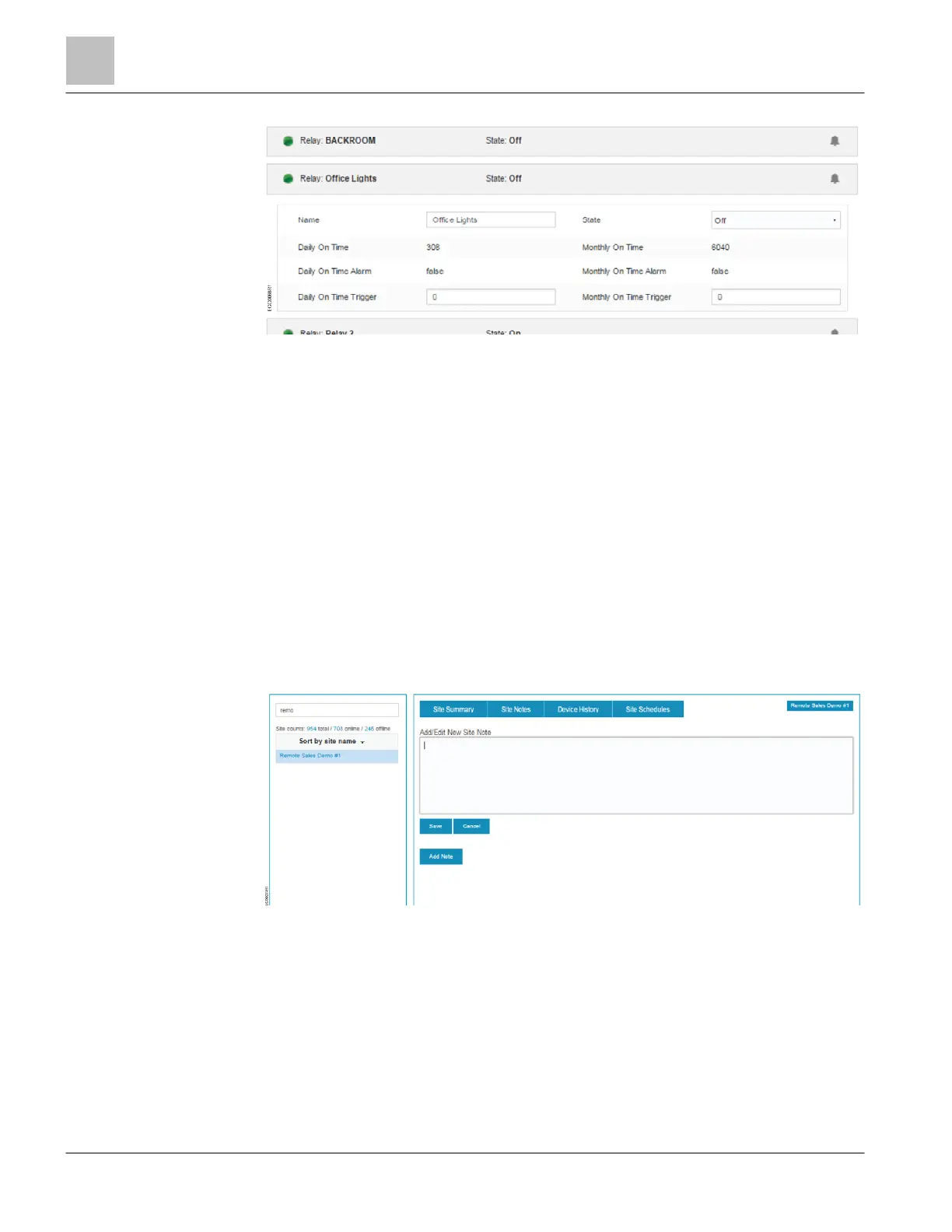
Figure 21: Relay Device Settings.
● Name – Device description that displays in drop-down lists and graphs.
● Daily On Time – Number of minutes the relay has been in the On state today.
● Daily On Time Alarm – State of the daily on time alarm.
● Daily on Time Trigger – Number of minutes to wait before setting the daily on time alarm.
● State – Current state of the relay. Command options are On or Off.
● Monthly On Time – Number of minutes the relay has been in the On state this month.
● Monthly On Time Alarm – State of the monthly on time alarm.
● Monthly on Time Trigger – Number of minutes to wait before setting the monthly on time alarm.
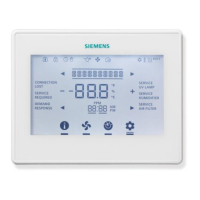
Site Notes
This topic outlines the information displayed in the Site Summary - Site Notes pane.
Use this area to leave a permanent note in the site for other users. The note is limited
to alphanumeric text entry. Once a note is created it is a permanent part of the site and
cannot be deleted or edited by other users.



 To Next Page