Site Activation and Checkout
27 |
Siemens Industry, Inc.
EcoView Energy Management System
Creating a Site
1. From the menu bar, click Site Activation.
2. In the Pending Activations section, click Create New.
a The New Site Activation dialog box displays.
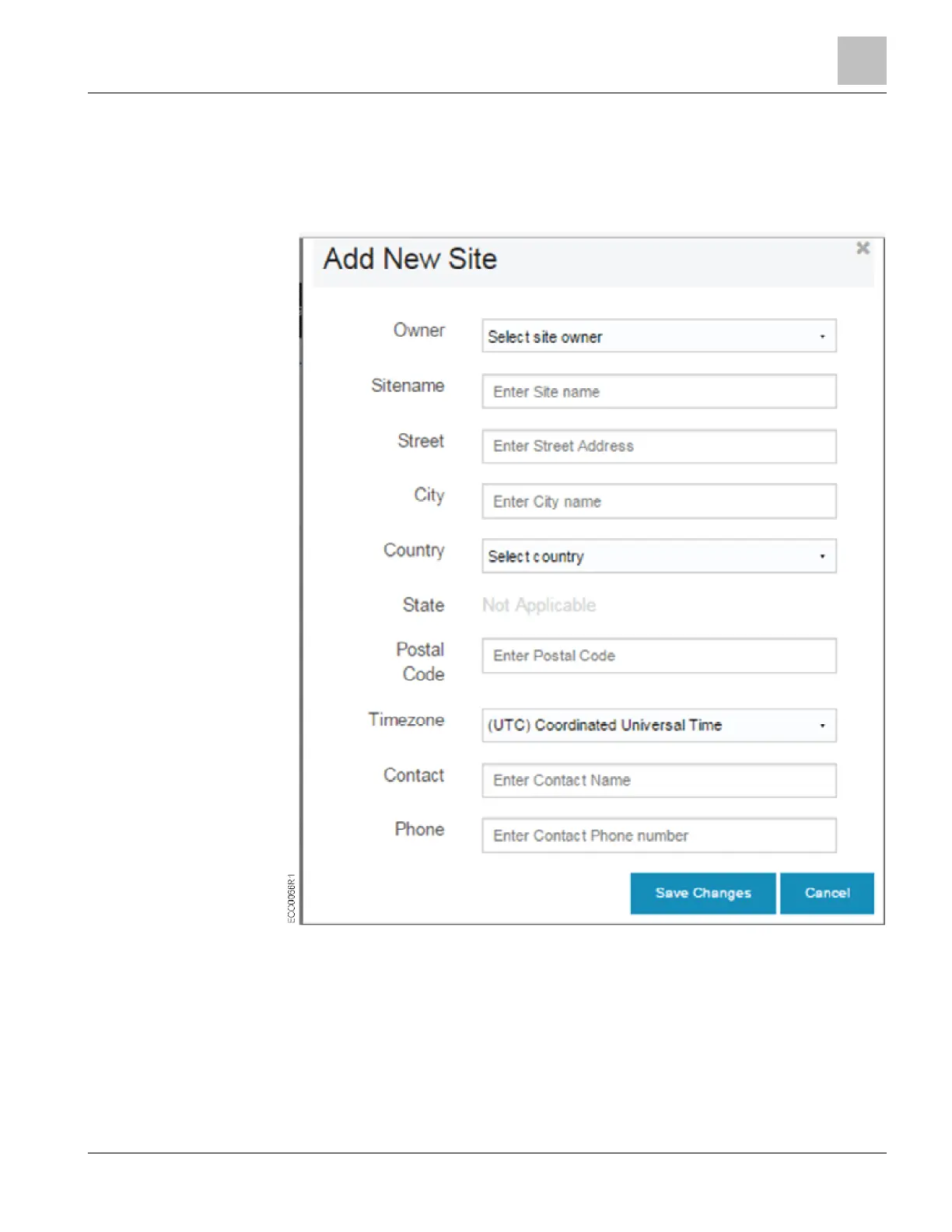
1. Complete all fields in the Add New Site dialog box.
– Owner. Use the drop-down menu to select the site owner.
– Sitename. Enter the name or location you use to refer to the site.
– Street, City, Country, State, and Postal Code. Enter the street address where
the EcoView hardware is installed.
NOTE: For addresses outside the United States, no selection is required in the
State drop-down list; the Postal Code field may be used but is not required.



 To Next Page