Site Activation and Checkout
26 | 62
EcoView Energy Management System
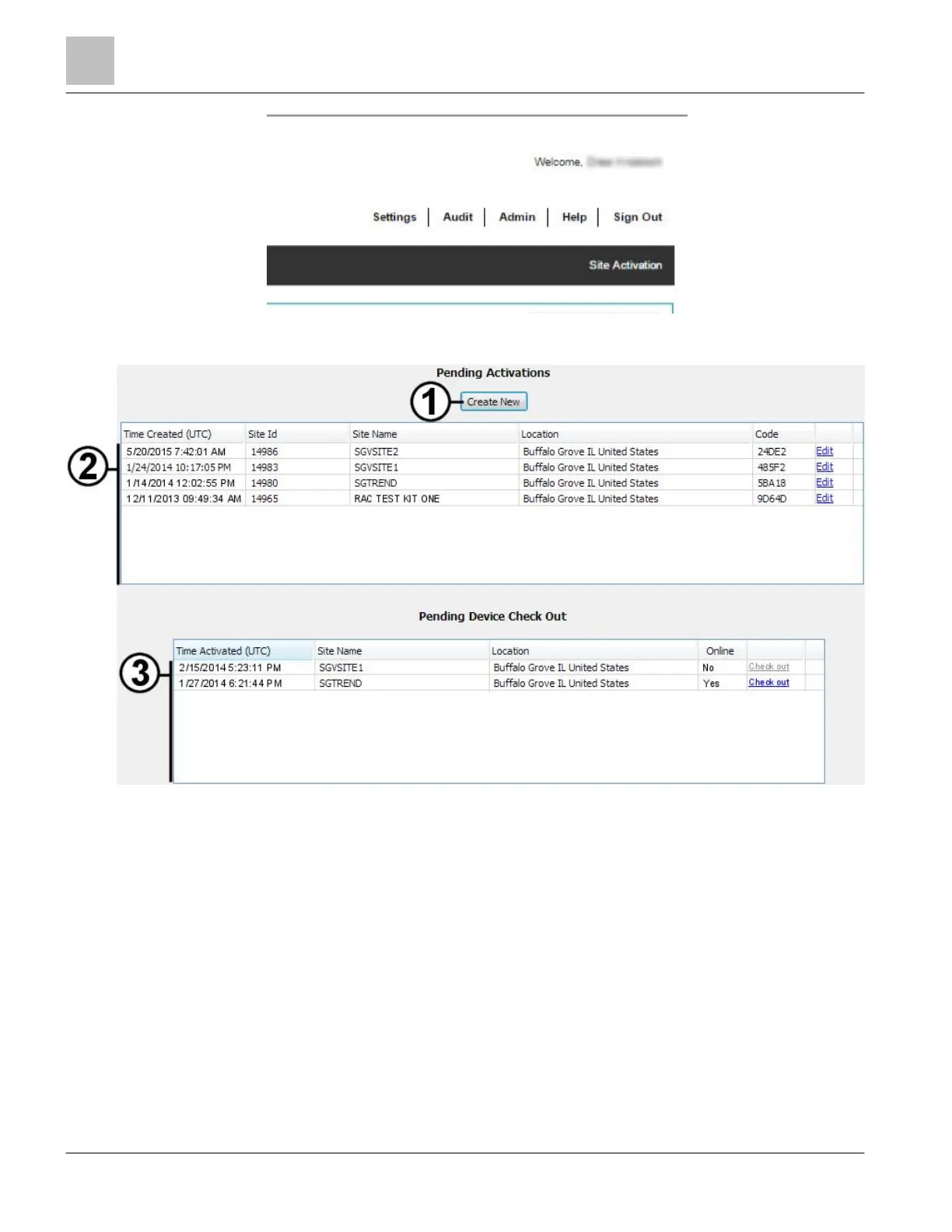
Figure 12: Accessing the Site Activation Feature.
Figure 13: Site Activation Page.
1 Create New button, which opens the New Site Activation dialog box from which you can create a new site activation.
2
List of sites that have been created and have assigned activation codes, but have not yet been registered with the SCS.
To edit a site activation, click its associated Edit link.
3
List of sites that have been activated, but have not yet been checked out. For more information, see Site Checkout
[} 29].
NOTE: You can only check out a site if its associated MicroPad Controller is online. If a MicroPad Controller is offline,
the Check Out link is disabled.



 To Next Page