MENU MAPS
_________________________________________________________________________________________________________
10-19
SIG-00-22-02 JUNE 2022 (Revised September 2022)
Version : B.1
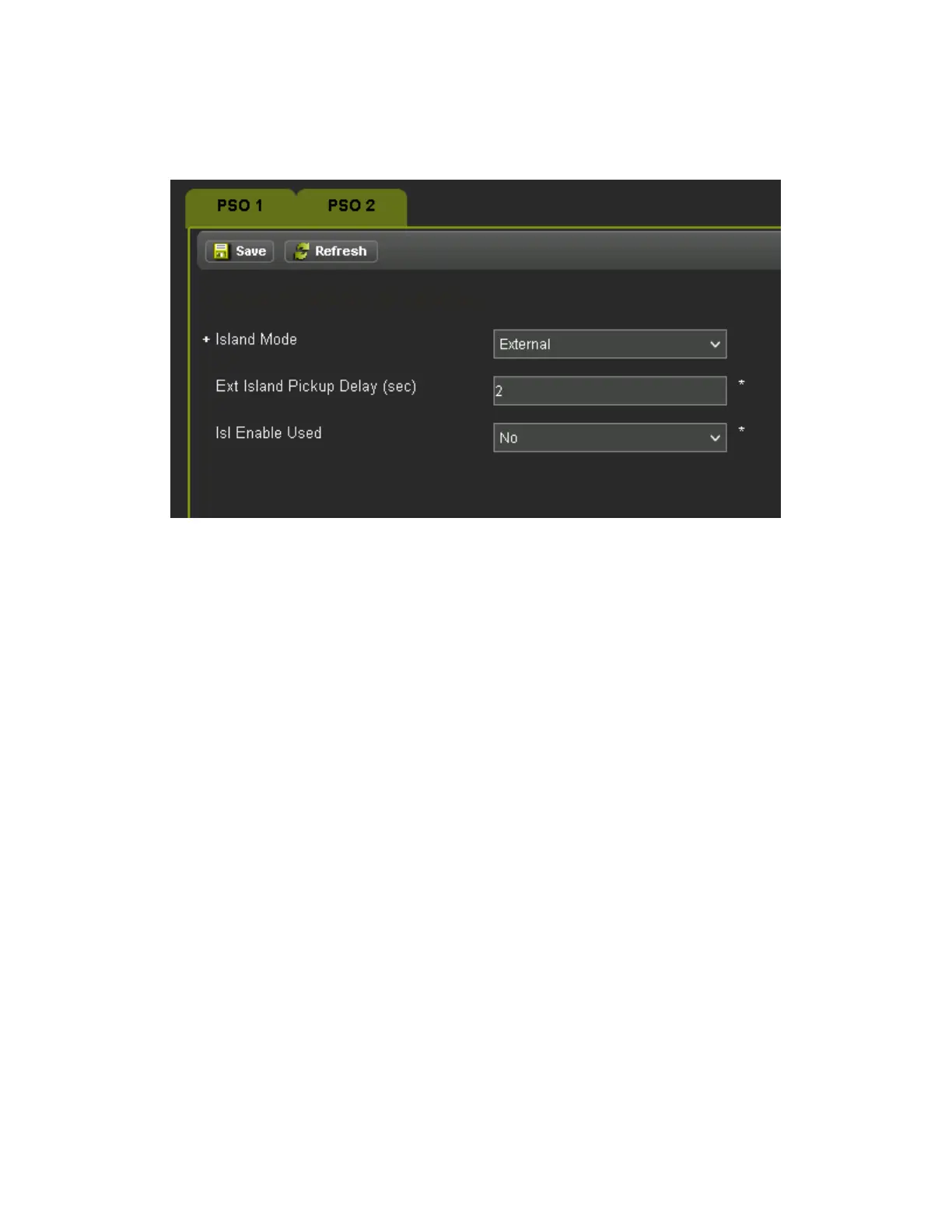
When set to External the PSO ‘n’ External Isl selection is available in the list of System Inputs to
be mapped to a vital input on a module.
Figure 10-15 PSO Island (External)
The Isl Enable Used option is available for Internal and External Islands. When Isl Enable Used
is set to yes, the PSO ‘n’ Isl Enable selection is available in the list of System Inputs to be
mapped to a vital input on a module. When the Isl Enable input is de-energized, it will cause the
island to act as if it is occupied.
10.1.3.3 PSO ‘N’ Receiver 1 and 2
Figure 10-16 PSO Receiver shows the PSO Receiver menu for Receiver 1 (Receiver 2 is
similar). The Receiver menu is available in all PSO Module Modes. The following are available
when the module RX 1 Mode is set to Internal.
• Rx1 Mode: range Internal, External, No, default Internal
• RX1 Freq Category: range Standard, Alternate, default Standard
• RX1 Frequency: range see TX Frequency list in section 2.1.1, default Not Set
• RX1 Pickup Delay: range 2-30 sec, default 2 sec
• RX1 Threshold: range 100-9999, default 100
• RX1 Enable Used: range Yes, No, default No
• RX1 Wrap Used: range Yes, No, default No
When the PSO Module Mode is Crossing, the receivers can be turned off by setting the Mode to
No, so that the PSO module can be used just for its island function.
The RX1 Threshold can be used to adjust the sensitivity of the receiver, see Section 6.2.2.










 To Next Page