EasyManua.ls Logo

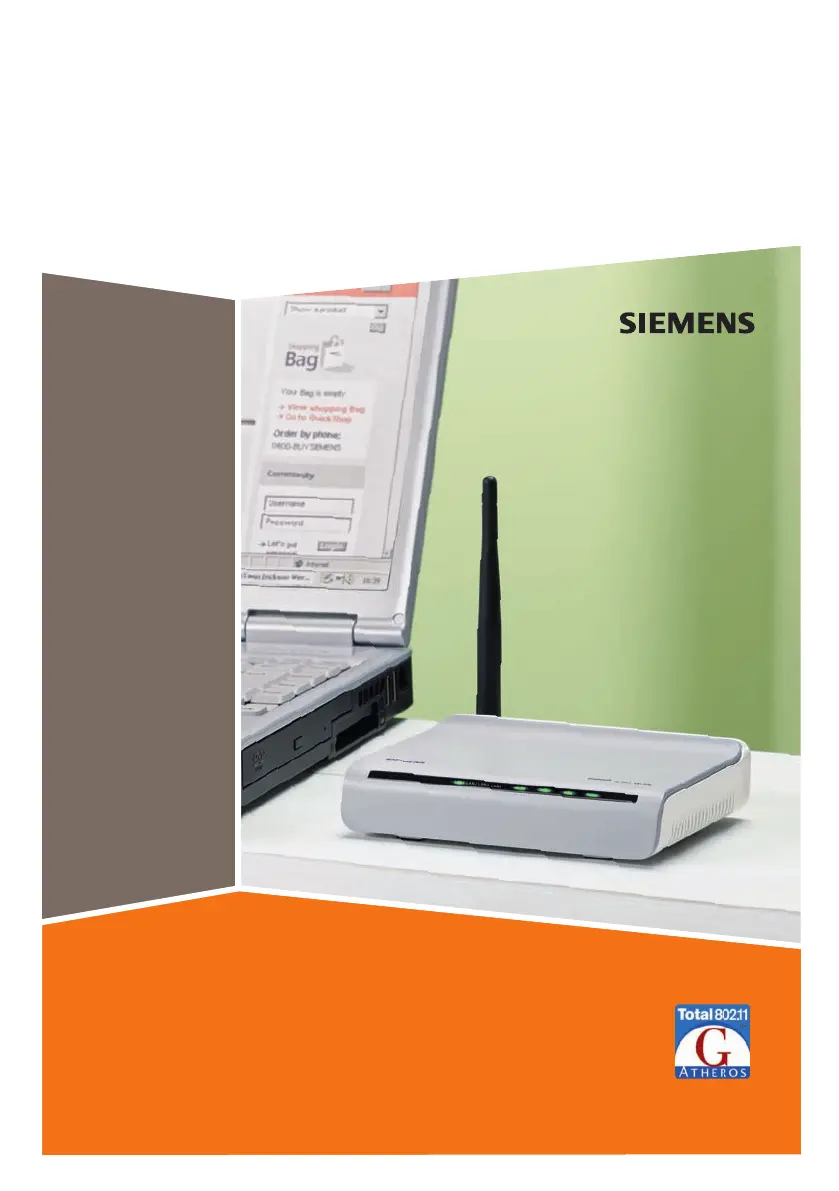
Siemens Gigaset SE361 WLAN - User Manual

Siemens Gigaset SE361 WLAN
119 pages
Print Icon
To Next Page IconTo Next Page
Loading...
Gigaset SE361 WLAN / englisch / A31008-M1067-R101-1-7619 / cover_front.fm / 30.10.2006
Schablone 2004_12_27
SE361 WLAN
Gigase t

Table of Contents

Other manuals for Siemens Gigaset SE361 WLAN

Questions and Answers

  • M
    Matthew OwensAug 15, 2025
    What to do if my Siemens Wireless Router power lamp does not light up?
    • L
      Louis CampbellAug 15, 2025
      If the power lamp on your Siemens Wireless Router isn't lighting up, it could be due to a power supply issue. First, check that the mains adapter is properly connected to both the router and a working power outlet. If it's still not working, ensure that the power outlet and the adapter itself are functioning correctly. If the adapter is faulty, consider contacting customer support.
  • S
    Seth SpenceAug 18, 2025
    Why I cannot connect to the Internet using my Siemens Gigaset SE361 WLAN?
    • E
      Elizabeth RobinsonAug 18, 2025
      If you're unable to connect to the internet with your Siemens Wireless Router, there are several potential causes. Ensure that the 'Connect on Demand' option is activated, as deactivating it prevents automatic connections. If 'Connect on Demand' is enabled, the connection might have been manually terminated; try reconnecting using the 'Connect' button or restarting the router. Verify that you've correctly entered the access data provided by your service provider. It's also possible that the issue lies with your service provider, so consider contacting them for assistance.
  • P
    Patrick VegaAug 22, 2025
    How to fix a slow transmission rate on Siemens Wireless Router?
    • D
      Dustin BryantAug 22, 2025
      A slow transmission rate on your Siemens Wireless Router can be influenced by several factors. Radio data transmission is affected by the environment, such as building materials or interference from other devices operating on the 2.4-GHz frequency. To improve the transmission rate, try the following: * Move your WLAN devices closer together. * Adjust the antenna direction. * Relocate the device. * Turn off other radio sources nearby. * Experiment with different channels. * Check if the problem persists with a different type of encryption.
  • M
    Maurice SmithAug 25, 2025
    What to do if I forgot the Siemens Gigaset SE361 WLAN Wireless Router password?
    • D
      Devin DelgadoAug 26, 2025
      If you've forgotten or lost your Siemens Wireless Router password, you must reset the device. Keep in mind that this action will restore all configuration settings to their factory defaults.
  • B
    Bradley SantosAug 28, 2025
    What to do if the LAN LED on my Siemens Wireless Router doesn't light up?
    • D
      Debra WestAug 28, 2025
      If the LAN LED on a device connected to your Siemens Wireless Router isn't lighting up, it indicates a potential LAN connection problem. First, ensure that the connected device is powered on. Next, verify that the Ethernet cable is securely plugged in. Also, confirm that you're using the correct cable type (CAT5) and that its length is less than 100 meters. Check the network card on the connected device and the cable for any defects, replacing them if necessary. Use the Windows device manager to check if the network card is functioning correctly; a red cross or question mark may indicate driver issues or resource conflicts, which you should resolve following Windows instructions.
  • M
    Melissa BrooksAug 31, 2025
    Why can't a wireless device connect to my Siemens Gigaset SE361 WLAN Wireless Router?
    • A
      Adrienne BurgessSep 1, 2025
      If a wireless device is unable to connect to your Siemens Wireless Router, the issue could stem from a few reasons. Verify that the wireless network adapter is using the correct SSID. Additionally, ensure that the encryption settings on the router and the wireless network adapter match, including the correct key and encryption type. If you're unsure of the key, resetting the router might be necessary, but remember that this will revert all settings to factory defaults.
  • M
    Michelle DavisSep 4, 2025
    What to do if my PC cannot reach the Siemens Gigaset SE361 WLAN Wireless Router with a ping command?
    • M
      Melissa GraySep 4, 2025
      If a PC in the connected LAN cannot reach the Siemens Wireless Router using a ping command, ensure that TCP/IP is properly installed and configured on all PCs within the local network. Verify that the IP addresses are correctly configured; consider using the router's DHCP function for dynamic address assignment. If configuring IP addresses manually, ensure that the subnet mask is set to 255.255.255.x, meaning the first three segments of the IP address must be identical across all PCs and the router. Also, confirm that the device is configured as the DNS server.
  • K
    Kathy PatelSep 7, 2025
    Why can't I access the Siemens Wireless Router configuration interface?
    • R
      Rita PetersonSep 7, 2025
      If you're unable to access the configuration interface of your Siemens Wireless Router, use the ping command to check for a network connection to the router. Inspect the network cable connecting your PC to the router. If the PC is on the router's local network, verify that you're using the correct IP address administration. If the PC is not on the local network, ensure it is authorized via Remote Management.
  • B
    Brittany BeltranSep 12, 2025
    What to do if I cannot access a resource on another PC using my Siemens Wireless Router?
    • C
      charlesbrownSep 12, 2025
      If you're unable to access a resource (like a drive or printer) on another PC while using your Siemens Wireless Router, ensure that TCP/IP is installed and configured correctly on all PCs within the local network, and that all PCs belong to the same workgroup. Verify that the resource is shared on the other PC and that you have the necessary access rights. If it's a printer, confirm that it has been set up as a network printer.

Siemens Gigaset SE361 WLAN Specifications

General IconGeneral
Frequency Band2.4 GHz
Max Data Rate54 Mbps
SecurityWEP, WPA, WPA2
Antenna TypeExternal
Antennas1
TypeWireless Router
Wireless Standard802.11g
Ethernet Ports4
WAN Port1
Wireless TechnologyWi-Fi

Related product manuals