Step by Step
Re locati ng with the tel ephone
68
6868
68
Relocating with the telephone
Check with System Support whether this is possible
with your telephone system.
After consulti ng with Syst em Support, you can log
off your telephone from its present station line and then
log it on at the new station line. Note that the settings
on your telephone (programmed keys) are not affected
by the move.
Disconnecting the telephone from its
present station line
E
Enter the code for logging off. If you are not sure of the
code, check with System Support.
E Enter PIN.
Remove the telephone line cord from the jack.
Reconnecting the telephone at the
new station line
Insert the telephone line cord in the jack.
E Enter the code for logging on. If you are not sure of the
code, ask with System Support.
E Enter PIN.
Multi-line and team functions
Ente r the code!
Ente r the code!
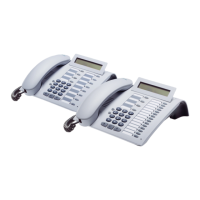
If you relocate with both a first and a second tele-
phone (for example, executive/secretary configu-
ration), you must first log off from the second
telephone, then the first telephone. At the new
location, you log on the first telephone first, then
the second telephone.






 To Next Page