04/99 Introduction
Getting Started with C7-621-AS-i 5
Introduction
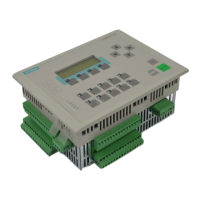
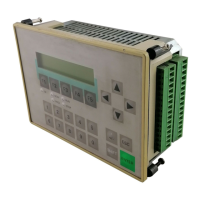
The SIMATIC C7-621-AS-i control system gives you a variety of options for clearly structured, convenient
automation, operation and monitoring of your process. The integrated AS-Interface allows high-powered
automation solutions at the process level.
This brochure shows you how easily and quickly you can solve your tasks with the C7-621-AS-i, the
programming software STEP 7 or STEP 7-Mini
*)
and the configuring software ProTool or ProTool/Lite
**)
under Windows 95. We take a sample assignment from real life and show you how to solve it step by
step.
In self-contained chapters, we explain the essential functions of the SIMATIC C7-621-AS-i, typical tasks
on a sample system, and further tips and tricks.
All chapters are structured as follows:
Þ First the task is explained.
Þ Then the individual solution steps are described, with the help of selected dialog boxes.
Þ Finally, we show you the result so that you can check your own result immediately after each
programming/configuring step.
Conventions:
A mouse indicates that entries are to be made on the PC/programming device.
This hand indicates that you are to make entries/perform operations on the C7-621-
AS-i control system.
A hand pointing upward indicates that you must work with AS-i slaves.
system_1.pdb
Texts to be configured, program parts to be programmed, or entries to be selected
from existing possibilities appear in
Courier
.
File
→
New
Menus, menu items, dialog boxes or texts in dialog boxes that you select are written in
italics
.
*)
referred to simply as STEP 7 below
**)
referred to simply as ProTool below




 To Next Page