Readers
5.4 SIMATIC RF650R
SIMATIC RF600
System Manual, 06/2019, J31069-D0171-U001-A22-7618
155
5
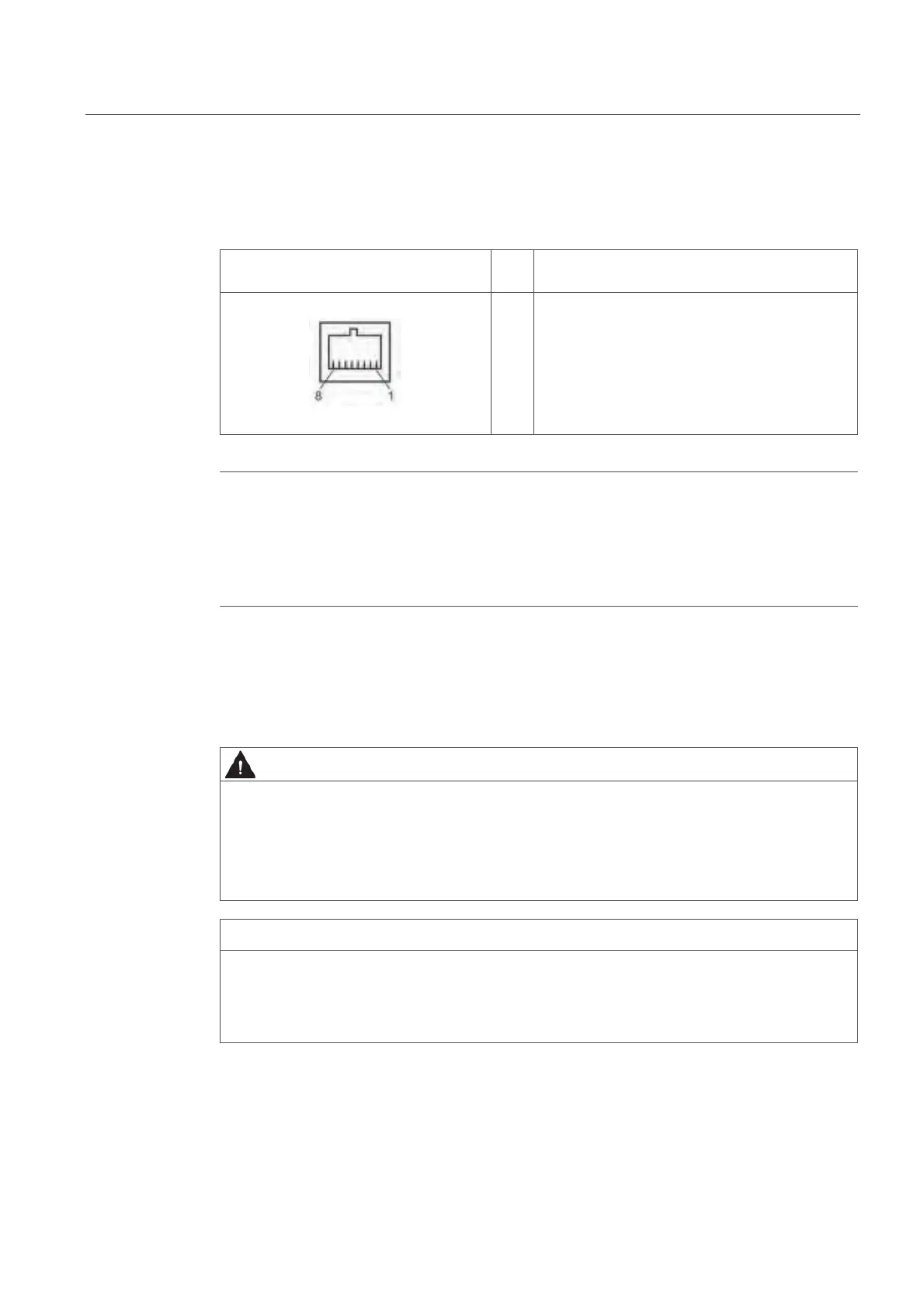
5.4.1.6 Pin assignment of the Industrial Ethernet interface (X1 P1)
Table 5- 27 Pin assignment of the Industrial Ethernet interface (reader end)
(
p
1
2
3
4
5
6
7
8
Transmit Data (+)
Transmit Data (-)
Receive Data (+)
Terminated
Terminated
Receive Data (-)
Terminated
Terminated
Note
U
Use of Siemens cables
W
e recommend that you only use original Siemens cables and connectors (refer to the
ection "Ordering data (Page 146)") to connect to the Ethernet socket of the reader. If plug-
onnectors from other manufacturers are used, it may be difficult or even impossible to
emove the plug from the reader.
5.4.1.7 Grounding connection
On the top of the reader there is a blind drill hole (M4 x 8) for grounding. Tighten the screw
with a torque of ถ 1.5 Nm.
Hazardous voltage due to lightning strikes
Death or serious injury may occur as a result of lightning strikes to antennas mounted
outside buildings.
If the reader is operated with antennas mounted outside buildings, it is imperative that the
reader is electrically connected to the ground potential.
Installation only in protected areas
The antenna can be installed in the protected part of a building. When implementing your
lightning protection concept, make sure you adhere to the VDE 0182 or IEC 62305
standards.



 To Next Page