RF600 system planning
4.7 Planning and installation of UHF read points
SIMATIC RF600
74 System Manual, 06/2019, J31069-D0171-U001-A22-7618
4
4.7.2.3 Setting up read points
The read point setup described in this section is performed using the Web Based
Management (WBM) and applies to the RF600 readers. You can find a detailed description
of the WBM in the configuration manual "SIMATIC RF600
(https://support.industry.siemens.com/cs/ww/en/ps/15081/man)".
Follow the steps below to optimize the antenna alignment:
1. Position the object fitted with a transponder and to be identified at the required read point.
2. Align the reader or the antenna so that its front points in the direction of the object
(transponder) to be identified.
Keep to the minimum distances between antennas and transponders to avoid antenna
errors.
When using linear antennas, make sure the polarization direction is correct.
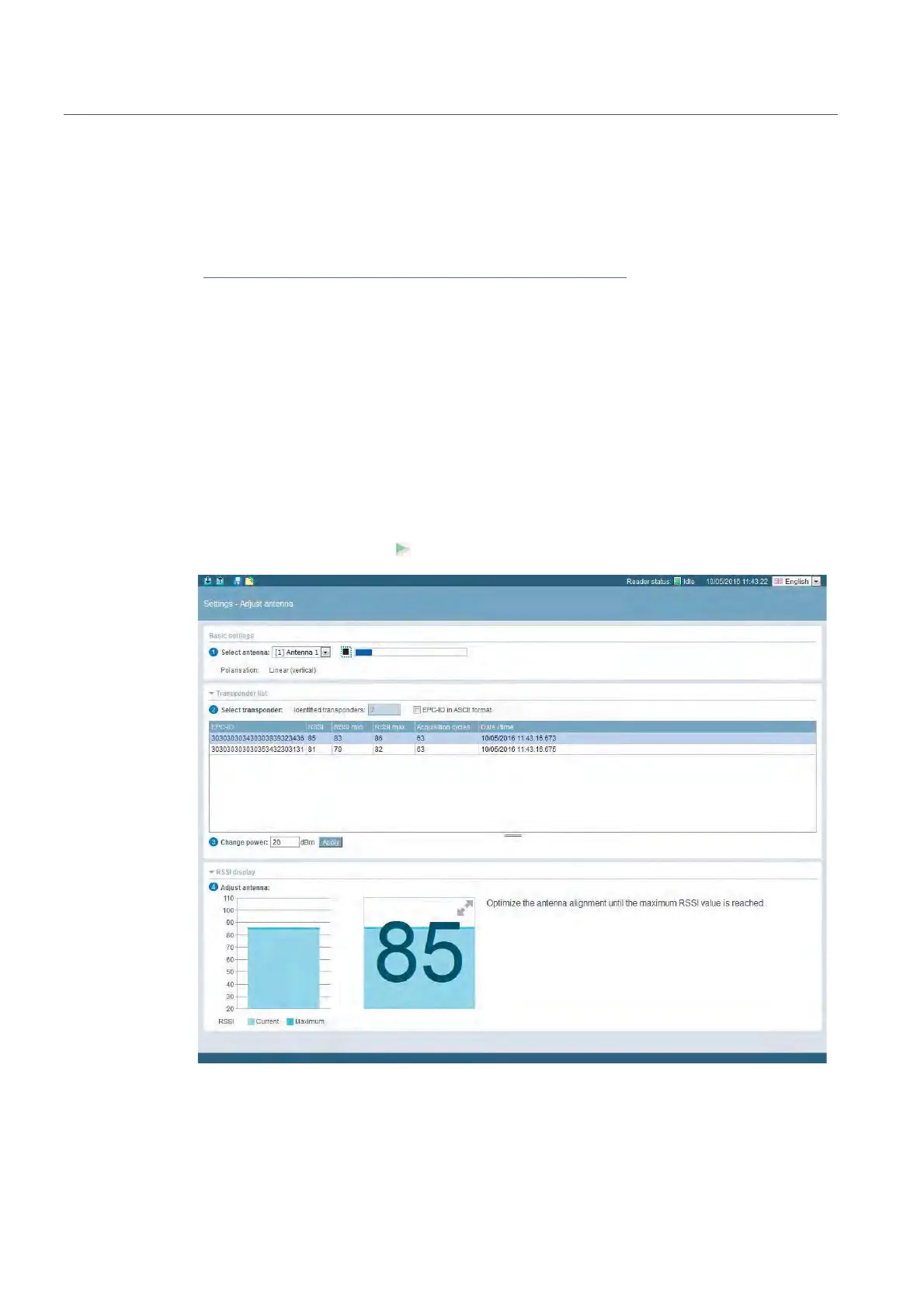
3. In the "Settings - Adjust antenna" menu item, select the connected antenna and click the
"Start adjustment" button.
Figure 4-17 Optimizing the antenna alignment with the "Settings - Adjust antenna" menu item of the
WBM



 To Next Page