RF600 system planning
4.7 Planning and installation of UHF read points
SIMATIC RF600
76 System Manual, 06/2019, J31069-D0171-U001-A22-7618
D
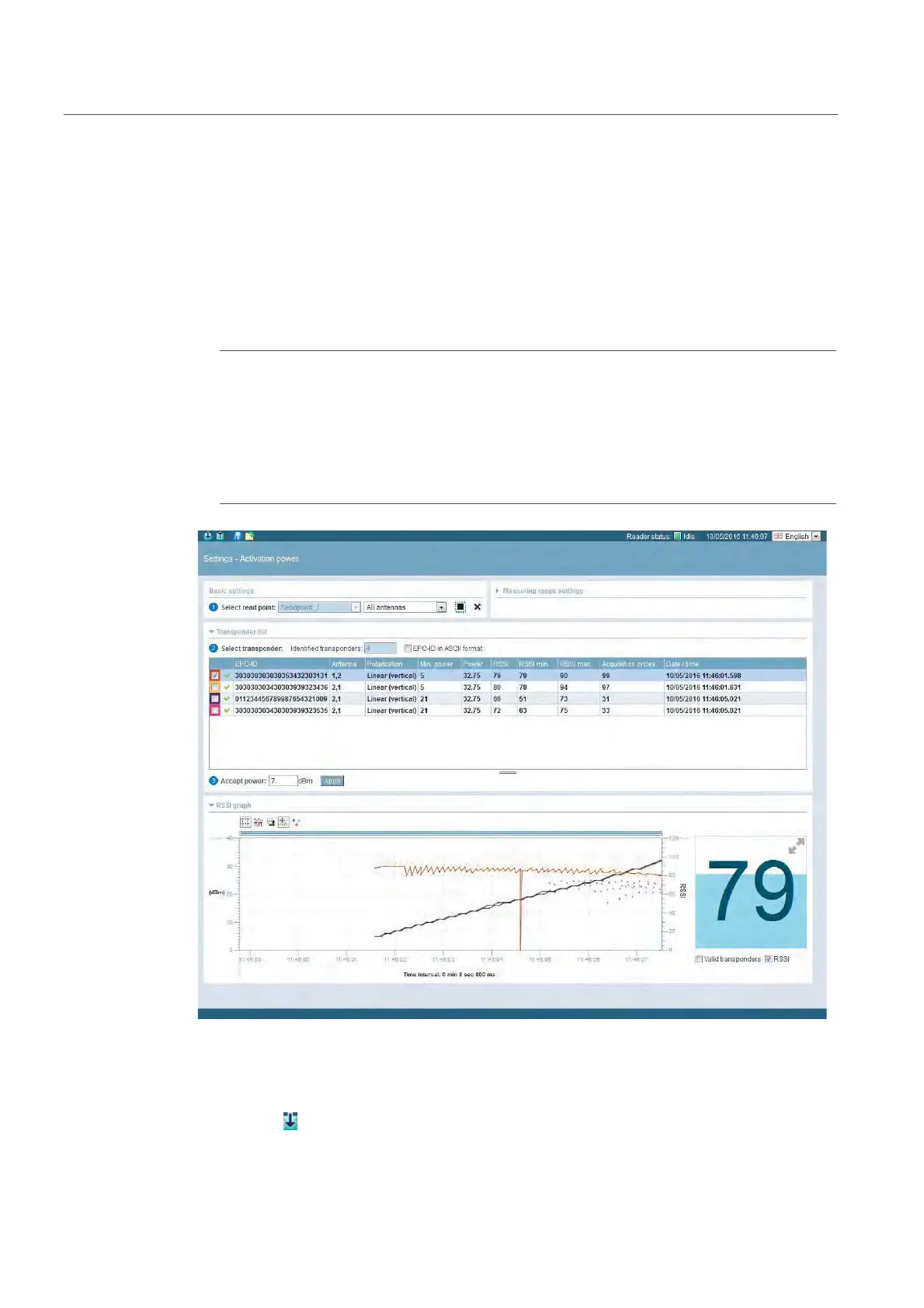
Follow the steps below to detect the activation power:
1. In the "Settings - Activation power" menu item, select the connected antenna and click
the "Start measurement" button.
2. In the "Min. power" column of the transponder list, you can see the required activation
power. The value "Min. power" of the transponder last selected in the transponder list is
automatically transferred to the "Accept power" box with 2 dB added.
Note
O
Optimizing the radiated power
T
he value entered automatically in the "Accept power" box corresponds to the minimum
alue with which the transponder was identified by the antenna (Min. power) plus a pow
eserve of 2 dB. This value serves as a guideline and you can adapt it. To be sure that
he antenna reliably detects the transponders regularly, we recommend that you accept
he automatically adapted default value.
Figure 4-18 Determining the activation power using the "Settings - Activation power" menu item
3. Click the "Apply" button to transfer the value entered in the "Radiated power" input box of
the "Settings - Read points" menu item.
4. Click the
symbol to transfer the configuration to the reader.



 To Next Page