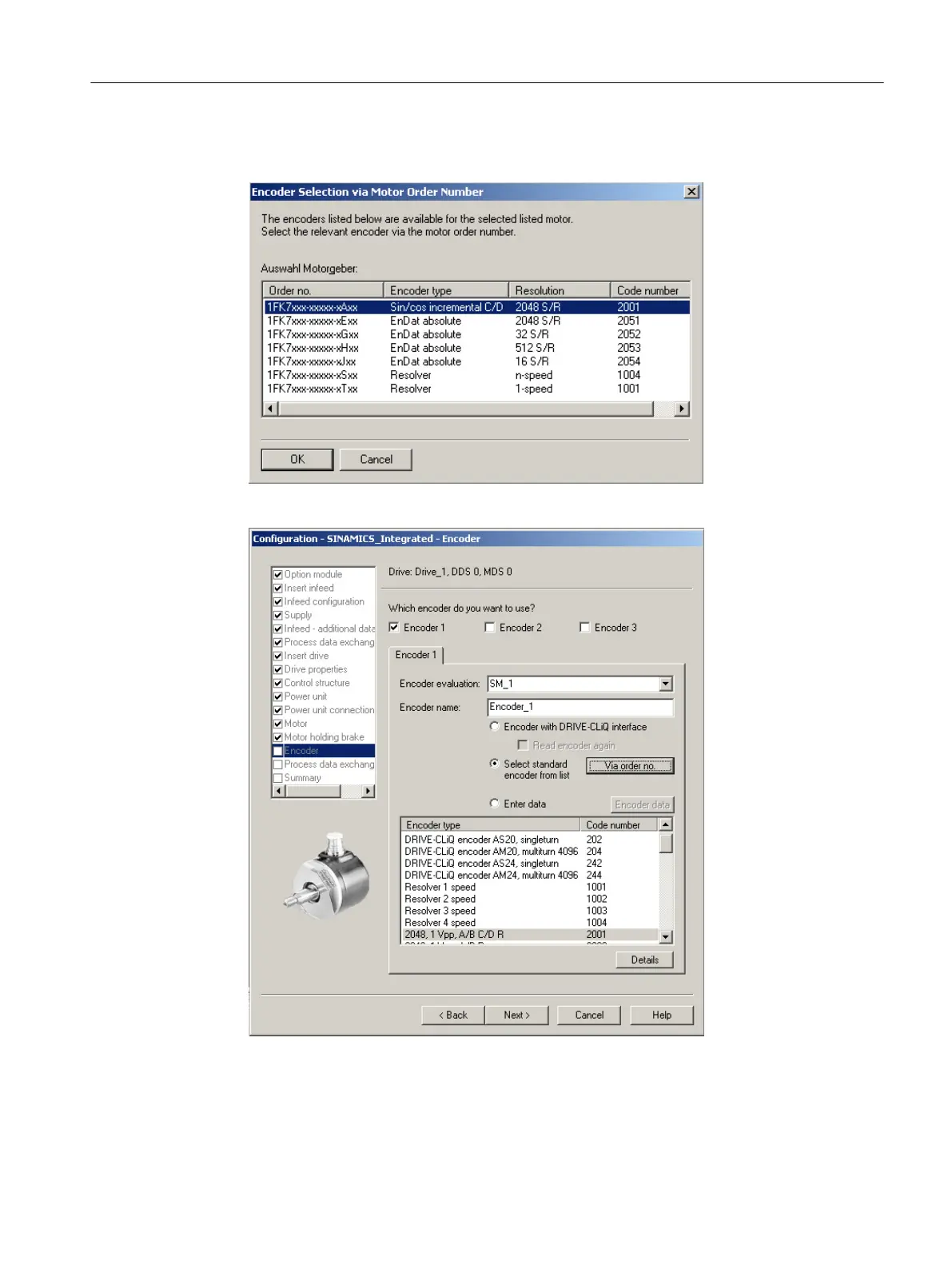
14.If you are using a motor that is not equipped with a DRIVE‑CLiQ interface, select the
encoder order number in the "Encoder Selection via Motor Order Number" dialog box.
Figure 7-15 Selecting a motor encoder (1)
Figure 7-16 Selecting a motor encoder (2)
Commissioning (software)
7.2 Performing the configuration for the D4x5-2 offline
SIMOTION D4x5-2
Commissioning and Hardware Installation Manual, 03/2018, A5E33441636B 193






 To Next Page