4
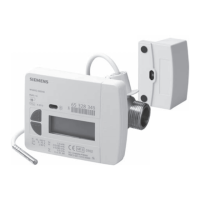
Calorie counter
The self-powered electronic calorie counter makes it possible
to measure the energy consumption of heating and domestic
hot water systems.
Features
Acquisition of data relating to heating energy consumption,
through the measurement of the fl ow rate and the difference in
temperature between the fl uid fl ow and return conditions.
Display
The calorie counter has a display which can be used to view
stored data, immediate data and the codes of any errors whi-
ch may have occurred.
The display offers three levels:
- Aktuell (current)
- Monat (month)
- Info
The appliance uses self-diagnosis to identify any problems
which may arise.
Problems are divided into two categories:
- Temporary problems: these do not affect the operation of
the appliance.
In this case, the display fl ashes for 32 seconds, then reverts
to normal operation.
- Serious problems: these prevent the appliance from
operating.
In this case, the display alternates between showing the error
code and the date on which it occurred for the fi rst time.
The measurement values recorded up to that moment remain
stored in the memory.
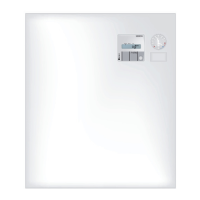
A display
B data plate
C button
AKTUELL
(current)
MONAT
(mounth)
INFO
(information)
energy consumed
since the most
recent reading
energy consumed
since the previous
year
immediate fl ow
rate data
total circulated
volume
energy consumed
in the last 13
months
fl ow temperature,
return tempera-
ture
segments check fl ow/return ∆T
energy consumed
since a particular
day
immediate power
value
total circulated
volume since a
particular day
total hours of
operation
serial/customer
number
day given as a
reference point
(reading)
test number
value and date of
the maximum fl ow
value and date
value and date
of the maximum
temperature
serial/customer
number
identifi cation
number (BUS
address)
SW version
factory number
(serial/customer)
To scroll through the display levels, press and hold the but-
ton.
To scroll through the data at each level, press the button brie-
fl y.





 To Next Page