6
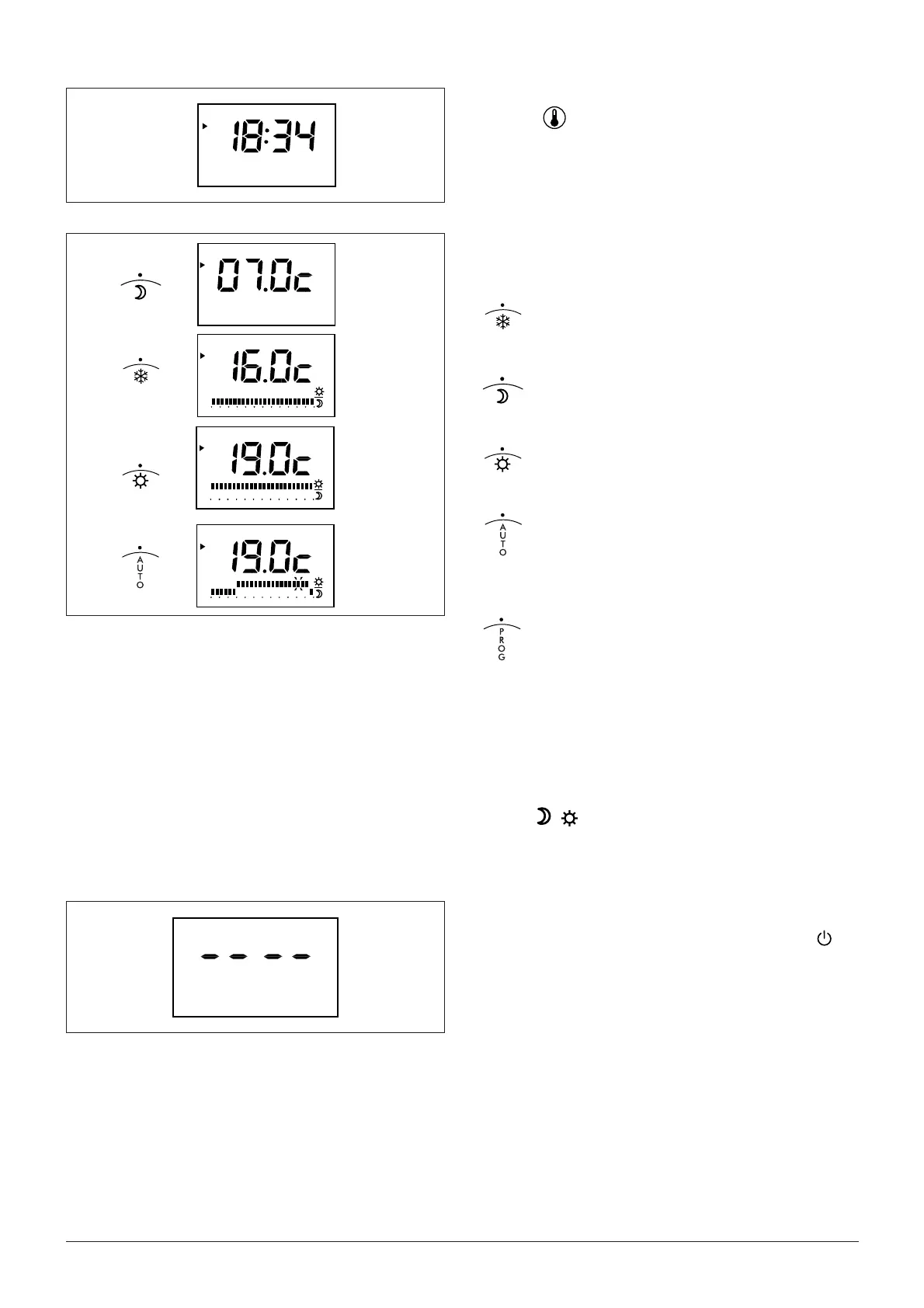
Measured temperature display
Press the
key.
The value oh the room temperature is displayed.
Select your daily program
You have 4 pre-set programs. You can select one of them by
turning the selctor switch.
Permanent Frost protection
(adjustable from 5 to 15°C)
Permanent Economy
(adjustable from 5 to 30°C)
Permanent Comfort
(adjustable from 5 to 30°C)
AUTO, Comfort from 6 to 23 hours
for all the week
How to adjust the weekly program
- Turn the selector on PROG; temperature disap
pears from the display, the fi rst day program is
displayed and its timeline fl ashes.
- press the (+) button to set comfort conditions on
the selected time unit or (-) button to set
economy conditions on the same period.
Repeat operation for every time unit and then for all week
days
Once programming is completed turn the selector on pos.
AUTO
Note: for
, and AUTO modes the temperature displayed
is reference temperature for current period.
Heating shutdown - Stand-by mode
The thermostat is switched to stand-by mode in periods when
heating is not required. Switch the selector to position
.
The thermostat displays four dashes.
1
2
3
4
5
6
7
1
2
3
4
5
6
7
0h 2 4 6 8 10 12 14 16 18 20 22 24
1
2
3
4
5
6
7
0h 2 4 6 8 10 12 14 16 18 20 22 24
1
2
3
4
5
6
7
0h 2 4 6 8 10 12 14 16 18 20 22 24
1
2
3
4
5
6
7





 To Next Page