EasyManua.ls Logo

Siemens XC1003-A - User Manual

Siemens XC1003-A
28 pages
Print Icon
To Next Page IconTo Next Page
Loading...
Building Technologies
Fire Safety & Security Products
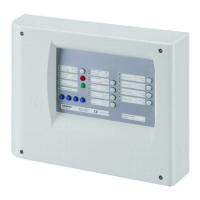
XC1003-A
Extinguishing control unit
Operation

Other manuals for Siemens XC1003-A

Questions and Answers

  • N
    nashphillipAug 3, 2025
    What to do if the "Power fault" LED is flashing on my Siemens Control Unit?
    • S
      Shelby GatesAug 3, 2025
      If the "Power fault" LED is flashing, it indicates a failure in the power supply. First, check the external mains power fuse. If the power fuse is okay, further assistance is needed.
  • G
    gmillerAug 11, 2025
    What to do if the "Loss of agent" LED flashes on Siemens XC1003-A?
    • S
      Samuel BrownAug 11, 2025
      If the "Loss of agent" LED is flashing, it means a loss of extinguishing agent has been detected. Try to identify which cylinder has low pressure or has triggered the cylinder scales before seeking assistance.
  • S
    Suzanne BarnesAug 19, 2025
    What to do if the "Mech. blocked" LED flashes on Siemens Control Unit?
    • X
      xmurraySep 12, 2025
      If the "Mech. blocked" LED is flashing, there's a problem with the mechanical blocking device. Check its position to ensure it's either on “open” or “closed”. If the position is correct, further assistance is needed.
  • A
    Ashley GonzalezAug 27, 2025
    Why is the yellow zone LED flashing on my Siemens XC1003-A?
    • M
      Marissa BernardAug 27, 2025
      A flashing yellow zone LED indicates a problem in the detector circuit. Check if all detectors are properly inserted in their bases. If they are, further assistance is needed.

Summary

About this document

Brief description of chapter contents

Summarizes the content and purpose of each chapter within the document.

Standard symbols

Explains the meaning of symbols and abbreviations used throughout the manual.

Safety regulations

Danger levels

Explains the different signal words and their associated hazard levels.

Safety-relevant operating instructions

Provides critical instructions for safe operation and installation.

System overview

Configuration of the system

Details the various settings and options for configuring the automatic extinguishing system.

Structure and function

Indicators and operating elements

Describes the control panel interface, including LEDs and keys.

Function

Explains the operational functions, including access levels and the extinguishing process.

Operation

Normal operation

Describes the standard operating states and LED indications.

Enabling access level 2

Explains the procedure to enable access level 2 using an access code.

Activation of extinguishing

Details the automatic and manual process of activating the extinguishing system.

Disabling system part

Provides instructions on how to disable specific system parts like detector zones.

Maintenance

Checking all optical and acoustic elements of the control unit

Verifies the correct function of the control unit's LEDs and buzzer.

Testing the alarm horn

Checks the proper operation of the alarm horn.

Testing illuminated warning panel

Verifies the function of the illuminated warning panel.

Checking all fire detectors

Describes the procedure for annually checking all fire detectors.

Checking the remote transmission of alarm

Details how to perform periodic checks on the remote alarm transmission.

Troubleshooting

Common Faults and Solutions

Lists common system faults indicated by LEDs and provides potential causes and solutions.

Disposal and environmental protection

Unit disposal

Provides guidelines and considerations for the proper disposal of system components.

Siemens XC1003-A Specifications

General IconGeneral
Product TypeControl Unit
ModelXC1003-A
ManufacturerSiemens
Operating Voltage24 V DC
Number of Inputs8
Number of Outputs4
Protection RatingIP20

Related product manuals