APOLLO User Manual Page 15
DISARMING THE SYSTEM
Enter the protected area through a delay zone entry. The buzzer will
start sounding. During the last 10 seconds of the entry delay the buzzer
sounds faster to remind you to disarm the system, as the entry delay
is about to end, while in the LED Display you can see the countdown of
entry delay.
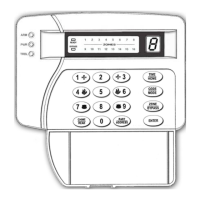
Enter [USER CODE] and press [ENTER]. The green LED will change
status, and the system will disarm.
If the code you use to disarm the system is not correct, you can try
again. You can try 4 times to disarm the system. If all 4 times the code
you enter is wrong, then the keypad locks for 15 seconds. The system will
report the event to the Central Station.
If there was an event during the arming cycle, such as, Mains power
loos, alarm e.t.c., and you disarm the system the keypad buzzer will sound
and the LED “TROUBLE” will turn on. Press [READ] & [ENTER] to
see what the problem is.
The system can disarm, automatically, every day the same time if it
is programmed to perform auto arm or disarm. The automatic arming and
disarming function is described in previous section of this manual.
DURESS DISARMING
If you are being threaten at the time that you are entering your area
and they force you to disarm the alarm, enter the [DURESS CODE] &
[ENTER]. The unit will disarm and, it will report the Durress disarm to
the central.
HOME ARMING
This arming method is used for perimeter protection. This way you
activate all perimeter zones, while you can move freely in the protected
area. There are 3 methods of home (perimeter) arming:
1. Press [ΗΟME] & [ENTER]. All perimeter zones are activated. Entry
and exit delay are deactivated. All delay zones will operate as
instant, and all interior zones are bypassed.
2. The following arming method is active only if, the installer has
programmed the system to perform auto home arming.


 To Next Page