APOLLO User Manual Page 21
fire alarm may be cancelled only from a keypad that belongs to the same
partition with the, fire zone, entering [USER CODE] and pressing
[ENTER].
CHECKING THE EVENTS
The control panel stores the last 300 events, with date and time, such
as: arming, disarming, alarm, power failure, low battery e.t.c. All these
information you may see and print via the Download software.
When the red LED “Trouble” of the keypad is on, there is an event during
the arming cycle of the system. From the keypad you may see the main event,
pressing: [READ] & [ENTER]. On the DISPLAY you will have the following
readings:
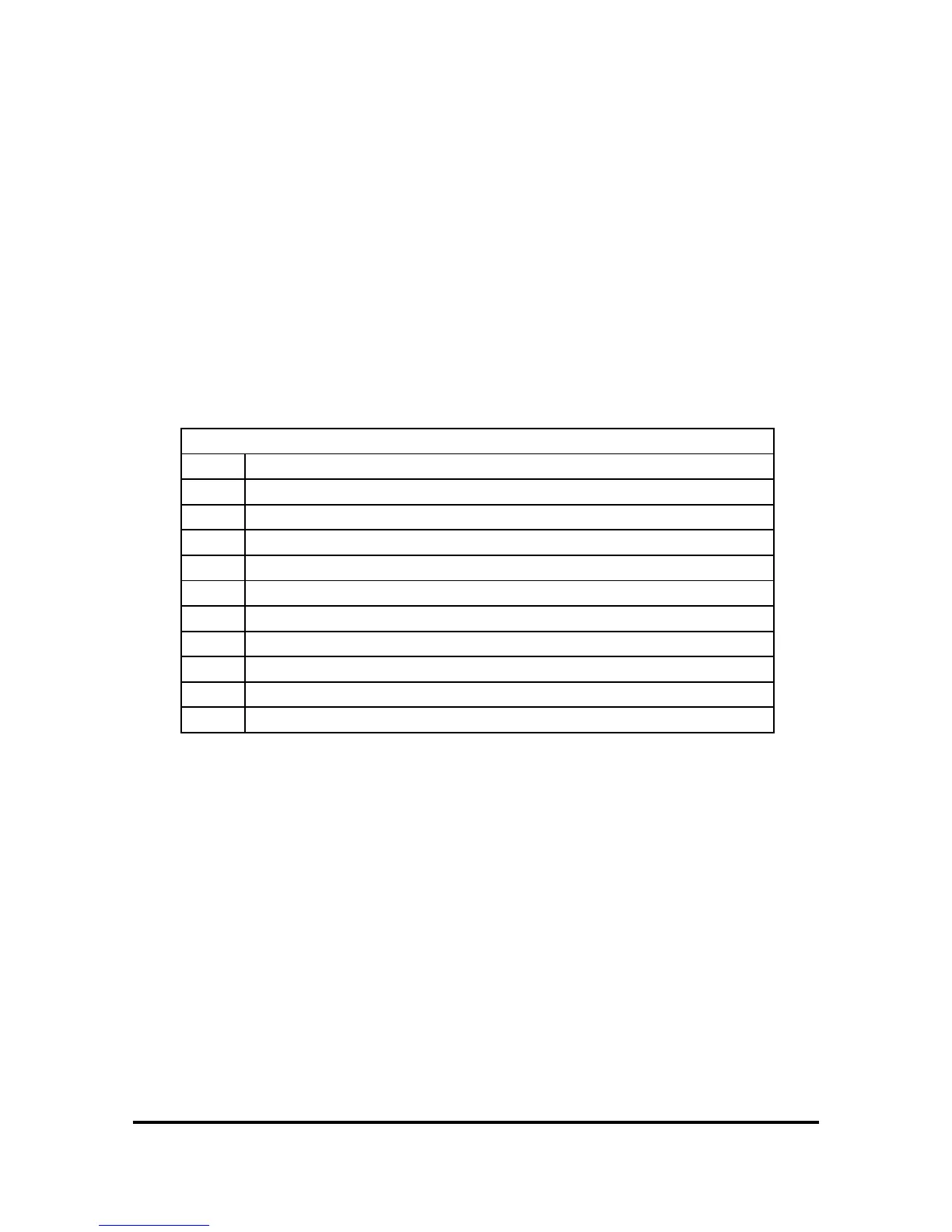
TROUBLE TABLE
A
Alarm during the last arming cycle
CL
Loss of time
Ct
Communication Failure (with the Central Station)
dL
Downloading to the control panel
F
A fuse is blown.
Ft
Fire zone line fault
Lt
Telephone Line failure
Lb
Battery voltage is bellow 11V.
P
Mains Power failure 220V.
Pt
Keypad Failure.
St
Siren Power Line fault
NOTES:
¾ Press, [READ] [ΖΟΝΕ]], to see if there was an alarm during the last
arming cycle. On the LED Display you will have the letter Α
(Alarm) and also the LED’s of the zones that triggered the alarm.
¾ When a fire zone has a line fault, the keypad buzzer sounds
intermittently. To silence the buzzer press any key.
¾
In case of telephone line failure, the keypad buzzer sounds
continously. To silence the buzzer press any key.


 To Next Page