APOLLO User Manual Page 7
To read, the quick arm number, press [READ] [CODE] [9] [8]. To
delete quick arming number, press [CODE] [9] [8] & [ENTER].
PROGRAMMING DATE AND TIME
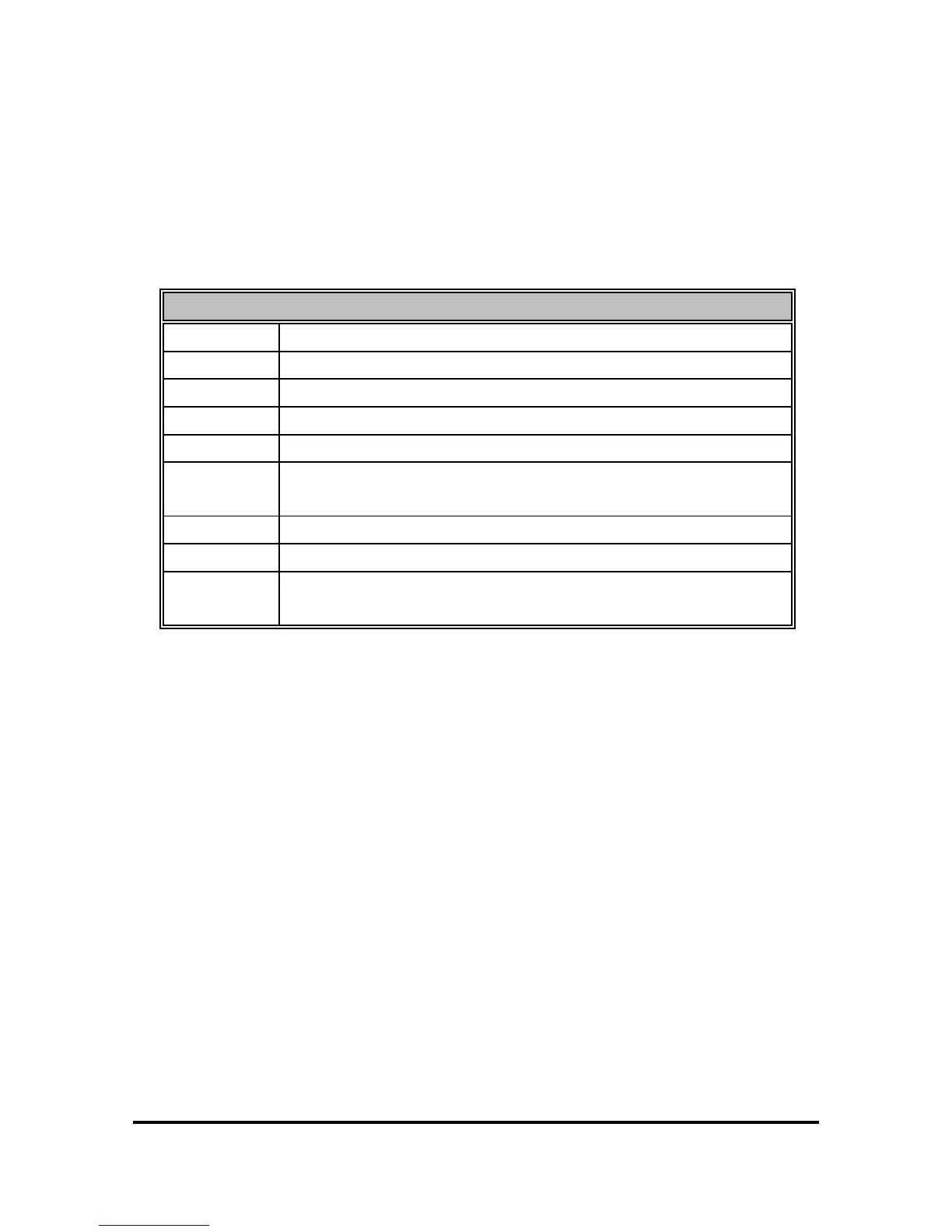
Following is the time table the user may program in the system:
TIME TABLE
TIME 1
TIME
TIME 2
DAY
TIME 3
DATE
TIME 4
AUTO ARM TIME FOR PARTITION A
TIME 5
AUTO DISARM TIME FOR PARTITION A
TIME 6
AUTO DISARM WEEKLY PROGRAMMING FOR
PARTITION A
TIME 7
AUTO ARM TIME FOR PARTITION B
TIME 8
AUTO DISARM TIME FOR PARTITION B
TIME 9
AUTO DISARM WEEKLY PROGRAMMING FOR
PARTITION B
PROGRAMMING CURRENT TIME
To program, the system’s real time clock, press:
[TIME] [1] [H] [H] [M] [M].
[H] [H] is the current hour, and [M] [M] is the minutes.
EXAMPLE: Current time is 10:30. Enter: [TIME] [1] [1] [0] [3]
[0]. On the display, you will have the relative numbers you had entered,
pressing the keys.
To read the programmed time, press [READ] [TIME][1]. On the
DISPLAY you will have the current time.
PROGRAMMING THE DAY OF THE WEEK
In order to program, the current day of the week, press [TIME] [2] [D]
[ENTER]. [D] is the number corresponding to the current day of the week
(1-7). For Sunday press 1, for Monday press 2, for Tuesday press 3,
e.t.c. When you press the relative key the relative LED of the day will turn


 To Next Page