34 von 37
V 07.17
Service Manual BXT3-13/16/19ENGLISH
7 Firmware-update
As long as the manufacturer has a new rmware version available, the service technician can carry out the update
by himself, using PT Studio.
Start PT-Studio
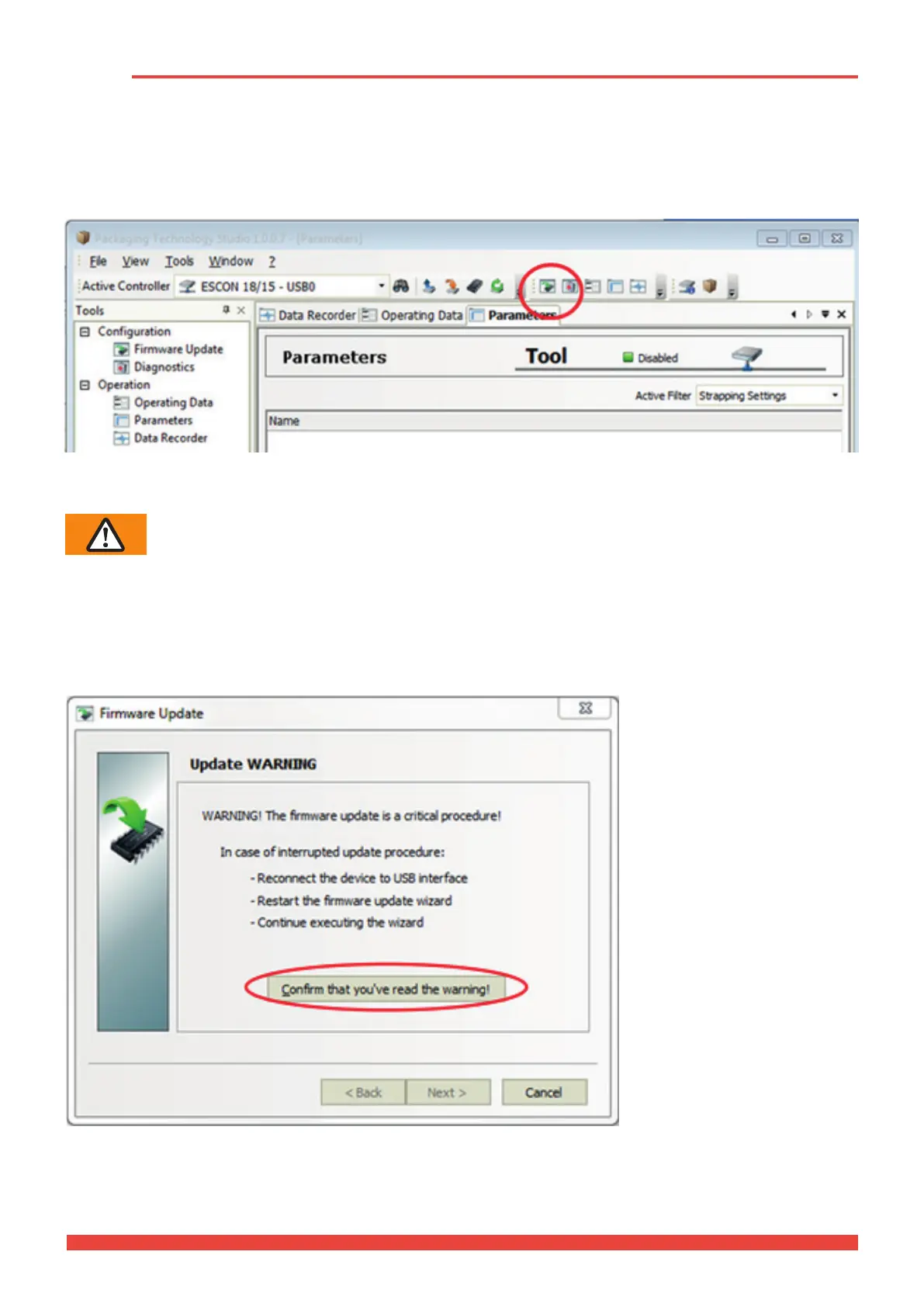
Start PT Studio and connect the device with the computer via the USB interface (see chapter 3.4.1).
The rmware update routine is then started by clicking on the “Firmware Update” icon.
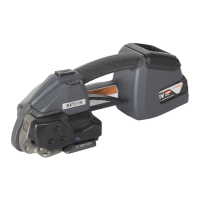
Update warning
Warning!
The rmware update is a critical process. In case of an interruption during the update:
● reconnect the device with the USB interface.
● restart the rmware update wizard
● continue executing the rmware wizard.
Conrm reading the warning by clicking on the highlighted pushbutton.



 To Next Page