5 von 37V 07.17
Service Manual BXT3-13/16/19
ENGLISH
2 Periodic maintenance
In order to ensure the highest-possible availability and to avoid subsequent damage caused by insufcient lubricati-
on, periodic maintenance must be carried out in the device according to the following instructions.
The maintenance intervals are orientated according to the degree of usage (see maintenance requirements table
2.2) and the number of strapping cycles carried out. However, we recommend performing a service at least every
two years.
In addition, the details in the operating instructions (section 6.1) apply with regard to smaller maintenance work by
the customer.
2.1 Implementation
2.1.1 Cleaning
● Cleaning the tensioning and sealing area of the device from strap particles (with compressed air).
● Removal of excess contamination on other components of the device.
2.1.2 Visual check
● Is there any visible damage to the housing, base plates and other components that is relevant for its func-
tioning?
● Are all screws and other components that could be removed present and tight, and are they the original
part?
● Does the strap width setting match with the strap in use?
Refer to operating instructions (chapter 5.3).
● Are all original wear parts with correct article number installed?
Refer to operating instructions (chapters 6.4, 6.5 and 6.6).
2.1.3 Function test
● Inserting the rechargeable battery: The backlight should illuminate briey
● Check the user interface function: Are all buttons functional? Select MAN Mode
● Pull up the rocker lever and hold it: Rocker opening and strap guide display okay?
● Actuate the tensioning and sealing button: With the lever pulled up, only one beeping tone sounds
per each button?
● Insert and tension the strap: Is the strap tension range matching the strap size?
● Weld the strap: End of cooling time display? (green backlight and buz-
zer)
● Remove the device from the strap Did any issues occur?
● Check the welding: Weld quality and strap cutting are okay?
2.1.4 Maintenance
● If an error has occurred during the function test, rst continue with rectication according to chapter 3.
● Carrying out maintenance according to chapters 2.2, 2.3, 2.4 and 2.5.
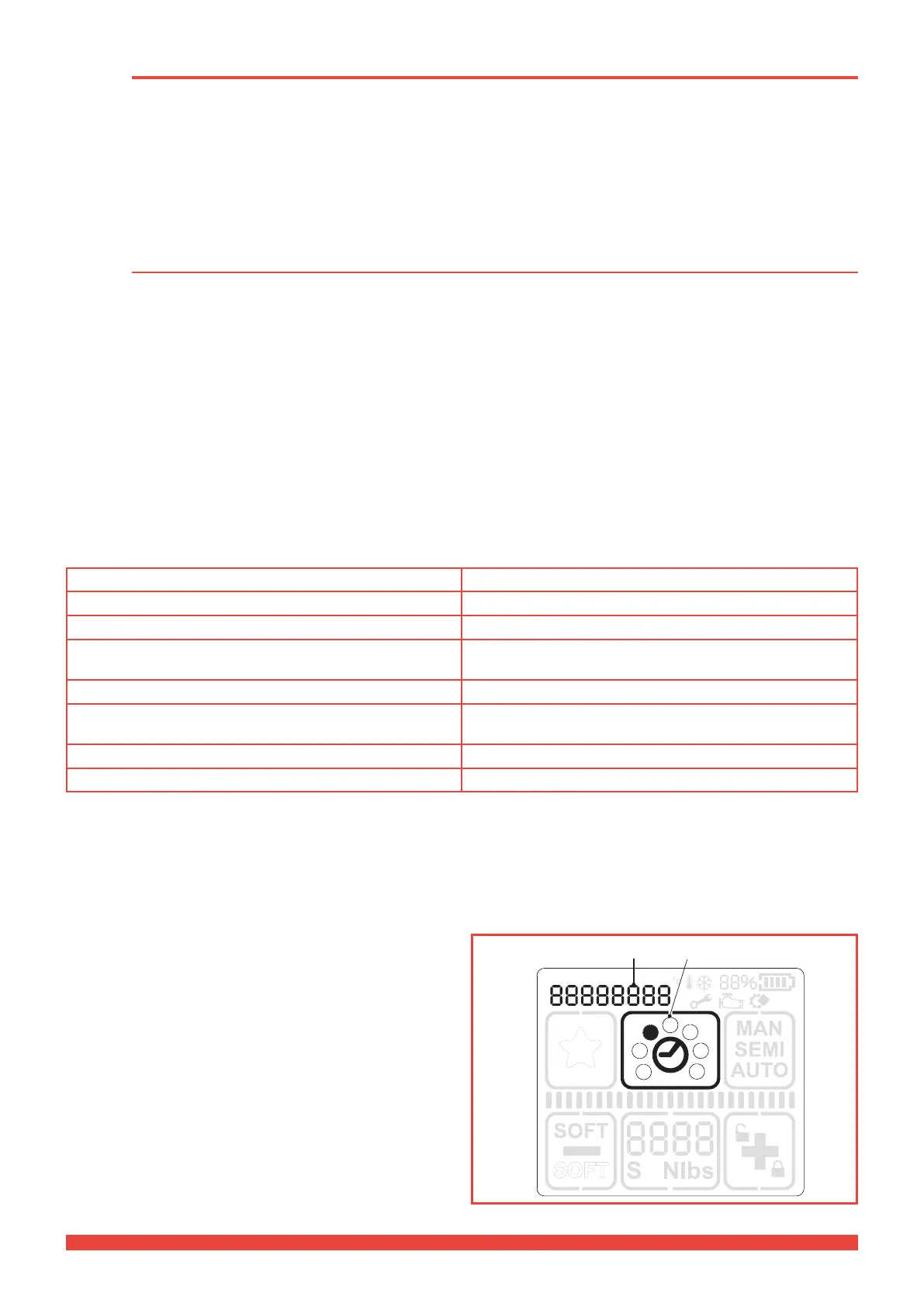
2.1.5 Read out the cycle counter
► Touch the operating panel, the backlight lights up.
► Press the «Welding time“ button (1) and hold it for two
seconds.
► Raise the rocker lever. Now the number of cycles (2) is
displayed at the top of the display.



 To Next Page