Measuring mode and operation of the Functions E2 / D2
- 36 - © SIKA • Ba_Ref-E2D2 • 11/2014
6 Measuring mode and operation of the Functions
After switching on and completion of the start-up procedure, the E2 / D2 enters measuring
mode. The current reading is displayed.
6.1 Measuring mode
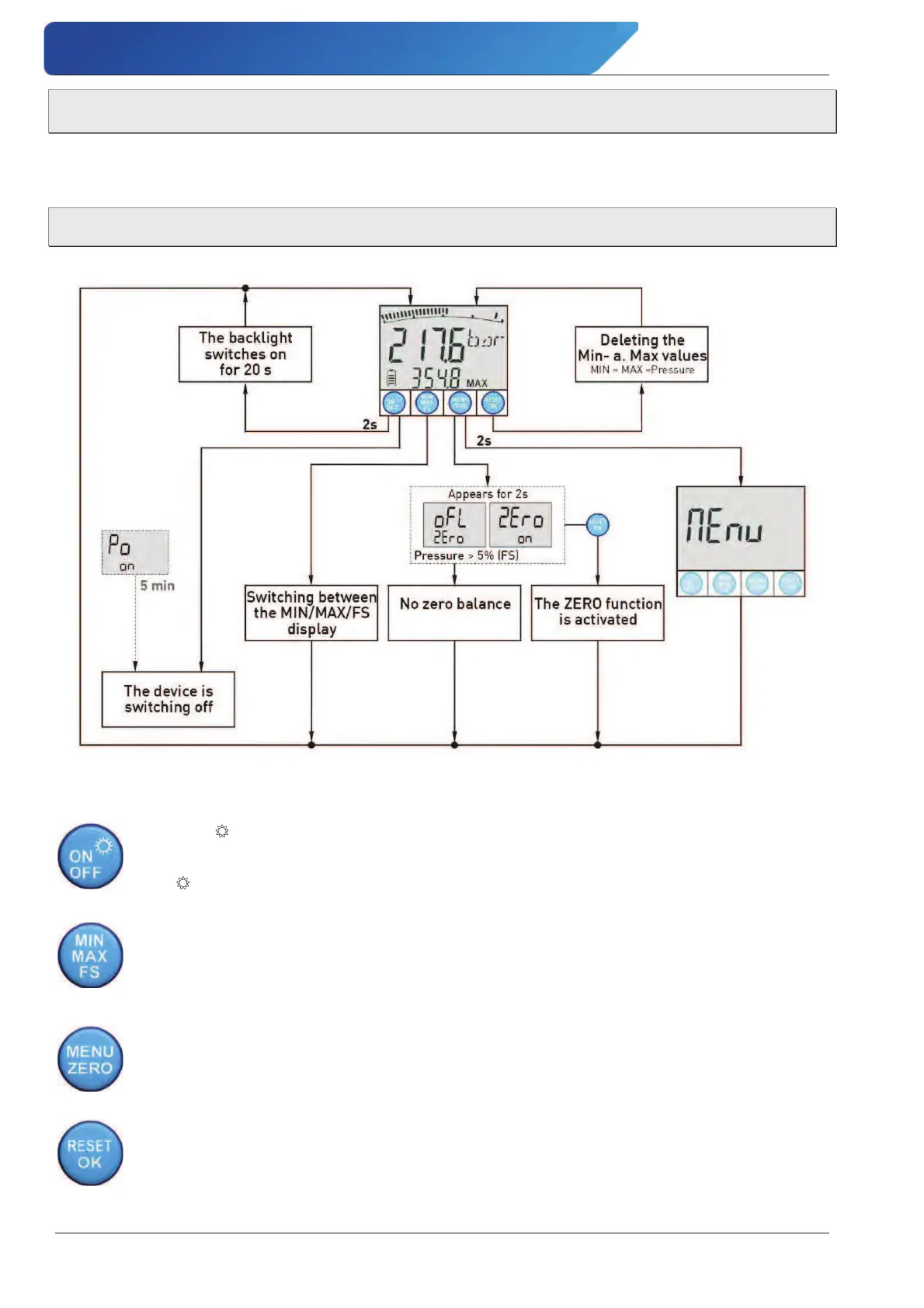
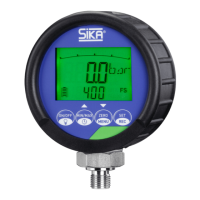
The following illustration shows the operation and functions in the measuring mode:
In measuring mode, you can activate the various functions (J § 6.2) or call the Menu for de-
vice settings (J § 6.1.1) for the E2 / D2 device.
ON/OFF/5 button:
The ON/OFF button is used for switching the device on and off (J § 5.2).
The 5
button switches the backlight on for 20 s (J § 6.2).
MIN/MAX/FS button:
Use the MIN/MAX/FS button to change the status bar between the minimum value
(MIN), maximum value (MAX) and the pressure range (FS) (J § 6.2).
The selection is displayed the next time the device is switched on.
MENU/ZERO button:
The MENU button is used to call the menu for the device settings.
Use the ZERO button to perform a zero balance.
RESET/OK button:
The RESET button deletes the current MIN and MAX values.
The OK button is used to confirm the selection in the menu.


 To Next Page