E2 / D2 Measuring mode and operation of the Functions
Technical changes reserved - 37 -
6.1.1 Menu for device settings
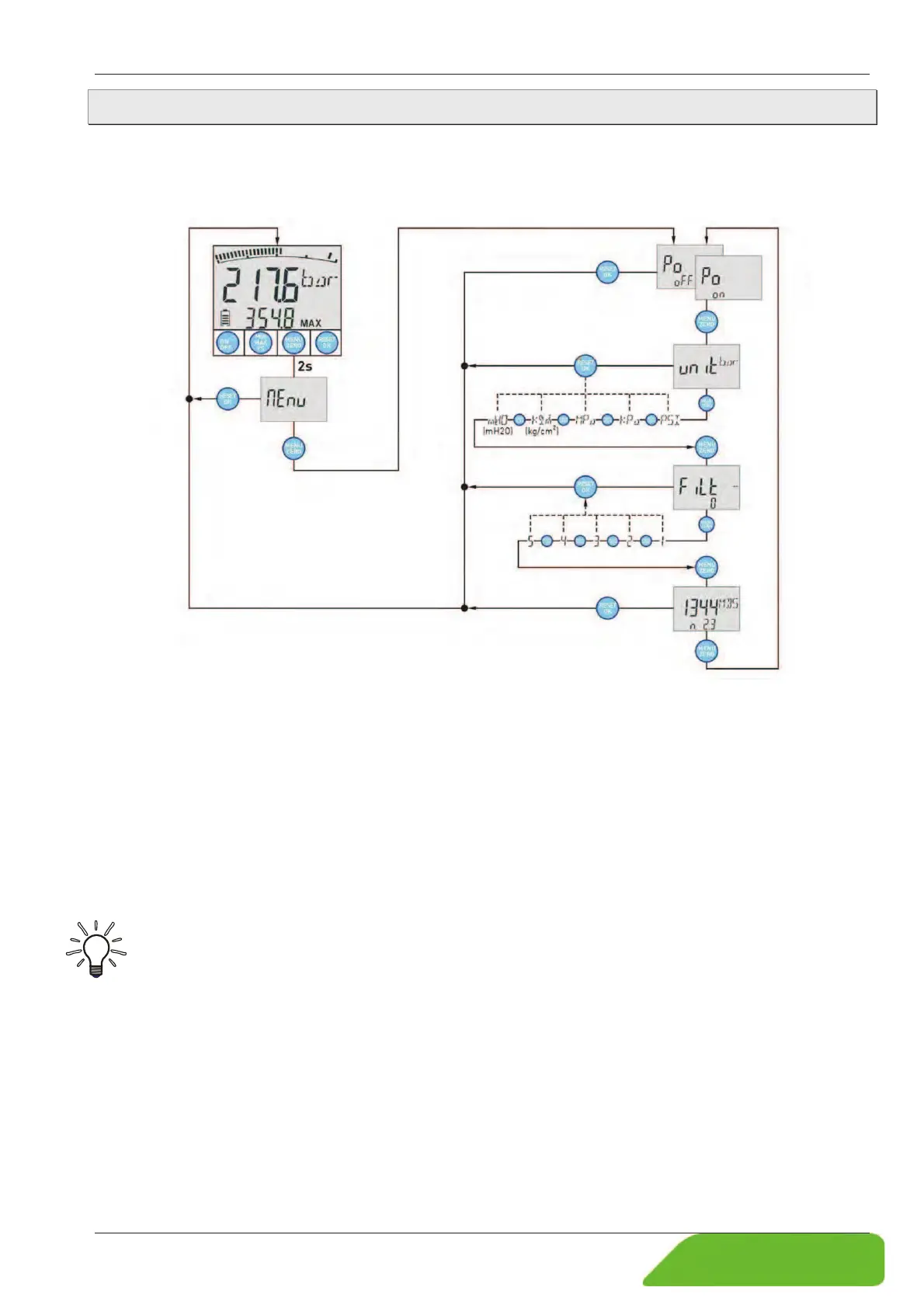
The device functions "Automatic shut-off", "Units" and "Display filter" are configured in the
menu for device settings.
The following illustration shows the procedure for creating the device settings:
Call the device settings menu with the MENU button.
ª Keep the MENU button pressed for 2 s.
¾ "Menu" appears in the display.
The individual functions and the possible settings are controlled with the MENU button.
ª Keep pressing the MENU button until the function with the desired setting appears..
ª Press the OK button to save the setting of the function.
¾ The selection is saved and the device switches back to measuring mode.
IMPORTANT! Automatic return!
If no button is pressed, the device switches back to measuring mode after 10 s.


 To Next Page